
Write something

May 14 •
0 to Indexing in <24
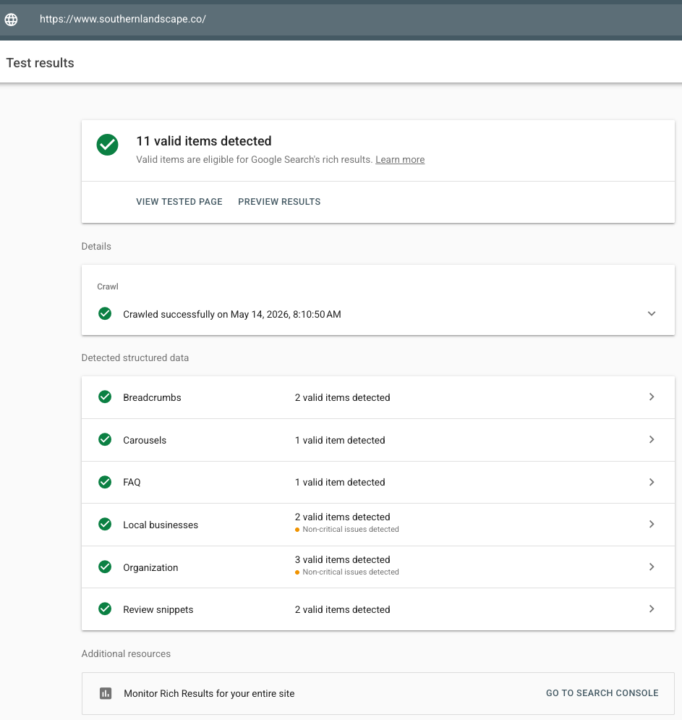
The Power of Clean Schema 🚀 Launched a new project last night for a landscaping client. Checked the stats this morning and the "machine-readability" is already paying off. The Win: - 11 Rich Result Findings: Validated everything from LocalBusiness to ReviewSnippets immediately. - First Impression Logged: Already showing up for "hardscaping services springboro oh". The Takeaway: In the AEO/GEO era, you don't wait for Google to "find" you. You give the LLMs and Search Crawlers a structured map they can't ignore. 11 valid items isn't just a vanity metric—it’s the reason this site is already live in the SERPs while the competition is still waiting to be crawled. https://www.southernlandscape.co/
Jun 5 •
New Video: How I’m Using AI to Build My GHL Account
I just posted a new video walking through a real workflow I’m using inside my own GoHighLevel account. My goal was simple: I wanted to see if AI could help me review my product, understand the GoHighLevel documentation, and then guide the setup inside my actual account without me having to manually figure out every step from scratch. This is created a method I call TOMS: Target — tell the AI exactly where we are trying to go. Observation — have it look at the screen and understand what is there. Model — have it decide what matters and what does not. Stop — if something does not look right, it pauses instead of guessing. That last part is important. The goal is not to let AI randomly click around and hope it works. The goal is to use AI to move faster while I still stay in control. In the video, I used: Google Gemini to review my productGoHighLevel documentation to understand the correct setupMy custom GPT, TOMS Operator, to help guide the workflowMy live GoHighLevel account to start organizing things the right way My GoHighLevel account is only a few days old, so I’m using this process to build it clean from the beginning with better documentation, tags, labels, and structure. This is really about showing how AI can help with the boring but important setup work that most people skip. Watch the video here:https://youtu.be/qkSnUtkogho If you're interested in the Kindle books, their a good read with a ton of real advice. Click For Me: A Simple Guide to AI That Uses Your Browser Kindle Edition https://www.amazon.com/Click-Me-Simple-Guide-Browser-ebook/dp/B0H2XZMJX1/?tag=haitianpikliz-20 F*ck It, Take Over My Screen: A Non-Coder's Guide to Screen-Control AI and Staging Boundaries Kindle Edition https://www.amazon.com/dp/B0H3837HVS?tag=haitianpikliz-20 After you watch it, let me know:
May 9 •
Homepage Schema Overhaul — Audit Report
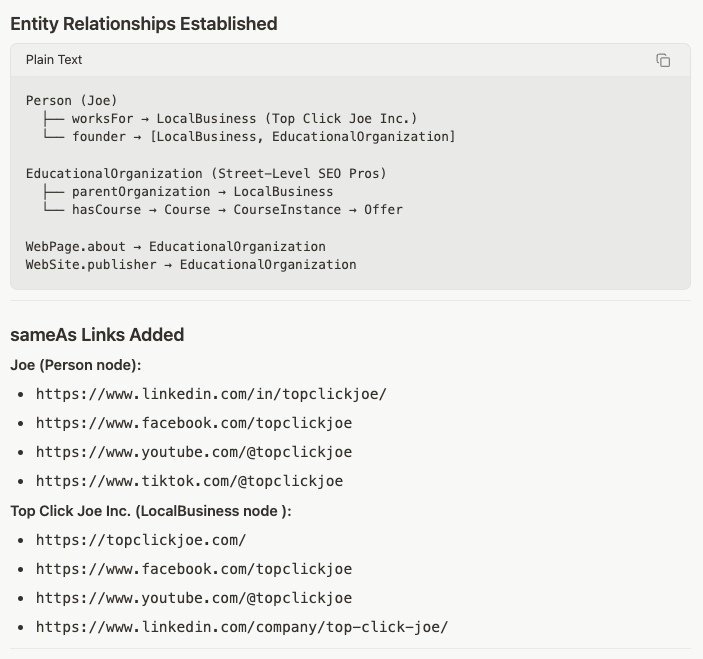
[PROOF] One of the biggest misconceptions in AI visibility right now: More schema ≠ better entity clarity. I was comparing two builds for the same ecosystem: - a mature production marketing site - and a newer AI-visibility-first implementation Both belong to the same brand owner. One implementation detects: - 40 structured data items - reviews - videos - organizations - local business entities - FAQs - multiple relationship layers The other implementation was intentionally built around: - cleaner validation - tighter entity relationships - lower ambiguity - cleaner retrieval paths - fewer conflicts - stronger reinforcement between nodes And honestly? That’s the real shift happening in SEO right now. We’re moving away from: “How much schema can I stuff into a page?” And toward: “How understandable is this entity graph to retrieval systems?” Because AI systems don’t just “see schema.” They interpret: - consistency - hierarchy - relationship confidence - duplicate ambiguity - signal reinforcement - entity trust That’s why I’d rather have: - 6–16 extremely clean, reinforced schema layers than: - 40 noisy or partially conflicting ones. This isn’t a criticism of “more.” It’s actually proof that the industry is evolving. Most businesses still have: - zero entity architecture - no relationship mapping - no retrieval structure - no canonical reinforcement So seeing businesses actively implementing schema at this depth is a GOOD sign. But the next maturity layer is: intentional entity engineering. That’s where AI Visibility starts becoming infrastructure instead of just “SEO settings.” (Attached screenshots show the difference between volume-heavy schema implementation vs. retrieval-focused entity architecture.)
0
0
May 9 •
VIBE CODING WASN’T THE PROBLEM. VIBE BUILDING WAS.
A lot of people laughed at “vibe coding.” Then Claude Code showed up, and suddenly everyone got quiet. But here’s the truth: The problem was never vibe coding. The problem was vibe building. No structure. No documentation. No system logic. No attribution layer. No data model. No clear user flow. No idea how one machine talks to another machine. No understanding of what happens after the button gets clicked. That’s not AI innovation. That’s just faster chaos. I’ve built a lot of SaaS ideas with AI. Some are rough. Some are experimental. Some may never launch. But the difference is this: They have infrastructure. They have documentation. They have defined flows. They have entity clarity. They have backend logic. They have attribution paths. They have “what happens next” mapped out. That’s the part people miss. AI can help you build faster. But it cannot replace the discipline of knowing what you’re building. And while some teams are stuck in weeks of meetings, approvals, ambiguity, and “let’s circle back,” someone else is already shipping the first usable version. Not because they had more people. Because they had more clarity. This is the same thing happening in search. The companies that clearly define who they are, what they do, who they serve, and how their systems connect are going to be easier for AI systems to understand, retrieve, and present. Because Google is still the front door to the internet. And now that front door has an AI layer standing in front of it. So the question is not: “Did you use AI to build it?” The better question is: “Did you build something AI, users, and search systems can actually understand?” Vibe code if you want. But bring discipline. Because speed without structure is just slop at scale.
0
0
May 8 •
PromptLens: 1-Hour Silent Build Challenge
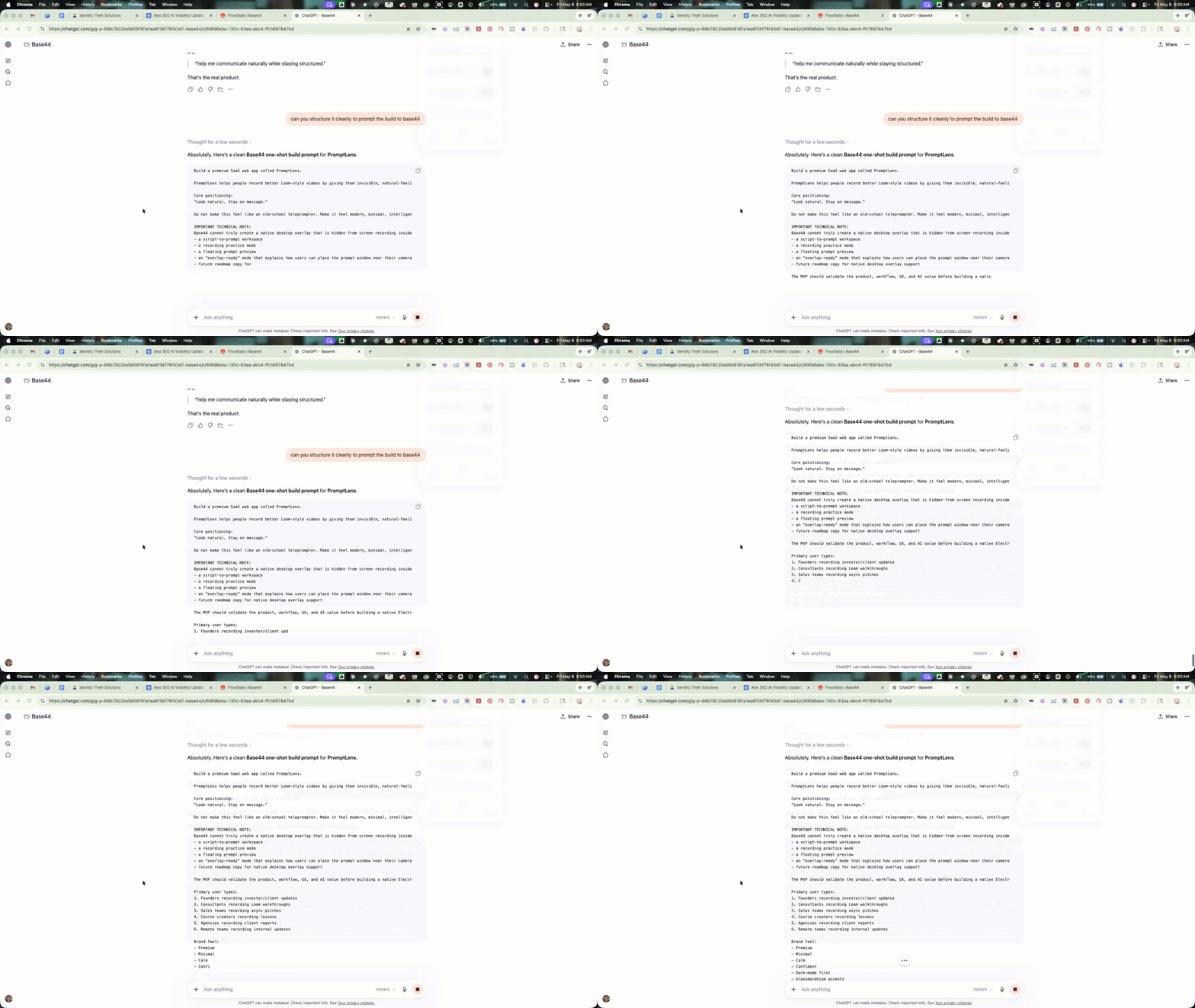
I recorded a silent 1-hour build of a tool called PromptLens inside Base44. The video is silent on purpose. This is not meant to be a polished tutorial. It is meant to show the build process, the app, and the repo structure without distractions. The goal was simple: Can I build a usable tool in about an hour while keeping the project organized enough that someone else could understand it later? That is the part I care about most. Not just the app. The structure. By the end of the build, the repo includes: - app files - docs - schema references - build notes - acquisition notes - supporting context - organization for future maintenance or handoff This is something I keep coming back to: Prompting creates an output. Structure creates an asset. If you are building tools with AI, the repo matters. The docs matter. The naming conventions matter. The handoff notes matter. The schema references matter. Because at some point, you may want to improve it, sell it, rebuild it, hand it off, or teach someone else how it works. That is why I wanted to share this inside the group. Not as “look what AI made.” But as: Look how a build can be organized. One-hour build. Silent walkthrough. Full repo structure. PromptLens. https://promptlensdemo.base44.app/
0
0
1-10 of 10
skool.com/alex-rodriguez-seo
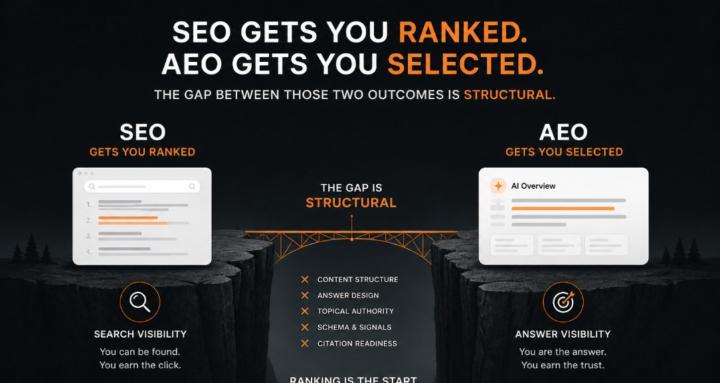
A practical AI visibility lab for business owners, marketers, and operators who want to get found, trusted, cited, and selected.
Leaderboard (30-day)
1

+1
Powered by