User
Write something
💯 How to verify your instagram
to meta verify your AI model her instagram account make sure you DON'T have any shadowban or suspensions and have at least 1.000 followers. Next up, switch to a professional account and select 'Business'. From here, you can go to Account Centre and purchase meta verified. You can verify it with: 1. Your ID Just make sure your AI model her lastname is the same as the last name on your ID. 2.Your Chambre of Commerce number You need an actual business for this and use the search functionality in instagram to connect it to your instagram. 3. Contact a meta employee You can purchase a Meta Verified subscription from @Gaaraunbans. He is our trusted meta employee who can verify it for you. This is not a free service. 👉🏼 TELEGRAM GAARAUNBANS IMPORTANT Always pay monthly NOT yearly. Meta doesn't give refunds so if your account gets suspended you lose that money.
💯 WaveSpeed AI got clapped here's the fix:
Step 1: Download desktop application https://github.com/WaveSpeedAI/wavespeed-desktop/releases Step 2: Go to Wavespeed AI and generate an API key / access key https://wavespeed.ai/accesskey Step 3: enter your API key in the desktop app and start printing again.
How to make an IG post (or thread) that looks realistic asf!🥵
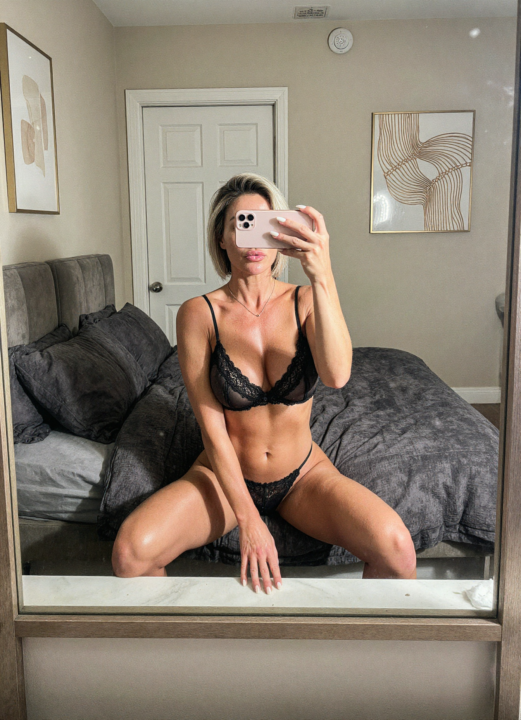
Prerequisites: First off, you need a body picture and a detailed face picture of your AI influencer (I assume you already have one). Take the example of my Chinese AI influencer below. You'll also need multiple email addresses (you're gonna understand why later). Step 1: Finding a Reference The only thing we need now is an IG post of a famous influencer to replicate. It doesn’t actually need to be famous, and it doesn't have to be from Instagram (Pinterest works too), but it needs to be eye-catching for the boys. I’m gonna use this pic from Bunnie Emmie (third image) to replicate, but I'll be replacing her with my AI influencer. Step 2: Generation Next, go to https://higgsfield.ai/image/nano_banana_2. We’re going to use Nano Banana Pro to make our replica. You can also use Lovart AI (just use something where you have access to Nano Banana Pro lvl 3 censorship—this means sexy images are allowed—but I recommend using Higgsfield). Now, upload the picture you want to replicate first, and then the picture of your AI influencer (veryy important). Then, type this prompt: Keep the lighting, location, and pose from Image 1, but replace the person with the girl from the image where she is wearing [the outfit of your AI influencer] (image 2), ensuring her facial features and body structure are preserved. Also make sure to keep the outfit from Image 1 on the replaced figure. Step 3: Variations When it’s finished, the result might be good or bad. If it’s good, you can make some variations using the Nano Banana Prompt Engineer 5.1 GPT on ChatGPT (https://chatgpt.com/g/g-68ae14451c448191837d0e108a48cf89-nano-banana-prompt-engineer). Upload the picture you just made on Higgsfield to the Nano Banana Prompt Engineer GPT and tell it what you want. Ex prompt to Nano Banana Engineer GPT: Change her pose, make her laying, front view, same influencer type pose, same body proportion, same outfit, no distortion.
How to make an IG post (or thread) that looks realistic asf!🥵
5 Best Fanvue Alternatives (Ranked)
Best Fanvue Alternatives in 2025 There are a ton of monetization platforms out there — OnlyFans, Fanvue, DFans, Patreon, Telegram, and more. They all promise big payouts and easy setup, but most either don’t convert or just waste your time. So I decided to test the main ones myself — real traffic, real AI models, real payouts — to see what actually works in 2025. 1. OnlyFans Still the king. The conversions are insane, payouts are fast, and you’ve got everything you need — chat, PPV, tips, CRM, all built in. Downside: they don’t allow AI creators. Best for: people doing a mix of AI + real content. 2. Fanvue Fanvue is great for AI creators. You get all the core tools — chat, voice, tips — and crypto payouts are pretty fast. The fee is 20%, and their guidelines can be strict, so don’t keep too much money sitting there. The moment you can cash out you do so. Best for: AI-only creators who want something quick and easy. 3. DFans DFans has easy KYC and crypto payouts, but the AI chatbot is terrible. It’s slow and conversions aren’t great. Still, it’s solid as a backup in case your main account gets banned. Best for: backup use only. 4. Telegram Not a real monetization platform, but it works surprisingly well. You can sell PPV content and chat directly with fans. It’s all manual — no analytics, no dashboard — but people convert because it feels more personal. Best for: people who can automate chats and know how to run funnels. 5. Patreon Way too strict. Doesn’t allow adult content unless the overall appearance of your feed is SFW. Barely converts. Best for: creators doing clean, non-adult stuff. Final Verdict 1. OnlyFans – Best for hybrid creators 2. Fanvue – Best for AI creators, but risky 3. DFans – Okay as a backup 4. Telegram – Works if you automate 5. Patreon – Just skip it
1-30 of 41
Free AI OFM Course
skool.com/ai-ofm-course
Launch your AI Onlyfans model today. Free AI OFM course plus 420 bonus coins to get you started.
Leaderboard (30-day)
Powered by