

May 24 •
Live Session 2 Recording: From Idea to AI Workflow
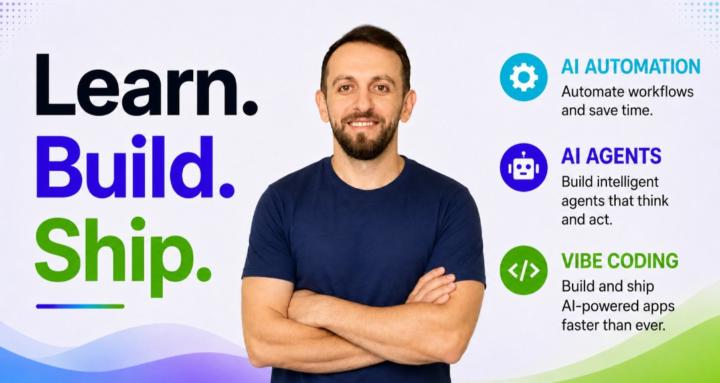
Today we connected the 3 main parts of this community: AI Agents: when a system needs reasoning and tool use Automations: when repeated steps should run automatically Vibe Coding: when you need an app, dashboard, or simple interface The main lesson: Do not start with the tool. Start with the workflow. Instead of asking: “Should I use n8n, Cursor, CrewAI, or Claude Code?” Ask: What repetitive process do I want to improve? In the session, we covered: 1. Automation vs AI agents vs vibe-coded apps 2. How to turn an idea into version 1 3. The 9-question AI Workflow Planning Template 4. Examples like student support, lead follow-up, content repurposing, and code review Your task this week: Post one workflow idea using this format: My AI Workflow Idea: [Name] 1. Problem: 2. User: 3. Trigger: 4. Input: 5. Automation: 6. AI role: 7. App/dashboard: 8. Output: 9. Human review: I will review selected ideas and suggest the best build path. What workflow do you want to build first?

May 19 •
I uploaded a new demo: 6 AI agents reviewing a SaaS codebase in 90 seconds
I just uploaded a new YouTube video for the community. In this demo, I show how the SaaS Roast Agent reviews a real SaaS codebase using 6 AI agents. One agent scans the project. Five specialist agents review it in parallel: authentication tenant isolation security database performance architecture Then a final synthesis agent combines everything into one Launch Readiness Report. The report gives: → launch score out of 100 → category-level scores → critical issues → security risks → database and architecture problems → practical 7-day fix plan The idea is simple: Founders, indie hackers, and vibe coders are building faster than ever. But fast shipping without review can create dangerous production bugs. This agent helps you move fast without blindly launching risky SaaS code. Built with Python, FastAPI, and the official Claude SDK. Just Claude SDK, structured prompts, tools, and a practical multi-agent workflow. Watch here https://youtu.be/fsE-XLm1yxI After watching, tell me this: Would you use an AI agent like this before launching your own SaaS project?
May 17 •
First Live Q&A and the 3 Levels of AI Agents
We just wrapped the first live community session. What we covered: 1. Why this community exists, and how Sundays will run from here 2. The 3 Levels of AI Agents: Chatbot (talks), Tool-Using (acts), Workflow (ships a full process) 3. The beginner trap: most people jump straight to Level 3 and stall. Build a small Level 2 first. 4. How to actually start: pick one boring agent that solves one real problem you have this week. Your challenge this week Before next Sunday, post one AI agent idea in the community using this format: 1. Agent name 2. Problem it solves 3. Who it helps 4. Tools it needs 5. What the first version should do I will review selected ideas live next Sunday and help you sharpen them. Recording is pinned in Youtube Resources. If you missed it, drop your question below and I will answer every one in the next 48 hours. What is the first agent you want to build?

May 4 •
New Video: Just shipped an HR onboarding AI Agent using Claude SDK
New video up. HR onboarding agent. Full workflow: → Reads passports, driver's licenses, offer letters with Claude vision → Auto-creates HRIS records, IAM accounts, onboarding checklists → Sends I-9 / W-4 to eSignature, enrolls benefits, orders background checks → Tracks compliance deadlines (I-9 at hire+3 days, state new-hire reporting at hire+20) → Flags REVIEW_REQUIRED for HR. Human in the loop, always. But the real lesson isn't in any of that. Background checks come back as "clear," "consider," or "fail." A naive agent auto-rejects on "consider." That's where compliance breaks. EEOC requires individualized human assessment, not algorithmic rejection. The fix wasn't a bigger system prompt. It was ONE line in the tool description: "If result is 'consider,' alert HR for manual review. Never auto-block." Production agents aren't built in the system prompt. They're built in the tool descriptions. Stack: Python · Claude Agent SDK (sonnet-4-6 + vision) · AgentAPIsHub · httpx · Pydantic · Rich 9 modules · 26 tools · 1,200 lines. 🎥 Full walkthrough + downloadable source: https://www.youtube.com/watch?v=-XcBsPWr1KY Question for builders here. What's one tool description you've written that quietly saved you from a production bug? Drop it below.
Apr 9 •
New Video: I Built a Python AI Agent That Writes Real Estate Listings From a Google Sheet - Full Tutorial
In this video I build a Python AI agent that connects to a Google Sheet, reads every property row automatically, and generates 3 professional listing versions for each one — short (social media), standard (MLS/Zillow), and luxury (premium marketing). No copy-pasting. No manual prompting. Just run one command and walk away.
1-6 of 6
skool.com/ai-agents-automatin-vibecoding
A practical builder community for people who want to ship AI agents, Automations, and Vibe-Coded Apps faster. 🚀
Leaderboard (30-day)
1

+4
2

+1
3

+1
4

+1
5

+1
Powered by