Activity
Mon
Wed
Fri
Sun
Mar
Apr
May
Jun
Jul
Aug
Sep
Oct
Nov
Dec
Jan
Feb
What is this?
Less
More
Memberships
Chatbots for Course Creators
177 members • Free
The AI-Driven Business Summit
7.8k members • Free
The Digital Front Porch™ - AI
201 members • $5/month
AI Artist Lab
380 members • Free
Just Create It With AI
286 members • Free
Wi-Fi & A Dream Creative
28 members • Free
QCG Creative Collective
566 members • Free
Kismae's AI Creative Lab
40 members • Free
Black Girls Journal Club
224 members • $10/month
6 contributions to Kismae's AI Creative Lab

Jan 3 •
Valentine’s / Anti-Valentine’s Creative Challenge
🧶💖💔 Valentine’s / Anti-Valentine’s Creative Challenge 4 Parts · Any Style · Finish Within 2 Weeks This challenge is designed to fit real life. There are no daily deadlines — just 4 simple parts you can complete at your own pace over the next two weeks. You can work ahead, skip a day, or do everything in one sitting if that’s your style. Valentine’s Day doesn’t look the same for everyone — and that’s exactly the point of this challenge. This is a low-pressure, beginner-friendly creative challenge where you’re invited to explore emotion through art, not perfection, skill level, or technique. You do not need to be an artist. You do not need to know crochet. You do not need to be “good at prompting.” You just need curiosity. IMPORTANT: ALL ART MEDIUMS ARE WELCOME You can participate using any art style or medium, including: - Painting or digital painting - Illustration or drawing - Collage or mixed media - Photography - Abstract art - AI art (any generator, any style) - Faux crochet / yarn textures (optional, not required) 👉 If crochet or fauxchet isn’t your thing, that’s completely okay.👉 If you want to experiment with texture or fiber-inspired styles, that’s great too. There is no “wrong” way to participate. 🧩 PART 1 — Choose the Feeling (Post anytime during the 2 weeks) Valentine’s Day doesn’t feel the same for everyone. Choose one feeling that fits you: - Love - Sad - Confident - Angry - Hopeful - Lonely - Free - Soft - Powerful Choose one form: - ❤️ Heart - 💐 Bouquet - 🧍🏾♀️ Person / figure - ✨ Abstract shape Post in the group: Feeling + shape (one sentence is enough) 🎨 PART 2 — Choose Your Colors (Post when ready — no rush) Colors tell the story before words do. Choose: - 1 main color - 1 helper color - 1 accent color There are no wrong choices. Post: - Your color choices - Why you chose them (short + simple is perfect) 🧵 PART 3 — Create the Artwork (Any time within the 2 weeks) Create one finished piece using any medium you like.

1 like • 17d
I did a galentine auntie style https://kentedispora.etsy.com/listing/4443711742 Created some more galentine images
22d •
Crochet
I started out making jewelry in 2007, I learned to crochet, then I Iearned to knit. I'm a passionate crafter so I learn to do different arts and crafts along the way. Does anyone in the community want crochet?
Poll
4 members have voted
1 like • 22d
I loved to thanks
Jan 2 •
Resources
(833) Niki Lyn Digital Design, Designer at Creative Fabrica (107) Simon Gutierrez Muñoz, Designer at Creative Fabrica (69) na.nomad.art, Designer at Creative Fabrica (100) digidwnlds4u, Designer at Creative Fabrica I found these Designers via my Wall mockup Class with @Talya Morris with https://www.skool.com/talyas-crafting-collective-9702/about They have so many great mockups to use for Q1 I can't even share them all. If you have Creative Fabrica I will make post so you can find some useful ones. Also share whenever you find something as well.
0 likes • Jan 9
Thank you
Jan 9 •
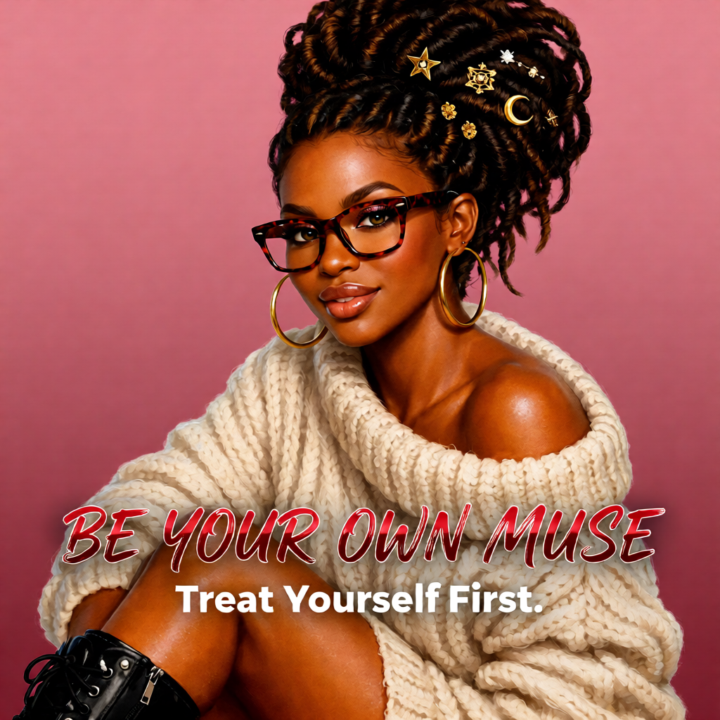
Have you tried Artisly Ads?
You can get up to 25 images with it and they are a great way to get consistent character's. I am sharing random images from the first try.
0 likes • Jan 9
Those turned out nice
Dec '25 •
Repper App
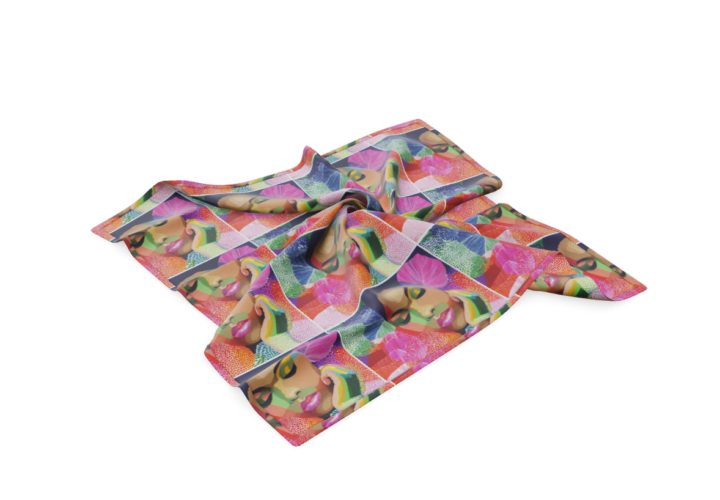
Has anyone used this app before? Click the like below to get the app Pattern maker: create seamless and geometric designsRepper app – Repper app Click the link below to learn more about it How to Design & Sell Patterns on Spoonflower (Step by Step) I learned about it sometime last year inside of DCT. I will probably share what I have done with it inside of my Skool community what I do step by step. I like patterns and using my images I create in Midjourney to turn them into unique designs.
0 likes • Dec '25
I have used it for my backgrounds in my images. Seeing your pic I never thought of it that way.
1-6 of 6

@teressa-whitlow-9054
Artist. Creator. Grandma. Founder of Kentedispora 🎨 Sharing my journey in AI & digital art. Cultural storytelling through creative expression. 💛
Active 2h ago
Joined Nov 13, 2025