Activity
Mon
Wed
Fri
Sun
Mar
Apr
May
Jun
Jul
Aug
Sep
Oct
Nov
Dec
Jan
Feb
What is this?
Less
More

Owned by Kismae

Kismae's AI Creative Lab

40 members • Free

Mix creativity and AI to craft limitless art. Learn how to blend digital tools and handmade crafts like crochet & knit, with Kismae’s creative touch.

Memberships

The Victorious Movement

37 members • Free

Platinum AI Academy

158 members • Free

Chatbots for Course Creators

300 members • Free

Business & Grant Community

6k members • $47/m

Black Girls Journal Club

225 members • $10/month

The Online Income Studio

282 members • Free

Diversity Ai Skool

116 members • Free

The Creators Academy

192 members • $5/month

Bottom Line Gurlz

12 members • Free

37 contributions to Kismae's AI Creative Lab
Valentine’s / Anti-Valentine’s Creative Challenge
🧶💖💔 Valentine’s / Anti-Valentine’s Creative Challenge 4 Parts · Any Style · Finish Within 2 Weeks This challenge is designed to fit real life. There are no daily deadlines — just 4 simple parts you can complete at your own pace over the next two weeks. You can work ahead, skip a day, or do everything in one sitting if that’s your style. Valentine’s Day doesn’t look the same for everyone — and that’s exactly the point of this challenge. This is a low-pressure, beginner-friendly creative challenge where you’re invited to explore emotion through art, not perfection, skill level, or technique. You do not need to be an artist. You do not need to know crochet. You do not need to be “good at prompting.” You just need curiosity. IMPORTANT: ALL ART MEDIUMS ARE WELCOME You can participate using any art style or medium, including: - Painting or digital painting - Illustration or drawing - Collage or mixed media - Photography - Abstract art - AI art (any generator, any style) - Faux crochet / yarn textures (optional, not required) 👉 If crochet or fauxchet isn’t your thing, that’s completely okay.👉 If you want to experiment with texture or fiber-inspired styles, that’s great too. There is no “wrong” way to participate. 🧩 PART 1 — Choose the Feeling (Post anytime during the 2 weeks) Valentine’s Day doesn’t feel the same for everyone. Choose one feeling that fits you: - Love - Sad - Confident - Angry - Hopeful - Lonely - Free - Soft - Powerful Choose one form: - ❤️ Heart - 💐 Bouquet - 🧍🏾‍♀️ Person / figure - ✨ Abstract shape Post in the group: Feeling + shape (one sentence is enough) 🎨 PART 2 — Choose Your Colors (Post when ready — no rush) Colors tell the story before words do. Choose: - 1 main color - 1 helper color - 1 accent color There are no wrong choices. Post: - Your color choices - Why you chose them (short + simple is perfect) 🧵 PART 3 — Create the Artwork (Any time within the 2 weeks) Create one finished piece using any medium you like.
0 likes • Jan 8
Hopeful+❤️
0 likes • 2d
@Teressa Whitlow I love it
Ai Artwork
Today I'm going to use my AI artwork to create a pattern using stitchfiddle.com The program is free to use. There is also a paid version where you have more options. I do have the paid version of this so mine may look different. 1. Goto www.stitchfiddle.com. 2. Click Signup/login. Follow the steps to do that. 3. Design your own patterns with Stitch fiddle. Choose your craft. There are 10 options to choose from. Select one. 4. For example Crochet. So you we could click that option 5. It takes you to What kind of crochet project? So select the one that best describes the one you like to try. 6. Crochet colowork usually works for me. Select that. 7. Next the yarn type pops up. I usually select. No preference. 8. Then how to start comes up with 5 options. I usually pick from picture. 9. Tap to choose picture. Upload any image want to. 10. Once that happens it gives you the image turned into a pattern of your choice. https://gamma.app/docs/Turn-AI-Art-into-Stitch-Patterns-pshrtboy9ui70wi
1 like • 2d
@Valarie Smith your welcome
Welcome! Introduce yourself + share a pic of your workspace 🎉
Let's get to know each other! Comment below sharing where you are in the world, a photo of your workspace, and something you like to do for fun. 😊 Welcome everyone to this lab! All the new member's thanks for joining the lab. My creative is on go 24/7 so I apologize in advance if I over share. feel free to drop questions in the community if you need help with anything. @Ola Adegoroye @Laura Penrod @Prisca Reynolds @Altenia Shaw @Marie Junise Justin @Vee O @Sabrina Swazy @Jasmine Smith @Selena Vale @Jennifer Vincent @Deme Gamble @Linda Kelley @Erica Day @Rosie Hampton-Quiller @Helen Fisher @Jeannette Abbott @Shannon Marcheski @Elizabeth Salgado @Shelia Farmer @Teressa Whitlow @Cheryl Smith @Angela Chandler-Norward @Mary Kissiedu @Dg Donaldson @Valarie Smith @Jazz Minor @Sharon Leach @Susan Lowe @Empress Love @Charisse Neal-Coleman @Talya Morris @Martine Brown @Tasha Catron @Erika Reed
0 likes • Nov '25
Hey everyone! I’m from Atlanta, GA, and I currently work full-time while also consulting for a nonprofit organization here in Georgia. My background is in Accounting, with most of my experience focused on nonprofit and government work. Creativity has always been a part of my life — I’ve been artistic since I was young. Before COVID, I taught classes at Michaels and community centers around Atlanta, sharing my love for knitting, crochet, and bead weaving. I also enjoy watercolor painting and exploring different coloring mediums. If it’s crafty, I’ve probably tried it (or have the supplies waiting for me to). Over the past year, I’ve been diving into the world of AI — learning how to blend my traditional crafts with digital art. My creations are often bright, colorful, and full of life. My goal is to help other makers and creatives like me use AI confidently and discover how it can complement their own craft. These days, I’m focusing on digital products to better balance the time it takes to make my physical ones. I’ll be sharing more about my work and plans here soon. Thanks so much for being here — I’m excited to create and grow together!
1 like • 14d
@Ola Adegoroye Welcome in. Great space.
This is one of my designs on Amazon right now!
https://www.amazon.com/s?k=hcdbkismae&crid=1XRE5TJ3UFFJ2&sprefix=hcdbkismae%2Caps%2C104&ref=nb_sb_noss I want to scale this design based on a recent class or coaching from @Martine Brown Thanks for all the guidance. So what do you all think about turning this into a coloring page or a colorable tee?
This is one of my designs on Amazon right now!
Digital image to Crochet pattern
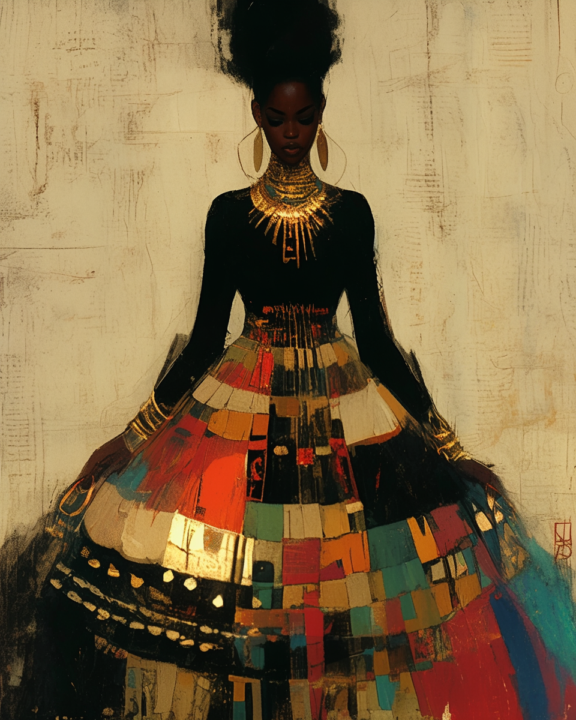
What do you think about this! This is an image that I created using Midjourney from a prompt that I created. I then take this image and upload it to my account on stitch fiddle and turn it into whatever type of pattern I want there are many choices. I can crochet it, knit it, or bead it. The pdf file is just a chart of the image to give you an idea of what it looks like.
Digital image to Crochet pattern
1-10 of 37
Kismae Grimes Reed
5
302points to level up
@kismae-grimes-reed-8572
Hello I'm Kismae, a designer and a creative soul. I Love to Crochet, Knit, water coloring, make jewelry and make coloring pages to color.

Active 1m ago
Joined Aug 29, 2025
Atlanta, GA