Activity
Mon
Wed
Fri
Sun
Jun
Jul
Aug
Sep
Oct
Nov
Dec
Jan
Feb
Mar
Apr
What is this?
Less
More
Owned by Sharon
Genuine beginner over 50? Onliners helps real people start making real money - in less than 8 minutes. Join us!
Memberships
UGC World
12.3k members • Free
🔥Substack Starter Space🔥
87 members • Free
✨💜🌎The You World Order🌎💜✨
505 members • Free
Seasonal Sisters
12 members • Free
Skool Made Simple
35 members • Free
Laughter Clinic
43 members • Free
Your First $5k Club w/ARLAN
28.1k members • Free
Skool Events Daily
225 members • Free
Skool Growth Free Training Hub
7.4k members • Free
49 contributions to Tech-Lite Business Builders

11d •
Big Update: Creating Images with AI Just Got WAY Easier
OpenAI has upgraded the image tool inside ChatGPT… and this one is actually useful for everyday people, not just tech experts. Try the prompts in the first comment Here’s what that means for you 👇 1. Text finally looks normalIf you’ve ever tried AI images before, the words looked messy or wrong now? You can create things like posts, quotes, and thumbnails with clear text. 2. Better quality imagesImages are sharper and fit properly for places like TikTok, Instagram, or websites. 3. More realisticFaces, lighting, and details look much more natural. Less of that “fake AI look.” 4. It follows your instructions better. You can ask for specific things and it actually listens. Example: “Create a post with a heading, image, and button” → it understands that now. 5. You can keep the same person in images. This is huge. You can create the same character again and again. Perfect if you want a “brand person” or faceless content. 6. You can edit images easilyYou can now: - Fix parts of an image - Extend it - Change sections without starting over Why this matters (in simple terms) You don’t need design skills anymore. You can now create: - Social media posts - Ads - Quotes - Simple brand images All inside ChatGPT. What I want you to take from this This isn’t about being “techy.” It’s about making content faster and easier…even if you’re starting from zero. And this is exactly the kind of thing I teach inside this community. https://openai.com/index/introducing-chatgpt-images-2-0/

🔥
0 likes • 8d
Is it wrong that I'm just using it to improve my selfies @Jenelle Livet ? ;-)
🔥
0 likes • 8d
@Jenelle Livet haha true!
16d •
I need your help....
Help me to help you. Please everyone comment below what they are promoting at the moment. I am planning something awesome that will hlep you make more sales but I need to know what you are selling so I can customise it as much as possible for you . @Ted Mauro @Suzie Kemper @Teri Francois @Michelle Pieterse @Brenda Montgomery
🔥
2 likes • 12d
@Jenelle Livet thanks for the shoutout!
🔥
2 likes • 12d
@Jenelle Livet I agree lol
12d •
60 seconds of your time (48 hours only)
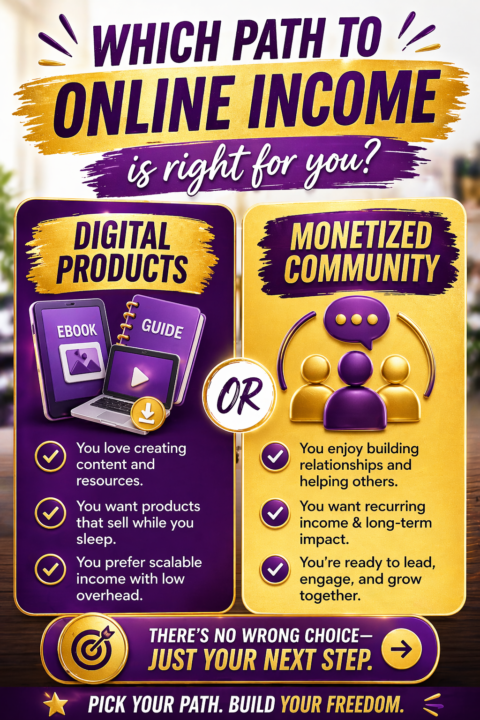
If you've been trying to figure out how to make money online and nothing has clicked yet... this is worth 60 seconds of your time. I just joined a community called Online Profit Mastery and it's unlike anything I've seen. No fluff. No 14 different strategies. Just two clear paths to building real online income: Digital Products or Monetized Community. You pick one. You build. You grow. Right now there's a 48-hour deal to get in at just $10/mo. That price disappears Wednesday. There are also 3 VIP Founding Member spots left at $59/mo for those who want to lock in the best rate before it's gone. If you've been waiting for the right time... this is it. Run Here Now
🔥
1 like • 12d
Sounds like clear paths ... got any results yet @Jenelle Livet
🔥
0 likes • 12d
@Jenelle Livet well done!

🔥
13d •
📌 When Enough Is Enough
There comes a point where adding more does not improve things. Another tool. Another course. Another idea. At some point, more just becomes weight. Knowing when you have enough; enough information, enough direction, enough to begin; is a quiet form of wisdom. It allows you to shift from gathering to doing. From preparing to progressing. Clarity does not always come from more input. Often, it comes from deciding that what you have is already sufficient to take the next step.

🔥
1 like • 12d
Very true @Stephen B. Henry - Less is More!
12d •
What is frustrating you right now?
I have been working on an app and there is one piece that I just cannot get connected. Not giving up just want to throw a spanner at the computer. Mmm now there is an idea a virtual smash room What is frustrating you?
🔥
0 likes • 12d
haha - that sounds great @Jenelle Livet !
1-10 of 49
🔥
@sharon-jones-5093
Helping people over 50 make their first dollar on Skool, escape wage-slavery & find a community of creative, fun and supportive online entrepreneurs.
Active 9h ago
Joined Oct 26, 2025
Wollongong