Activity
Mon
Wed
Fri
Sun
Nov
Dec
Jan
Feb
Mar
Apr
May
Jun
Jul
Aug
Sep
Oct
What is this?
Less
More
HighLevel House
1.3k
5.0
$124/m
100X Freedom
69
4.4
$99/m
Freedom Academy
958
Free
One Call Close
525
5.0
$127/m
HighLevel Huddle w/ Clay
3.8k
Free
The Outreach Collective
2k
5.0
Free
7 contributions to CRM Connector

Feb 2 •
Question
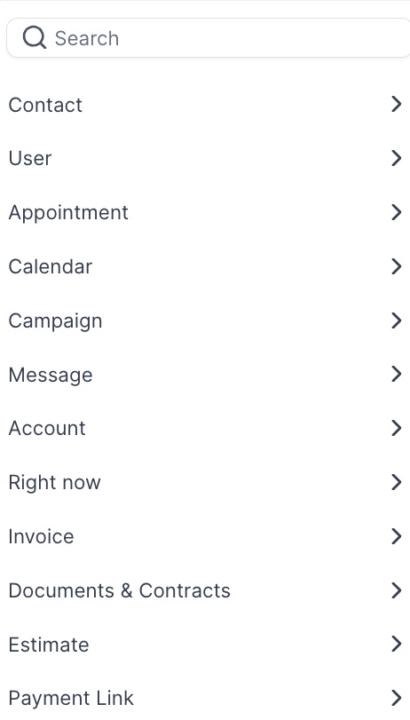
Hey, I’m setting up a client on WhatsApp Native and have done this several times before. However, this time I’m running into an issue (see the image): I’m unable to select the trigger link for the custom value. That’s unusual, because in the past I’ve always been able to choose trigger link SMS as the custom variable. For the sample content, I normally just insert the Google review link. I’m not sure if this is a glitch or something on my end, but it hasn’t happened before. @Melvin Zuidweg
0 likes • Feb 3
@Melvin Zuidweg Yeah, I've searched it. still not showing up

1 like • Jan 19
I think they have a zapier integration
Jan 19 •
Can't Subscribe To CRM Connector
Hey @Melvin Zuidweg I'm trying to subscribe to CRM Connector but I can't proceed as I dont have a VAT number as I am not VAT registered
0 likes • Jan 19
@Melvin Zuidweg I'm based in england
0 likes • Jan 19
@Melvin Zuidweg okay thanks
2 likes • Jan 14
@Twan Roelofsen yeah I'm not sure too but I will contact them. thanks
Dec '25 •
WhatsApp Native setup route
@Melvin Zuidweg My situation I onboarded a client recently and we were using her personal WhatsApp (didn’t realise at first). After a few days of sending review messages, her account got suspended. She’s happy to continue but doesn’t want to risk using her own number again She plans to get a new WhatsApp Business account but needs to wait 2 weeks, and wants to start now so I’m looking at WhatsApp Native in GoHighLevel instead What I’ve done so far: - Bought a new phone number inside GHL - Number is verified - Templates are approved in whatsapp - Using my own Meta / business details for setup (not hers) Where I’m stuck in the WhatsApp settings, I’m not sure which option to choose: 1. Connect WhatsApp Business App 2. Start with a new WhatsApp phone number In my case, the client doesn’t have a WhatsApp Business account and we’re using a brand new number, so which route is correct? Second question since this is a new number, customers will get messages from a different number. When I tested this, I noticed the personalised nifty image doesn’t always auto-load unless the number is saved it shows a tap-to-download icon. Feels a bit spammy to me. - Is this normal with WhatsApp Native? - Does it affect replies/conversion or is it just me?
0 likes • Jan 2
@Melvin Zuidweg Thanks, is there any way you can do the nifty image with whatsapp api?
0 likes • Jan 3
@Melvin Zuidweg No worries, so I have the WhatsApp native now. I purchased the number from the sub account, everything is approved, connected, verified, and active. And so when I am testing the workflow by adding a contact to the automation, it doesn’t send the WhatsApp Native Template Message. Is this because the number has only been connected to WhatsApp for 2 days, and it needs to get warmed up? Or is it a different reason, do you think?
1-7 of 7

Active 22m ago
Joined Dec 1, 2025
United Kingdom