Activity
Mon
Wed
Fri
Sun
Nov
Dec
Jan
Feb
Mar
Apr
May
Jun
Jul
Aug
Sep
Oct
What is this?
Less
More
Hormone Secrets
4.4k
Free
Project Biohacked - Peptides
14.9k
5.0
Free
Gut Brain Synchrony
1.1k
5.0
$50/m
Creator Boost Tribe
9.2k
Free
32 contributions to Creator Boost Tribe

Oct '24 •
Reading a Script
Hi All! Does anyone have any tips for reading a script and making it look very natural? I don't usually like to use scripts. But it does make the recording process smoother and faster. I used a script in my latest video but I do need to get better at reading it like I'm not reading it !! Thanks :)

1 like • May 24
@Robert Chandler hoe long does it take to write a good script. I make educational medical content so I research quite a bit and need to get that right. But I feel that it takes too long for me to write a good script (6-8 hours). But just for reference it might not be that long compared to other people’s scripts and that will give me peace of mind and that I’m not taking the long way home if there are short cuts so if there are any do you mind sharing them 😊
1 like • May 25
@Robert Chandler i do that too. I’ll write a script. Read it record voice to tekst and rewrite it thank you for your reply

🍀
Jan 20 •
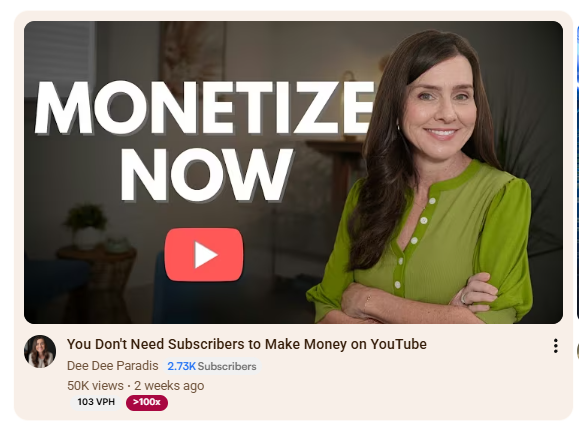
Just have to share...Go Dee Dee!
One video and now packed with coaching calls. You go! So proud! Woohooo!!! @Dee Dee Paradis
4 likes • Jan 20
Wow! Amazing! Congratulations <3

Jan 12 •
Dramatically improved my Speaking on Camera
A kind commenter mentioned I could try talking slower, which is something I’ve heard my whole life... I talk really, really fast naturally, and I especially do so on camera, and often people can't understand me as a result. I decided to finally try a method I’d heard of but never used... shadow speaking. You listen to your script in one earbud (a bit louder than you talk) and repeat it back with a slight delay (a couple of words or so, but whatever feels natural). The first 5 seconds felt odd because I had to figure out the right delay, but then all of a sudden, the difference was huge. My clarity and pacing improved, which skyrocketed my confidence on camera and made the process of making and recording videos even more fun. And the other thing it did that I did not expect is that I didn't have to look at notes or a script to remember what to say (I do practice once without recording first). I just had to follow the voice. I have used teleprompters in the past but for me this was more effective and easier to apply. The first video I applied it to, I filmed the entire 5-minute script in just two takes, and the second take I did all the way through, which made editing so much easier. I was so excited that I even made my following video (after the success) about the experience and built myself a simple software tool to help streamline the process. I found I needed to interject pauses (sometimes the voice got too far ahead otherwise), which is why I wrote my own. But if anyone else out there has the same issue, you can just use any text-to-speech out there, and if you need the pauses, you could just have it say "pause here" or something... (or, if you don't talk too fast like me, you could just record your own voice while reading your script and then listen in one earbud, not both). Anyhow, just wanted to share and say that I love this community!
1 like • Jan 12
That’s brilliant. It never occurred to me that this was an option. Thank you for sharing! Can you share your channel so I can see what it looks like?
1 like • Jan 12
Thank you! 🙏 I’ll check it out!
Dec '25 •
Long form video retention
I make videos about hormonal health in women and make long form content (15 min +) and would like to know how you script a video that keeps retention but without too much fluff. I work on my scripts sometimes for a full 8 hour work day. I need to make sure that what I say is correct etc (not just through checking chat gtp but also pubmed etc). I would like to know how everyone else is doing this without losing retention.
0 likes • Dec '25
@Allison Katie Amazing! Than you
1 like • Dec '25
@Evans Brook I find it quite challenging. But I’ll keep going 🙂🙏

🔥
Oct '25 •
NEW GOOGLE DOCS FEATURE — Helps With Video Scripts!
Hey everyone, in a recent post in one of the groups I’m part of, we were asked to share something new we’d discovered that might help other creators. I am attaching a video that I came accross today that I think can be a major help for anyone who writes video scripts! 📹 The video is by Justin Brown and it’s titled:“This new Google Docs Tool is a Game Changer for Video Scripts.” He walks through a brand-new Google Docs feature that lets your document read itself out loud using natural-sounding AI voices. It’s called “Listen to this tab,” and it’s powered by Google’s Gemini technology. What makes this so useful is that we often write our scripts to read well, but not necessarily to sound natural when spoken.This tool helps bridge that gap by letting you hear your words back — so you can smooth out clunky phrasing and make your delivery feel more authentic before hitting record. 🛠️ HOW TO FIND IT (When It Rolls Out to You) Here’s how Google says you’ll be able to access it once it reaches your account: 1. Open your script in Google Docs on desktop (English only for now). 2. In the top menu, click → Tools → Audio → Listen to this tab. 3. A small floating player will appear — hit ▶️ to start listening. 4. Use the three-dot menu (⋮) on the player to: 5. You can even add a clickable audio button inside your doc for later playback: 6. The playback window can be dragged or repositioned anywhere on your screen. ⚙️ WHAT GOOGLE SAYS ABOUT ACCESS According to Google’s official updates, this feature is rolling out gradually — starting with select Google Workspace and Gemini AI users. It’s currently available to: - Business Standard / Plus - Enterprise Standard / Plus - Gemini Education / Education Premium - Google AI Pro and Ultra tiers If you’re using a free or personal Gmail account, you probably won’t see it yet.The rollout is happening in stages across “Rapid Release” and “Scheduled Release” domains, so it may take a few weeks (or months) before everyone has it.
1 like • Dec '25
I can't find this feature in my google doc 😒
1-10 of 32

@mariska-angenent-6227
Hi! My name is Mariska and I run a functional medicine practice and am passionate about helping to improve people's physical and mental health.
Active 25d ago
Joined Sep 16, 2024
Voorschoten Nederland
Powered by