Activity
Mon
Wed
Fri
Sun
Mar
Apr
May
Jun
Jul
Aug
Sep
Oct
Nov
Dec
Jan
Feb
What is this?
Less
More
Memberships
SOLIDWORKS Accelerator
2.2k members • Free
19 contributions to SOLIDWORKS Accelerator

Oct '25 •
Sketch in an Assembly Question
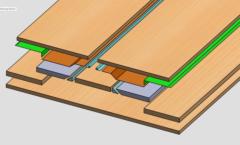
Hi. The part in this assembly has a path made out of many circles. If you look closely you'll see a rebuilt circle. That's the place where a fixed bar shall come and follow the path of many circles. Now I can't figure out how I should draw a path so it won't interfere with the bar or rebuilt circle. I made the cut extrude with many circles by turning the part a bit and draw a circle on the rebuilt circle and then fixed it and exiting the sketch and then rotating it a bit and go back to add another circle.


1 like • Dec '25
try using sketch driven patterns?

Dec '25 •
How to decide what plane to start a new drawing
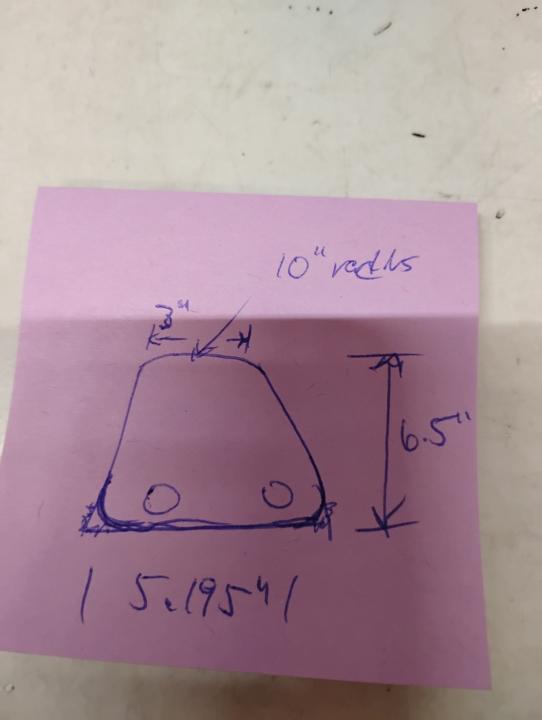
How do I decide, basically, where to start when starting a new drawing? So everyone knows I am 100% completely green to SolidWorks. This is probably a difficult answer to answer. Please see the attached photo. I would think that one would start on a top plane? I have experience with AutoCad and Architectural drawing and you pretty much always start with a 2D floor plan view but 3D mechanic drafting tends to very how a person would start drawing a part
2 likes • Dec '25
I would chose the top plane for the sketch and place the bottom horizontal lines midpoint on the centre plane. Assuming the part is symmetrical, you can then sketch half of it and sketch mirror the other half. You could also use symmetric relations to help with symmetry.
May '25 •
Automate either with built in feature or create one
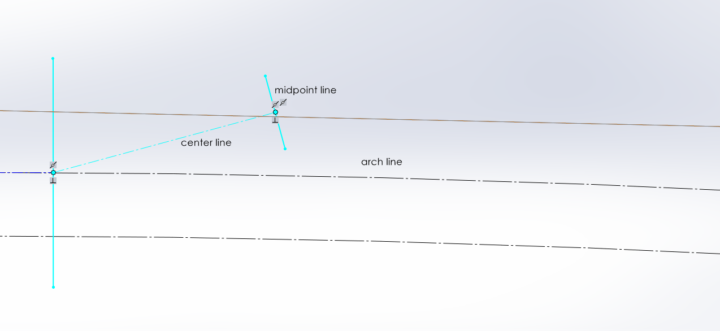
A centerline should coincide with an arch and midpoint line. the pattern doesnot work or maybe i do not how does it work . i tried however do not get the desired result. In the screen shot below, you will see what do i would like to do, since i have to create 10 such lines , doing manually is borring. could someone has any idea. thank you
1 like • May '25
Maybe use circular sketch pattern or just draw your 10 lines and add relations as required.
0 likes • May '25
@Bikram Thapa look at design tables, these can be a very good tool.

May '25 •
Driven dimensions
Hello guys, I have 2016 version of solidworks at my workplace. And when I create sketches and input dimensions while creating Sketch entities it gives driven dimensions. How to make it driving? I have to delete them every time or giving it later by smart dimensions and it is slowing my sketch making speed. Please help me guys. .
1 like • May '25
@Chintan Rohit there is a setting that removes dimension entry upon entity creation.
2 likes • May '25
[attachment]

2 likes • Mar '25
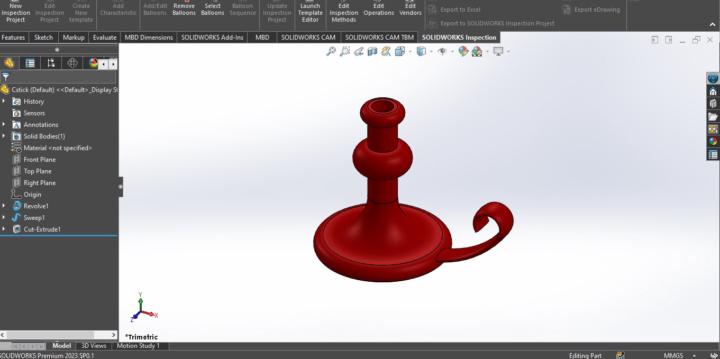
@Zakaria Aladem you are only able to sketch on a flat surface plane. Here you will need to master either the art of emboss/deboss or the use of decals.
1-10 of 19

Active 55d ago
Joined Jul 9, 2024
Powered by