Activity
Mon
Wed
Fri
Sun
Oct
Nov
Dec
Jan
Feb
Mar
Apr
May
Jun
Jul
Aug
Sep
What is this?
Less
More
Kid's Book Accelerator Academy
15 members • $67/month
The Digital Content Studio™
271 members • Free
Kid's Book Accelerator Circle
187 members • Free
Sage Grayson's LEAP
1.5k members • Free
Kidlit Author Growth Academy
1.4k members • Free
18 contributions to Kidlit Author Growth Academy
🔥
11h •
I’m back! 🇬🇷
I’m officially back from Greece! We had such a lovely time celebrating my sister’s wedding, and after actually taking some time away from work, I’m feeling so relaxed, refreshed, and ready to be productive again! I’m excited to get back into the swing of things: coaching calls, creating new content, working on new trainings, and all of the projects I have planned for the rest of the year. Sometimes stepping away for a little bit is exactly what you need to come back with a fresh burst of motivation, and that is definitely how I’m feeling right now. 😂 I’m so excited to catch up with everyone and see what you’ve been working on while I’ve been away! Talk soon, friends!


0 likes • 9h
Welcome back! 🙌That's awesome you had a great time in Greece! 😊
🔥
4d •
Missing My VIP Crew This Week 🥹
I’m having SUCH a great time in Greece celebrating my sister and her wedding, but I have to say… it feels so weird not talking to you guys this week 😂 I’m so used to seeing you all on our calls, hearing what you’re working on, brainstorming together, and getting all the updates on your books and businesses that I genuinely feel like something is missing from my week! I hope you’re all having a productive (or relaxing) week while I’m gone, and I can’t wait to catch up with everyone when I’m back. ❤️ In the meantime, keep me posted in here on what you’re working on! I still want to see your wins and updates even while I’m away. 🥰
0 likes • 2d
Glad you're having a great time in Greece! 😊
Aug 4 •
My activity book is published!
I just found out very recently that it got approved and published on Amazon! Thank you very much Harleigh for fixing the error and re-uploading the file, and everyone's advice on here was also really helpful! I was getting a notification about an error with my activity book on KDP for a while, and I was stuck when it came to publishing it. I'm really glad and happy that my activity book is published now! 🙌
1 like • Aug 5
@Ezio Molinari Thank you!
0 likes • Aug 9
@Jacquelyne Montgomery Thank you!
🔥
Jul 28 •
🎉 Another NEW Book Launch Template Style Just Dropped!
The Marketing Template Vault keeps growing! I just added another 80+ Children's Book Launch Instagram Templates to help you consistently market your book during the 50 days leading up to book launch. That means there are now 240+ book launch templates inside the vault... and I'm just getting started! ✨ NEW "Scribble Style" Book Launch Templates! If you want content that's quick to customize and ready to post, this pack is for you. Just: - Add your book cover - Swap your photos - Update the text - Post! 👉 Access the Scribble Style Templates: https://www.skool.com/author-growth-academy/classroom/a0c32880?md=5dcb60f0780e41b8a64d83a5aeec071a Prefer to customize everything to match your own brand? The White Label Book Launch Template Pack and the DIY Canva Brand Template are included too, so you can create content that's completely your own! 👉 White Label Templates: https://www.skool.com/author-growth-academy/classroom/a0c32880?md=d297656a81bf44f496b73b1134ac77be 👉 DIY Canva Brand Template: https://www.skool.com/author-growth-academy/classroom/a0c32880?md=8b3fd2f13dd5477aacadc342b601a10c All of these resources are available now for Author Growth Roadmap Premium and VIP members, along with 30+ training videos, interactive publishing tools, and weekly Zoom Office Hours with me. 👉 Join Author Growth Roadmap here: https://www.skool.com/author-growth-academy/plans I'm already working on even more template styles (and more training videos), so Author Growth Roadmap is only going to keep getting better!

1 like • Jul 30
Thank you very much for creating and sharing these book launch templates, they're amazing! 😊 It's truly appreciated!
Jul 23 •
Error with uploading activity book on KDP
Hi, I tried to upload my activity book on KDP recently, but I got a notification today that said that the file has insufficient bleed and that the last two pages have a problem. I'm unsure how to fix this.
0 likes • Jul 24
@Ezio Molinari Thank you for letting me know! I'll definitely check my book file and the cause of this error.
1 like • Jul 30
@Harleigh Manske I'm sorry this is a long message, I made another post about this online recently and these were comments people said about this: -If you have full bleed color on most of your pages but those last two pages have a white border, the KDP algorithm can mistakenly flag that as a mistake. You can fix it by changing the “color” on those white pages to a slightly off white and still retain your design aesthetic. -If you select "my book has bleed" in the KDP setup settings, you need to add .125 inches to each of the outside edges of the book (not the interior edges that touch the spine) So an 8.5x8.5" book, laid out as a spread, is 8.5"x17. In your formatting software, Add 0.25 to each of those numbers which will add 0.125" to each side edge and the top/bottom edge. -KDP isn’t spreads, they’ll reject it if it’s not individual pages. So, 8.5” square pages would be 8.75” high but only 8.625” wide to have bleed only on the outer edge. -You still need to print it as individual pages -print in individual pages for KDP -It may not be bleed—you’ll also get this message if you have any images or text that end close to the edge but not fully over the bleed zone. -If the rest of the book has bleed, it's possible that you didn't extend the artwork box far enough. If you are using Canva for example, and all other pages with bleed are fine, go into Canva and zoom in really close and look around all of the perimeter of the page to see. Sometimes you might think something snaps to the end but it might not be. -Also if your illustrations have any line work that could be misconstrued as text it will flag it too -Sometimes if you compile pages in a PDF editor then some pages might have bleed and others might not. -Make sure your images/backgrounds extend 0.125” beyond the edges (bleed area) on those pages. Use the correct KDP template and export as PDF with bleed that usually fixes it.
1-10 of 18
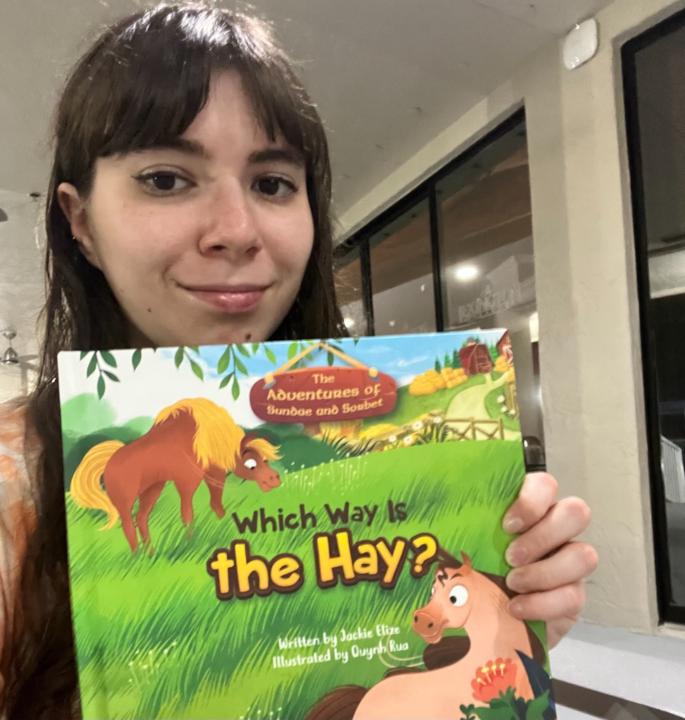
@jackie-elize-7850
I'm a new picture book author. I wrote and published, "The Adventures of Sundae and Sorbet: Which Way Is the Hay?"
Active 6h ago
Joined Nov 30, 2025
Powered by