Activity
Mon
Wed
Fri
Sun
Dec
Jan
Feb
Mar
Apr
May
Jun
Jul
Aug
Sep
Oct
Nov
What is this?
Less
More
The AI Advantage
130.6k
Free
Engaged Thought Leaders - 🤝
210
$997/m
AI for LinkedIn - evyAI.com
1.9k
$4/m
RainmakerAI
1.2k
Free
9 contributions to AI for LinkedIn - evyAI.com

🔥
16d •
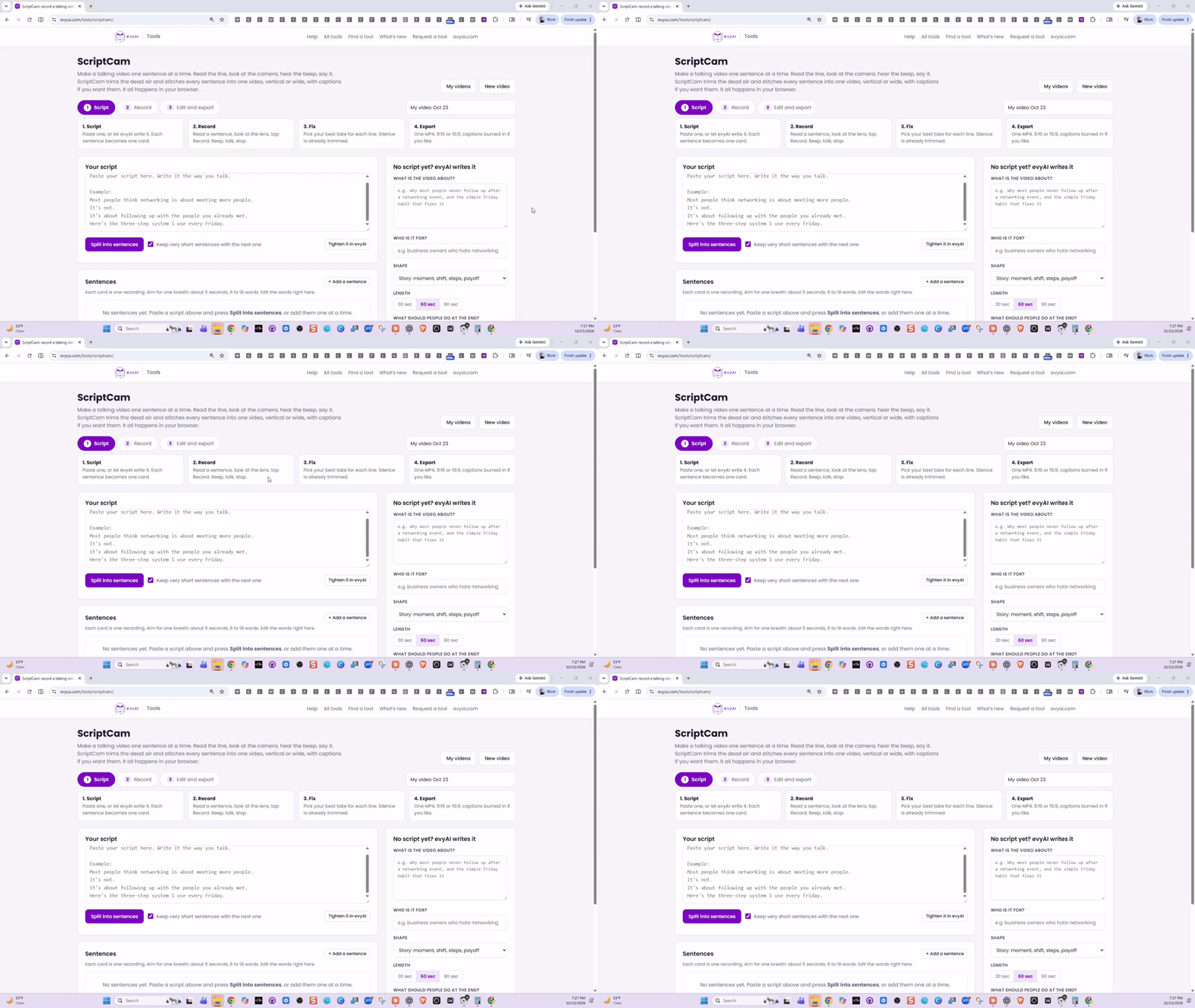
New free tool: make a talking video one sentence at a time 🎥
Raise your hand if this is you: you hit record, say two great sentences, stumble on the third, and start over. Ten takes later you give up and the video never gets posted. So we built ScriptCam. It lets you record a video one sentence at a time, and then it stitches all the sentences into one finished video for you. 👉 evyus.com/tools/scriptcam How it works 1. Get your script Paste a script you already have, or fill in a few boxes (what it’s about, who it’s for, how long) and click “Write it in evyAI.” evyAI writes it one sentence per line, the way you’d actually say it. Click Split into sentences and every sentence becomes its own card. Drag the cards into any order, click the + between two cards to add a new line, or press Enter to split a long sentence in two. 2. Record one line at a time Your sentence shows up big at the top of the screen, right under your webcam, so your eyes stay close to the lens. Read it, look at the camera, and press Space. You’ll hear 3, 2, 1, beep, then you talk. There are three ways to record, so pick whichever feels natural: • Tap: press Space to start and again to stop • Hold: hold Space while you talk and let go when you’re done • Hands-free: it stops by itself when you stop talking Messed up a line? Just redo that one sentence. ScriptCam moves on to the next sentence automatically, so you get into a rhythm fast. 3. Pick your best takes ScriptCam trims the dead air at the start and end of every clip for you. For each sentence you choose your favorite take, adjust the trim if you want, and zoom or reframe. Then hit “Play the whole video” to watch it all together. 4. Export Choose vertical (9:16 for Reels, Shorts, TikTok and LinkedIn mobile) or wide (16:9). You get one MP4 with: • Captions burned in (your script is the captions, so they’re always right) • A small zoom on every other sentence, so the cuts look intentional • Volume evened out across every clip Then download it, grab a share link, or click “Write the post in evyAI” to get a post to go with it.

2 likes • 13d
WOW @Joe Apfelbaum This is such a practical solution for anyone who gets stuck chasing the “perfect take.” One sentence at a time makes recording feel far more manageable, especially when you want to show up with confidence and consistency. Looking forward to test it !
🔥
14d •
Join the 10-Day Video Challenge
Oh my God! We had the most amazing posting party today! I LOVE seeing people show up, create content, and support each other. That is how real momentum is built. Now we are taking it to the next level with a 𝟭𝟬-𝗱𝗮𝘆 𝘃𝗶𝗱𝗲𝗼 𝗰𝗵𝗮𝗹𝗹𝗲𝗻𝗴𝗲. For 10 days, we will practice showing up on video, finding our voice, and creating content without overthinking every word. You do not need perfect lighting. You do not need expensive equipment. You just need a message, a camera, and the willingness to start. 𝗔𝗿𝗲 𝘆𝗼𝘂 𝗶𝗻? Comment below and let me know if you are joining the challenge. I also want your feedback on today's posting party: • Did you enjoy it? • What was your biggest takeaway? • What would you like to see in the next one? Watch the replay below, then share your thoughts in the comments. Let’s create, connect, and build momentum together. BOOM!
3 likes • 13d
Yes I am in for the challenge I am eager to understand the new tool I love the elevator pitch that rhymes and will play with it for next time

15d •
MONDAY, Oct. 26, 1 pm ET, Mindful Commenting Posting Party!
Join us Mondays at 1 pm ET to learn how to create and use comment templates that boost visibility, build real connections on LinkedIn., and more.. Join Here: https://us02web.zoom.us/j/84332674627?pwd=jX3fr5qOz89ojJRVH2EGvX1riCSqNE.1 See examples, practice live, and network with a mindful community. 📝 𝗛𝗼𝘄 𝘁𝗼 𝗣𝗮𝗿𝘁𝗶𝗰𝗶𝗽𝗮𝘁𝗲: - 👍 𝗟𝗜𝗞𝗘 this post as soon as you see it - 💬 Share your LinkedIn Post in the comments for review - ❤️ 𝗟𝗜𝗞𝗘 every comment you engage with - ✂️ Remove UTM tracking links (delete anything after ? in your links) - 🔄 No new post? Share a previous one Post URL Cleaner: https://evyai.com/url-cleaner/ Bulk Link Opener: https://strategy.evyai.com/bulklinkopener4

1 like • 13d
My post a day late ; still decided to share it here. I have commented on most of the posts in this thread. Even with Evyai, it does take me some time ;) https://www.linkedin.com/posts/florencereymond_voixetpresence-prisedeparole-leadership-share-7520663133108236288-0oEK/

Oct 6 •
🔥TODAY 10/6 is Evan's Accountability Mastermind/Posting Party 5pm ET💥
Please plan on joining us TODAY Tues. 10/6/26 with @Evan Mestman @Rick Kloete & Team! NOTE: 💥🎉 Here's the Zoom LINK FOR THE PARTY: https://us06web.zoom.us/j/6894237473 Join us every Tuesday at 5 PM ET | 4 PM CST for our: 𝗟𝗶𝗻𝗸𝗲𝗱𝗜𝗻 𝗔𝗰𝗰𝗼𝘂𝗻𝘁𝗮𝗯𝗶𝗹𝗶𝘁𝘆/𝗣𝗼𝘀𝘁𝗶𝗻𝗴 𝗣𝗮𝗿𝘁𝘆! "NEW" Improved Post URL Cleaner: in LABS: https://app.evyai.com/app/labs choose the clean URL😊‼️. VERY IMPORTANT as it changed. Bulk Link Opener 4: https://strategy.evyai.com/bulklinkopener4 (Scroll up from the bottom…works well) We’d love to see you. PLEASE: Bring a Friend! Save on your calendar here: https://www.skool.com/evyai/calendar?eid=08ec0b304e7349caa5a5253776feea26&eoid=1791320400 Be ready to share your: 1. Wins! 2. Challenges or Questions (always welcome)! 3. What would you like to be held accountable for in the coming week This is a casual, friendly space where you can: ✅ Meet other professionals who want to grow their presence ✅ Post your content and support others ✅ Engage authentically with meaningful comments ✅ Build real connections, not just likes It’s not about algorithms...it’s about conversations, community, and showing up for each other. Whether you’re a seasoned LinkedIn pro or just starting to share your voice, you’re welcome to join us. Bring your post, your positive energy, and your willingness to engage! Let’s lift each other up and make LinkedIn a little more human. And…. 📝 𝗛𝗼𝘄 𝘁𝗼 𝗣𝗮𝗿𝘁𝗶𝗰𝗶𝗽𝗮𝘁𝗲: - 👍 𝗟𝗜𝗞𝗘 this post as soon as you see it - 💬 Share your LinkedIn Post in the comments for review - ❤️ 𝗟𝗜𝗞𝗘 every comment you engage with - ✂️ Remove UTM tracking links (delete anything after ? in your links) - 🔄 No new post? Share a previous one

10 likes • Oct 6
it's in French and... than you for your support https://www.linkedin.com/posts/florencereymond_prisedeparole-confianceensoi-speakingwithflow-share-7513069595902124032-IG1O
1 like • Oct 6
@Rick Kloete merci beaucoup
🔥
Aug 11 •
Claude Masterclass - How to use Claude Code, Design, Chat
Want to learn how to use Claude? Join our masterclass http://www.evyus.com/claude Put your questions, comments, insights in the comments we would love to see you!

1 like • Aug 11
Are we invited ? Sorry couldn’t invest
1-9 of 9

@florence-reymond-1545
Helping ambitious women in finance to step up, speak up and stand out on every stage and get outstanding results with their business presentations
Active 22m ago
Joined Sep 30, 2025
On line and
Powered by