Activity
Mon
Wed
Fri
Sun
May
Jun
Jul
Aug
Sep
Oct
Nov
Dec
Jan
Feb
Mar
Apr
What is this?
Less
More
Owned by Benjamin
Helping visionary entrepreneurs heal their broken relationship with abundance. There's enough for everyone: All Cups Runneth Over.
A place to talk about skiing, ski boots, and climate change. Goddamn right with a Z.
Memberships
The Human Practice 💕
285 members • Free
Evergreen Foundations
665 members • Free
Skoolers
192.2k members • Free
Stealth Founders Club
1.5k members • Free
Resolve School
254 members • $9/month
The Peaceful Path
129 members • Free
The HuRU Crew
312 members • Free
RECREATE
583 members • Free
Skill & Soul Studio
106 members • Free
23 contributions to Resolve School
🔥
21d •
Waking Life
I'm curious, first of all, if anybody else here has seen this movie. Came out in 2001, written and directed by Richard Linklater ("Slacker, "Dazed and Confused.) It's a deeply philosophical movie about dreams and reality. What made it work was that the entire movie is presented in rotoscoped animation, with each scene animated by a different artist using custom software by Bob Sabiston. It gives the movie a surreal, dream-like vibe. (Original trailer here.) I've loved it since I first saw it back in 2001. I hadn't watched it in many years (pre pandemic, I'm pretty sure), but have been watching it again over the past few days. I still really enjoy it. I'm bringing it up here because I'm curious: Could you today do exactly this style of animation entirely in Fusion?
🔥
2 likes • 9d
@Ota Werks Thank you for this recommendation. I've heard of Blender before, but hadn't looked into it. As a Linux nerd, I'm pleased to see that it's open source. I think it's that "uncanny valley" that is exactly what fascinates me about rotoscoping. How it communicated "dreams" in Waking Life or that descent into irreality/insanity in A Scanner Darkly.
🔥
2 likes • 4d
@Ota Werks I'll take a look at Krita, thank you for the recommendation. I think I'll stay away from the AI route. So far, the uncanny valley of AI communicates (to me) only, "Not human." That's the opposite of what I'm going for.

11d •
FRIDAY WINS 🎉
Let’s run it back. What did you actually get done this week? Not what you planned… what actually happened. Could be anything: - Finished a video - Learned something new in editing - Posted consistently - Took on a client project - Fixed something that’s been slowing you down - Even just sat down and did the work when you didn’t feel like it Small wins count. Honestly, those are usually the ones that matter most. If you’ve been stuck or this week didn’t go how you wanted, that’s fine too, just share one thing you did move forward. Drop your win below 👇 And if you want, share the video or project you worked on, I’ll jump in and take a look. Let’s stack some momentum going into next week.

🔥
2 likes • 10d
A conversation about a fellow Skooler's being bullied as a younger man led me to make a video offering a way to shift his relationship to that old story. The video was nothing special from a production standpoint -- I shot it with my primary setup, did a transcription-based first pass, tightened up for rhythm, made a tweak after some feedback, dialed in my audio, RENDER AND DONE -- but I'm proud of what was in the video. I was trying to help and I believe I helped.
🔥
1 like • 9d
@Andrew Farmer Thanks! You know, I just read over my comment again, and I realized something: I'm actually proud of the production, too, just from a process perspective. I realize that what I just described there is a working production flow. It's taken a long time, but I *have* put together a system that gets me to a final product.
25d •
🔥 FUSION EXPLAINED (IN PLAIN ENGLISH)
If Fusion has ever felt confusing, this is one of the best beginner explanations I’ve seen. Casey Feris does a great job breaking down what Fusion actually is and how it works without making it feel complicated. He walks through the basics of nodes, how things connect together, and how Fusion fits into your normal editing workflow inside Resolve. If you’ve opened the Fusion page before and immediately thought “nope… not today”, this is a really good place to start. He also shows a few simple examples so you can see how things like effects, masks, and merges actually work together. Once you understand that basic structure, Fusion starts to make a lot more sense. This is a great foundational video if you want to eventually get into: - Motion graphics - Visual effects - Masks and compositing - Building graphics inside Resolve Give it a watch and let me know in the comments: Have you used Fusion much yet, or does it still feel pretty confusing? And if you watch the video, tell me if anything finally clicked for you.
🔥
1 like • 21d
I gave it a watch. VERY basic, but I still learned a few things. It hadn't ever occurred to me to put a node into the tree and attach an in but no out and just pipe that into one of the viewers, as a way of testing a single effect/transformation/whatever. Simple but effective. I also enjoyed watching him use keyframes and splines. I have been consistently confused with how to use them, but when I saw him with his great facility do this simple thing, I said "AHA!"
🔥
2 likes • 21d
@Andrew Farmer I should have added that it's a great place to start, even before the tutorials on Blackmagic's website. It's very, very simple, which is helpful for something as complicated as Fusion; it explains the basic; and it shows a sense of playfulness. I think many of us (me included) would do well to play around with Fusion more. And I mean that literally. I still haven't ever opened Fusion with the goal of surprising myself or making myself laugh, and I really think it would help me learn.
Mar 6 •
Friday Wins 🏆 + Editing Insight
Happy Friday everyone. Let’s hear the wins from this week, big or small. Did you finish a video? Solve a problem that had you stuck? Figure out a tool in Resolve that finally clicked? Drop your wins below so we can celebrate them together. Even the small ones count. Sometimes the real win is just opening Resolve and getting a little more comfortable on the timeline. 🤔 One question for the week: What’s one editing insight or realization you had recently? Maybe something that made your edits faster. Something that made Resolve less confusing. Or just a small shift in how you approach editing. Here’s mine. I realized this week I had been ignoring a shortcut that instantly zooms the timeline out so you can see the entire edit at once, and then with one key press jumps you right back to the exact zoom level and position you were at before. (SHIFT+Z) It’s such a small thing, but it makes it way easier to quickly check the full structure of an edit without losing your place on the timeline. Sometimes the best workflow improvements are just little shortcuts like that. Curious what clicked for you this week.

🔥
1 like • Mar 7
@Victor Luigi It sounds like you've been on quite a journey. What did you do to find your way back to creative spark?
🔥
2 likes • Mar 7
@Victor Luigi It's definitely a journey, finding your way to wholeness. I've been on a similar path for the last twelve years. Welcome to the commuinty. I look forward to seeing what you create.
Feb 16 •
📅 Feb 16th - MONDAY RESET: TRY ONE NEW THING
Editing can easily turn into “just get it done.” Another timeline. Another export. Another round of fixes. So here’s the nudge for this week: Try one new thing in Resolve. Not because you need it. Not because it’s efficient. Just because it’s interesting. Find a tutorial you’ve never tried. Test a feature you normally ignore. Experiment with an effect you’ve been curious about. Learning keeps editing from feeling mechanical. And sometimes the thing you try “just for fun” ends up becoming part of your real workflow later. COMMUNITY SHARE If you try something new this week, drop it below: • What tutorial did you follow? • What feature did you test? • What surprised you? Link it if you want. Let’s build a thread we can all pull ideas from. WINS FROM LAST WEEK @Benjamin Lanin built a custom arrow in Fusion after following a tutorial, even though he usually avoids Fusion because it can turn into a rabbit hole. @Neil Dasgupta committed to setting a clear editing goal for the next couple of months to stay accountable in his learning. Trying. Showing up. Taking one step forward. That’s real progress. THIS WEEK INSIDE RESOLVE SCHOOL Nothing heavy scheduled. No live calls. Later today, I’ll post a separate thread with three film frames you can vote on. I’ll recreate the winning look (color grade), record the process, and share the PowerGrade so you can experiment with it yourself. Keep an eye out for that post and cast your vote.

🔥
2 likes • Feb 16
This post is perfectly resonant with what I was thinking about Resolve over the weekend. I really enjoyed making that Fusion graphic that you mentioned, and I really enjoyed the result. It got me thinking, wouldn't it be fun to schedule a good-sized block of time to just mess around with Fusion? To follow a bunch of tutorials with no particular goal in mind except to have fun and learn?
1-10 of 23
🔥
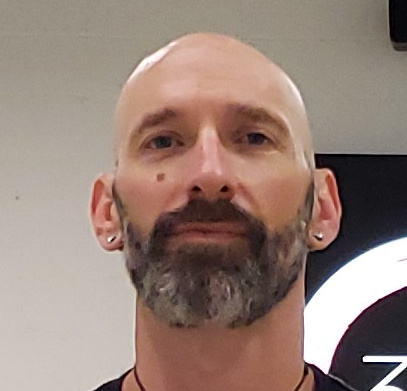
@benjamin-lanin-3580
I teach abundance as embodied practice. Abundance isn't something you HAVE. Abundance is something you DO. We start by learning how to breathe.
Active 4h ago
Joined Nov 20, 2025
Taos, NM