Activity
Mon
Wed
Fri
Sun
Jun
Jul
Aug
Sep
Oct
Nov
Dec
Jan
Feb
Mar
Apr
May
What is this?
Less
More
Memberships
AI Story Crafters
97 members • Free
The Parametric Circle
487 members • Free
How to Rhino
35.5k members • Free
Grasshopper3D Challenge
494 members • Free
Read SkoolMagazine Here
256 members • Free
SkoolMagazine
30 members • Free
AI Video Bootcamp
19.3k members • $9/month
AI Creator Academy
1.5k members • $9/month
Skill & Soul Studio
140 members • Free
59 contributions to ZetsuEDU

🔥
14d •
Want to learn how to use Canva in Claude Design
- Go to Claude and sign up - Select Sonnet 4.7 as your model and enter your prompt - Sample Prompt: Design a professional welcome guide for a company retreat, including schedule, activities, and key information. - Hit enter, Claude will generate a complete guide within seconds - Click Export → Send to Canva → Open in Canva - In Canva, go to Brand and apply your brand colors, fonts, and style - Customize the layout, visuals, and sections as needed


🔥
2 likes • 14d
I will try!
🔥
2 likes • 14d
@Artworqq Kevin Suber Don't forget Canva has Affinity now!
🔥
15d •
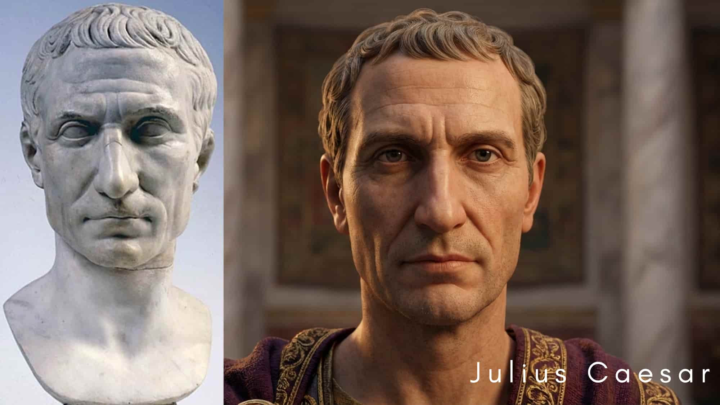
Want your own Bust ?
Try this prompt: Prompt: [upload image] Transform this attached marble sculpture into a hyper realistic, modern photographic portrait while preserving all recognizable facial structure and historical features. Render the subject as if immortalized through ultra detailed large format photography. Maintain the expression, bone structure, and iconic attributes, but reinterpret them with lifelike skin texture, cinematic lighting, and natural depth. Use photorealistic pores, subtle imperfections, and historically accurate complexion. Add soft volumetric light, shallow depth of field, and a timeless, regal atmosphere. Avoid stylization; aim for museum grade realism, as if the emperor were alive today.
🔥
2 likes • 15d
Fabricivs with Glasses 🤯
🔥
1 like • 14d
@Artworqq Kevin Suber
🔥
18d •
AI TOOL NEWS- Photostudio | Create ecommerce product photos.
Description Photostudio is an AI-powered product photography tool that transforms user-uploaded apparel images into professional e-commerce visuals—ghost mannequin, on-model, flat lay and lifestyle shots—by using AI to remove backgrounds, simulate models and generate multiple styled variants and collections, automating batch processing so retailers can quickly scale consistent, high-converting product imagery without costly photoshoots. Visit Photostudio

🔥
0 likes • 18d
Cool, Do you have anything about storytelling with AI?
🔥
1 like • 20d
I want mine please!
🔥
20d •
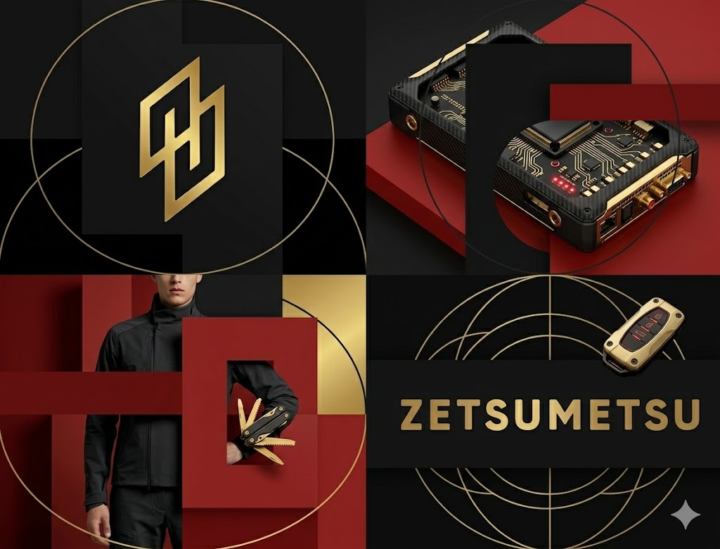
Try these promotional prompts
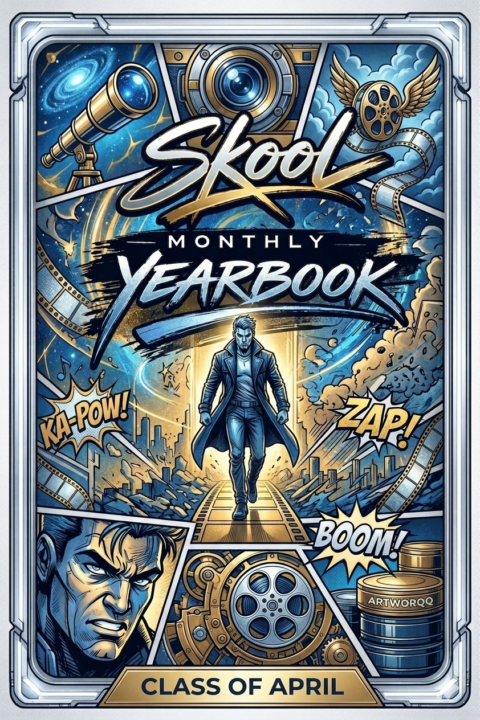
We will be making some ads for the monthly yearbook if you have an ad you would like to add ...lol .. Why not jazz it up a but with these promotional prompts Prompt: [BRAND NAME]. Act as a World-Class Editorial Designer. PHASE 1: DYNAMIC SUBJECT LOGIC. - Subject Selection: Autonomously analyze [BRAND NAME]. - Layering (The Sandwich Effect): Interweave the subject with background shapes. Some parts of the car/person must be hidden behind geometric blocks, while other parts (wheels, limbs, props) must overlap them to create 3D depth. PHASE 2: GRID & GEOMETRY. - Layout: A clean 2x2 grid composition. - Overlays: Superimpose large, bold geometric arcs and circles over the grid. - Visual Balance: Place one iconic product prop (e.g., a floating key fob for cars or a ball for sports) in a separate quadrant to balance the subject. PHASE 3: SOPHISTICATED MUTED PALETTE. - Color Direction: DO NOT use aggressive neon or oversaturated colors. - Palette: Identify the core colors of [BRAND NAME] and shift them to a "Sophisticated Muted" spectrum. - Tones: Use desaturated, earthy, or "dusty" versions of the brand colors (e.g., instead of hot pink, use dusty rose; instead of bright mint, use sage green; instead of royal blue, use slate blue). - Finish: Matte, flat color blocks with zero gradients. PHASE 4: PHOTOGRAPHY & LIGHTING. - Subject Style: High-end commercial studio photography. - Lighting: Soft, diffused studio lighting with gentle highlights. No harsh shadows. - Integration: The subject must feel physically embedded into the graphic grid. PHASE 5: MINIMALIST BRANDING. - Logo: Place a clean, single-color [BRAND NAME] logo in the center of one background block. No taglines, just the iconic symbol.
🔥
2 likes • 20d
@Manda Jackson
1-10 of 59

🔥
@fabrice
Passionate about architecture and computational design, always exploring creative and innovative design solutions.
Active 58m ago
Joined Mar 28, 2026
INTJ
Sawston UK