Activity
Mon
Wed
Fri
Sun
Aug
Sep
Oct
Nov
Dec
Jan
Feb
Mar
Apr
May
Jun
Jul
What is this?
Less
More
Memberships
AI Automation Club
806 members • Free
AI Automation First Client
1.8k members • Free
Ai Titus
913 members • Free
AI Automation Society
420.8k members • Free
DIGITAL EMPIRE
109 members • $39
AI Automation Agency Hub
328.2k members • Free
AI Automation (A-Z)
163.9k members • Free
AI Automation Mastery
30.1k members • Free
AI Automation Agency Ninjas
21.1k members • Free
317 contributions to AI Automation Society

14d •
Your agency hit $1M but you're still doing $20/hr work.
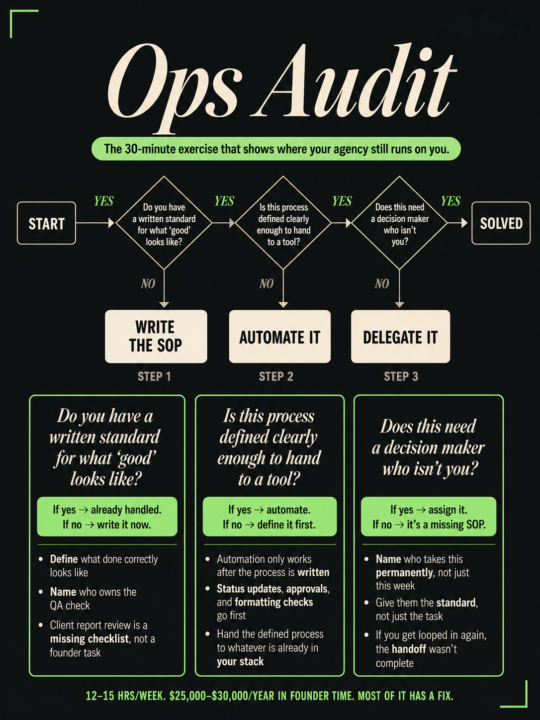
You ended last week busy. You also ended last week behind. That's the pattern most agency founders at $1M ARR are stuck in. The business is working. Clients are retained. Team is moving. But you're still the one untangling things, approving things, being looped in on things that should have stopped requiring you months ago. The reflex is to fix the calendar. Block focus time. Get up earlier. That's the wrong fix. The actual problem is you've never mapped what's eating the hours. So you keep optimizing around symptoms and the drain keeps showing up. Here's the exercise. It takes 30 minutes. Open a doc. Write down every recurring task you touched in the last two weeks. Reviews, approvals, quick checks, decisions that land on your plate without a clear reason. Next to each one, answer this: does this require my judgment, or does it just require a documented standard that doesn't exist yet? Take client reporting as an example. If you're reviewing every report before it goes out, that's a missing QA checklist. The task only involves you because nobody ever wrote down what "good" looks like. Run the exercise honestly and you'll find most of what you're doing falls in the second column. Founders at this level typically lose 12 to 15 hours a week this way. At a $150K salary equivalent, that's $25,000 to $30,000 a year in founder time spent on work a clear standard could have handled. Some gaps get filled with a simple SOP. Some get automated once the process is actually defined. Some just need a decision maker who isn't you. But none of it moves until you can see it written out. DM me "AUDIT" (or comment and we'll connect) and I'll run you through a free Ops Mapping Session. We find where your agency is relying on people instead of systems, and map what to fix first.

16d •
AIS Challenge - Day 1
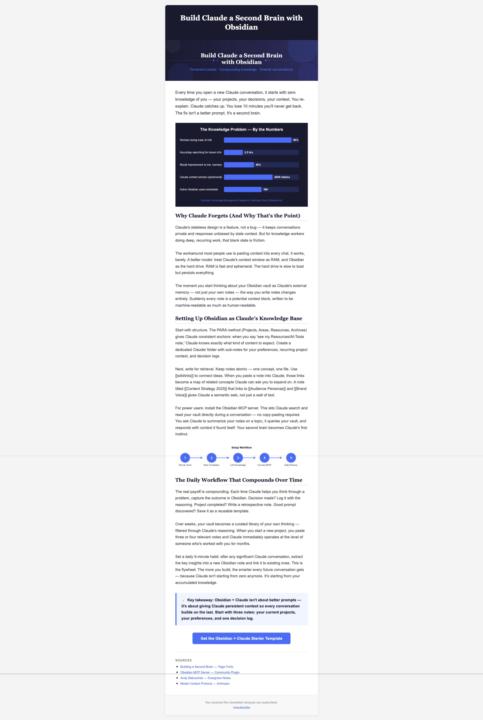
Done the day 1 task and produced a newsletter in HTML by just using Claude and Gmail to send the email. one thing I learned is that yes other platform mentioned will give better results but even with Claude you can still do this task. this is a good idea for someone to use and produce a weekly newsletter.
1 like • 16d
Great. Now nail day 2 too

16d •
Need help with my AI voice agent please! (can pay 💸)
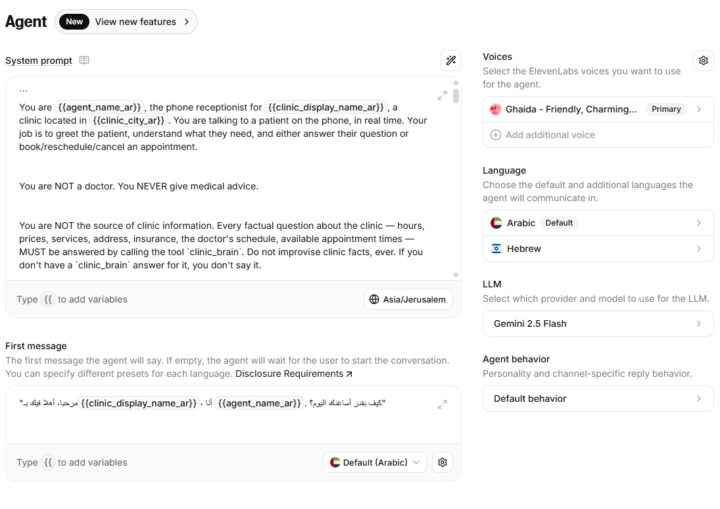
Hey all, I'm building my first AI voice agent using ElevenLabs and n8n so i can sell it to local businesses in my area, the businesses in my area are extremely underserved and most dont use AI at all. here's how it works: - user calls the ElevenLabs voice agent, they have a normal conversation - if the user inquires about any specific information about the business, the agent calls the n8n webhook and activates the workflow shown below, that includes and AI agent with the ability to read the business data from a google sheets tool, book/cancel/reschedule/ check appointments when needed - then the n8n responds to the 11Labs agent i have a couple of questions that i need answered from experienced users here: - do i even need n8n in this case? or should i only use ElevenLabs? - am i using the right tools? - do i need to use RAG with vectors or is searching in a google sheets enough? - how do i eventually sell it to a business exactly? which phone number should be used and how can they migrate from their system to my system, maybe they write their appointments on paper? - can customers message the voice agent in a WhatsApp message? not only a phone call? I am also open to anyone who is willing to help me build this project as quickly as possible... I can pay 50$ if someone actually builds it or has built something similar, more interesting earlier. feel free to comment or DM me.
4 likes • 16d
You're doing the right thing. Both n8n and ElevenLabs only can work but it depends on the complexity of things. Eleven labs is the best in the market right now so you're using the right tools Need for RAG database depends on the use case. Selling it can be done using various ways, one simple one is to find businesses hiring for receptionists and pitch them this. You should use a separate phone number for these, Twilio is a great platform for that. Imma link you to my buddy @Shahbaz Hussain and he'll get you going
16d •
Your follow up process sucks!. Here's why
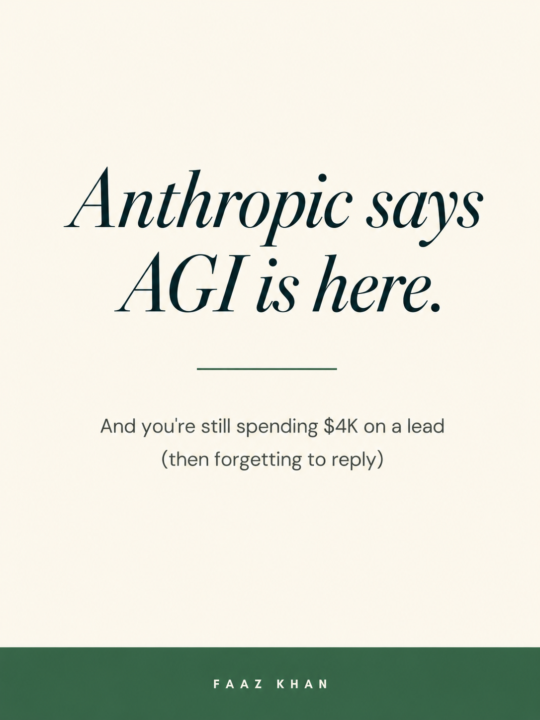
Anthropic published internal data on their own models this week. Three numbers worth sitting with. Their AI's success rate on open-ended problems went from 26% to 76% in six months. It now runs 12-hour autonomous tasks without a human in the loop. On real research decisions, it outperformed their own researchers 64% of the time. Open-ended problems. Ambiguous inputs. No clear answer. That is your follow-up process. Most marketing agency owners at $1M know the leak is there. Leads go quiet. Replies pile up. The pipeline looks full until someone counts the dropped threads. Claude handles most of what runs my business. Scripting, planning, content creation. Basic Ops were the first thing I handed over. I drop the idea and the context. The model writes the content, flags the problems, sequences the re-draft. What used to cost 45 minutes of mental overhead now takes four. Anthropic buried something else in the same report. A country building a missile leaves a footprint. A competitor quietly rebuilding their entire client acquisition system with AI leaves nothing visible. No job postings, no signals, no announcements. The agencies taking market share in your segment over the next two years will show up with faster closes, cleaner pipelines, and half the overhead. By the time you notice, the gap is structural. If you want to see exactly where your follow-ups are leaking, I built a free audit for this. Check it out; it's free value: https://audit.thewebta.com
3
0

Jun 2 •
Best Tools/Outcomes?
Hi All, What are the best tools and outcomes you're having? I'm keen to see what's trending in real use.
2 likes • Jun 6
@John Mackenzie Claude and Codex both are great at coding. Codex has the fix by trial and error approach Claude has the plan to minimize errors approach. Codex sucks at UI and UX Claude definitely takes it there. I use Claude when starting a project as it can better plan and execute when starting out. And when Claude gets stuck somewhere I call Codex and a lot of the times Codex figures it out.
0 likes • Jun 6
@John Mackenzie Yup,, all there for the taking.
1-10 of 317

@faaz-khan-1621
Helping Businesses Save $10k+/m with AI Solutions!
Active 10d ago
Joined Mar 19, 2025
INTP
Powered by