Activity
Mon
Wed
Fri
Sun
Apr
May
Jun
Jul
Aug
Sep
Oct
Nov
Dec
Jan
Feb
Mar
What is this?
Less
More
Memberships
Mystic POD
1.8k members • Free
WeScale Free Course
27.5k members • Free
WeScale Accelerator
829 members • $180/month
6 contributions to Mystic POD

Nov '25 •
Question about Support
Hey guys- Is anyone else having difficulty reaching the Support Team? Thanks
0 likes • Nov '25
Ok. Thank you. It would have been so helpful to get that answer weeks ago when I asked. I was told repeatedly there’s only one version of Mystic. Also WeScale GPT led me to believe it was a Skool feature and I had incorrectly logged in. Thanks again. I’ll look into upgrading
0 likes • Nov '25
Thanks!

Oct '25 •
🚀 Support Alert: Our 24/7 Support is still here
Hey Mysties! 👋 We're leveling up our support game to ensure you get the fastest help possible, anytime you need it! 1. The Classroom! 📚 For instant help with prompting, upscaling, or product settings, please check the FAQs in the Mystic POD Classroom. 90% of questions are answered right there! 2. Need 1-on-1 Help? 📧 We've streamlined our system to a direct email channel by sending us a message through [email protected] . We are still offering 24/7 support with a commitment to respond in minutes. 😉 We're always here to keep your creative flow going! Happy prompting!
1 like • Oct '25
@Christie Zuccaro Grinding it out to find enough time in the day. Congrats on your success.
2 likes • Oct '25
@Christie Zuccaro Sure. Thanks
Oct '25 •
⚡️ Stop Making Designs One-by-One: Start Batching!
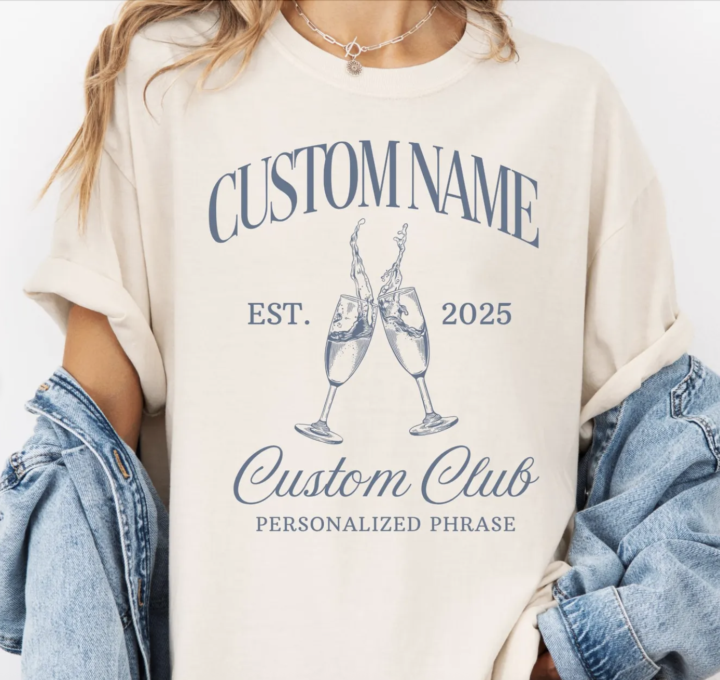
If you want to scale your shop, you can't waste time on one-off designs. The secret to high-volume sellers is Batching—creating entire collections at once. Take a look at this successful Custom Name Social Club Shirt 👈 Instead of just stopping there, you should be using that one winning prompt to create an entire collection! Batching works perfectly with Mystic POD: 1. Pick ONE Niche: Decide on a hyper-specific niche (e.g., "Vintage Gardening Quotes" or "Minimalist Ocean Animals"). 2. Create Your Master Prompt: Write one detailed prompt covering the style, colors, and layout you want (e.g., Detailed copper engraving, symmetrical layout, dark emerald green background). 3. Quick-Swap the Subject: Keep your Master Prompt the same, and only change the main subject or phrase! This gives you 10-20 perfectly cohesive designs in half the time. Stop designing individual products and start dropping entire collections!
1 like • Oct '25
This is so helpful. Thanks

Sep '25 •
Lots of offers for “help”
Since opening my store I have been getting a bunch of emails from people claiming to have looked at my store and want to help me get sales. I have no interest real or not but wondering if others here are having the same experience?. What I don’t understand is my business email is not the same as my customer service email, and if they were going to my website and contacting me it would be through the customer service email, but they are all coming through my business email.
2 likes • Sep '25
Just launched and the exact same thing is happening to me

💎
Jun '25 •
🔮 Mystic V2 (How I'm Personally Using It)
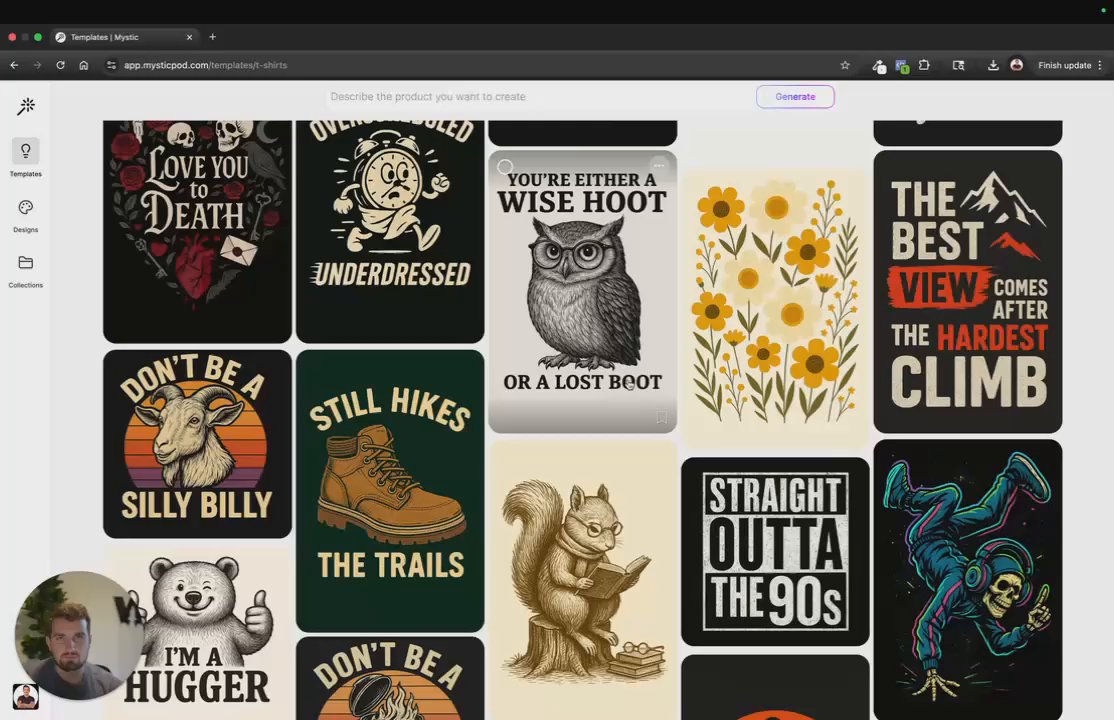
Hey everyone! 👋 I just recorded a quick demo walking through how my team and I are using some of the latest features we’ve built into Mystic. (You’ll find it attached below.) Huge thanks to all of you who’ve shared feedback on the recent updates — it means a lot to our team and plays a big role in helping us shape Mystic into the best possible tool for POD sellers. I’d love to hear from you: What features are you using most in V2? What still needs work? -Chris P.S. - We have a really exciting roadmap of new features to be released over the coming months. 100% thanks to all of your feedback. 🙏
1 like • Sep '25
Can’t wait to use this amazing tool!
1-6 of 6

@emily-scheivert-3563
Retired journalist looking to grow a print on demand business with Chris and Megan’s guidance.
Active 2d ago
Joined Sep 16, 2025
Powered by