Activity
Mon
Wed
Fri
Sun
Mar
Apr
May
Jun
Jul
Aug
Sep
Oct
Nov
Dec
Jan
Feb
What is this?
Less
More
Memberships
Playback Community
463 members • Free
Medical Courier Community
22.9k members • Free
Story Into Profit
950 members • Free
CTO.CEO
84 members • $497/month
Creator Boost Tribe
9k members • Free
Purpose and Productivity
31 members • Free
The Storytelling Room
468 members • $20/month
How it all Werks
71 members • $9/month
Business Growth And Connection
347 members • $9/month
39 contributions to How it all Werks

Aug '25 •
Welcome!
Thank you for joining our Community! Please take a moment to introduce yourself and engage with other community members. We will be loading up the Classroom Tab with How-To series, Coaching Content, Workflow Hacks, and more. Also pay attention to the Calendar for Group meetups, Content Drops, and other opportunities to learn, grow, and engage. ____________________ Premium Members will have access to the Weekly Group Coaching Call via the Calendar: 1. Q&A Session - Bring your biggest questions to the table and get the clarity you need. 2. HotSeat Session - Get a personal, in-depth analysis of your digital presence. 3. Master Class - Learn new, cutting-edge strategies from Coach Kirk and top-tier guest experts. 4. Tools & Tech - This is about infrastructure: studio gear, platforms, tech stack optimization. Premium members will also Access our Legacy Courses and Creator Resource Downloads via the Classroom. Let's Create Together!


0 likes • 8h
@Mitchell Leach II and @Kim Wilson - I am sorry for the late welcome. But I'm glad that you are in the community. How can we help. you guys as you go forward?
0 likes • 8h
@Mitchell Leach II - How is it going Mitchell?
12h •
Restream, StreamYard, and EVMUX Features + Ecamm Tutorial
During the Inner Circle Session yesterday at 11am we went over the latest functions and features of several streaming Platforms. I recorded it and decided to make just that portion available to the entire community. That video is shared below. ____________________ We had a blast During Coaching Corner yesterday on YouTube as well - https://youtube.com/live/PelLqH1Hsds Welcome to our newest member @Tiffany M Ruffner who joined during the live show and then connected to Zoom immediately and participated! Action takers are Money Makers! Let's welcome her to the Family! Below are the AI Generated Next Steps from the Session: @Steve Factor: Record the first video in Ecamm using the new scenes setup, including intro, video playback with voiceover, and outro; ensure to mute the video audio and record voiceover as instructed. For future videos, replace the video asset in Ecamm with the next video file (e.g., for meatloaf or other recipes) and repeat the recording process. Share his recorded video or update in the next meeting/session for group feedback. @Dr. Vibe: Kirk encouraged Dr. Vibe to use his own name for future content creation, emphasizing the flexibility and versatility of personal branding. They also discussed the importance of building in public and prioritizing replay value for content, with Kirk suggesting a live format that can be cleaned up and repurposed later. @Florence Donald: Test and practice the workflow for bringing a guest's Zoom screen share into Ecamm production, including using the "add" function in Ecamm for Zoom window, and review the relevant portion of the replay for details. Provide Kirk with all necessary information (event details, graphics, links) for the upcoming March 3rd Ecamm deep-dive event, and ensure the event is added to the community calendar and promoted with the correct links.

3 likes • 8h
@Dr. Vibe I agree with you Doc.
2 likes • 8h
@Kirk Nugent I think that each of the platforms have their strengths, and it was a good thing to go through and see what each one was capable of. If I have to use a browser streaming service, I use MelonApp, now which got bought by StreamLabs. They are not a major player in this landscape. But still functional in a pinch.
15d •
1/21 Coaching Corner Replay
1/21 Inner Circle Master Class Session - How to setup a Skool Community Every week we have our Inner Circle Sessions on Wednesdays at 11am CST. Today we had our Master Class Session on how to setup Skool. For those members at the premium level please access the replay in the Classroom here - https://www.skool.com/kirkrnugent/classroom/a7475aba?md=8a73263c5e6c41d69aaf7c85d3019087 ___________________________ 1/21 Coaching Corner AI Generated Notes Available here - https://docs.zoom.us/doc/m57WrhHDQOSvJN8sXGk26w?from=doc_share&skipCheck=1 For all members marks you Calendars for our Coaching Corner / Group Coaching Call which is every other Wednesday at 1pm CST. Check the Calendar Tab for the Zoom Link. It won't always be available on YouTube like it was this time. Next Steps from our Session: - Dr. Vibe™: Set up discovery calls with interested members (7-10 people) to discuss their needs and pain points for the new community - Dr. Vibe™: Set up new community on Skool platform starting with $9/month hobby plan - Dr. Vibe™: Create founder membership tier at $10/month to cover initial platform costs - Kirk: Post information about February summit in the community about a week before the event - Florence Donald: Create and share discount code for February summit with Kirk for How It All Works community members - Dr. Bishara: Post in the community about experiences with Notebook LM - Monte: Create video comparing PTZ cameras vs mirrorless cameras, including pros/cons and use cases - Monte: Continue developing YouTube Shorts content and expand to Instagram I've added the Replay here as well.
1 like • 14d
This was a great stream.
1 like • 14d
Taking action today!
14d •
All the Software I Use...
@Bishara Wilson Asked in a comment yesterday where he can find a link to FeedHive which is the Social post scheduler I use. He then went on to ask if there's a list of all my software and of course the answer is not only Yes but it's actually right here in the Community. I responded to him but then thought maybe others have the same question so i'm posting it here. Go to Classroom -> Resource Links Or go to this Link below: https://www.skool.com/kirkrnugent/classroom/bedbbbdb?md=7ea83bba3e9d4115bd3589cfca3d82d9 If you see something in the list and want to know how i'm using it or just want recommendations feel free to comment below OR just make your own post in the Studio/Workflow Category. I want to see every one of you Win!
1 like • 14d
Useful to have
24d •
Reputation is Digital
In 2026 and Beyond First Impressions happen with a social post, podcast conversation, or Google search. What are you doing to be proactive about what someone finds? Have you looked yourself? Let me know in the comments below. Interested in digital footprint assessment? Comment "TEST" and I'll send you a link. #firstimpressions #onlinepresence #kirkrnugent #digitalfootprint #socialpresence
1 like • 15d
Test
1-10 of 39
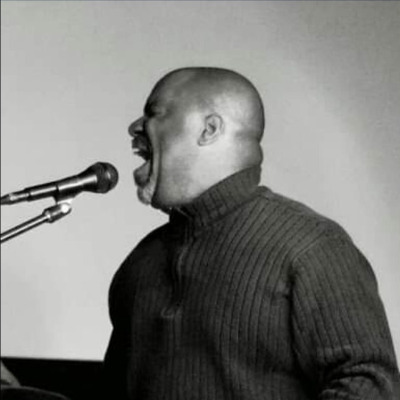
@david-hunte-4150
Musical mastermind and accomplished pianist, David Hunte dedicates his life to exposing the gift of melodies through the brilliance of technology..
Active 2h ago
Joined Aug 13, 2025
Powered by