Activity
Mon
Wed
Fri
Sun
Nov
Dec
Jan
Feb
Mar
Apr
May
Jun
Jul
Aug
Sep
What is this?
Less
More
Owned by Chris
An elite trading community powered by AI — learn, share, and grow with tools, strategies, and systems that give you an edge.
Community Builders - Free
12.6k
5.0
Free
Scale Your Coaching
20.7k
Free
248 contributions to Jarvis AI

Apr 2 •
🚀 J.A.R.V.I.S AI Training Today!
Join us for today’s live training session and level up your skills 🔥 🗓 Date: Today⏰ Time: 8:00 PM EST Don’t miss the chance to learn, ask questions live, and get deeper insights into J.A.R.V.I.S 💡 👉 Register here: https://livela.webinargeek.com/j-a-r-v-i-s-ai-training See you there! 💪
2
0
Mar 30 •
AM Update for the Jarvis App
Good Day, Jarvisians! Today looks like a promising day ahead! To stay fully updated, be sure to download the app at app.jarvisalgo.ai. By around 8:35 a.m. (or even earlier), all your option watchlists, market reports, and key levels will be waiting for you there. As we get started this morning, keep in mind Jerome Powell is speaking, and tomorrow we’ve got the JPM collar event. It's also a short week, so we’re approaching things cautiously, patiently waiting for our entries. Let’s make it a great one!
5
0
Mar 28 •
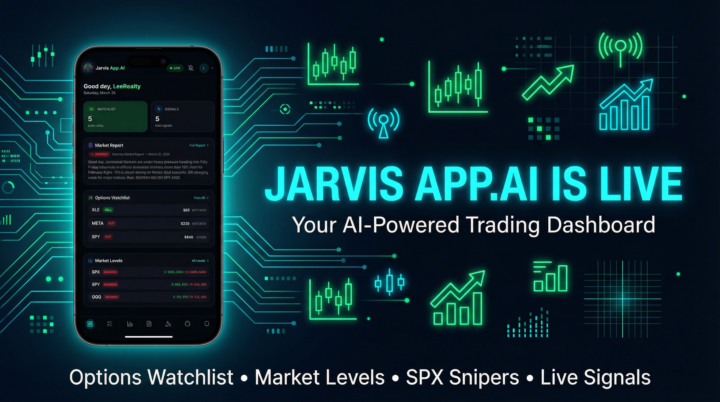
JARVIS APP.AI IS OFFICIALLY LIVE!
What’s good Jarvisians! I’ve been working on something special behind the scenes and I’m excited to finally share it with you all. The Jarvis App is officially LIVE and ready for you to use right now. This is YOUR trading dashboard — everything we do here, all in one clean, beautifully designed app that works right from your phone like a native app. No app store needed. What’s Inside Options Watchlist — Every morning before market open, the daily options picks are loaded up with ticker, direction (CALL/PUT), strike price, expiration, bias, and entry notes. Right now we’ve got plays on XLE, META, SPY, CCL, and AAPL all loaded up and ready. Market Report — The full morning market briefing drops daily with the overall market bias, key macro events, and what you need to know before the bell rings. Plus now we’ve added an Upcoming Economic Events section so you can see exactly when PCE, CPI, Fed speakers, and other catalysts are hitting — with the exact time. Market Levels — SPY, QQQ, IWM, and VIX support and resistance levels updated daily so you know exactly where the key zones are. Live Signals — Real-time trade signals with entry, direction, and timing. SPX Snipers (Mentorship Tier) — For our mentorship members, you get the exclusive SPX report with Expected Move, Point of Control, Dark Pool levels, support/resistance, entry zones, and full Bullish/Bearish/Chop scenarios broken down. This is the premium stuff. How to Get Started Step 1: Go to https://app.jarvisalgo.ai Step 2: Hit “Sign In to Continue” and log in with the same email you used to sign up for your Jarvis membership. This is important — use the same email so we can match your membership tier automatically. Step 3 (IMPORTANT — Make it an app on your phone): • On iPhone: Open the link in Safari, tap the Share button (the square with the arrow pointing up), scroll down and tap “Add to Home Screen” • On Android: Open in Chrome, tap the three dots menu (top right), then tap “Add to Home Screen”
1-10 of 248

@chris-lee-3116
🤖 J.A.R.V.I.S AI | The world’s #1 trading indicator 🚀 Trade smarter, not harder | Real-time signals, automation & freedom
Active 178d ago
Joined Nov 5, 2025
Powered by