Activity
Mon
Wed
Fri
Sun
Oct
Nov
Dec
Jan
Feb
Mar
Apr
May
Jun
Jul
Aug
Sep
What is this?
Less
More
Owned by Alec
For filmmakers facing the complexity of making great cinema. Find friends and gain clarity, direction, and insight to create films with confidence.🎥
23 contributions to AIography

6d •
Can AI Direct a Car Chase?
AI-generated chase sequence through Mumbai — the Bandra-Worli Sea Link, a rain-soaked bazaar, and a desert road standoff.

1 like • 5d
It can direct it. But can it maintain continuity across different camera setups? 😅
23d •
Tested AI Tsunami VFX — How Realistic Can AI Create a Massive Disaster
I created multiple AI-generated tsunami VFX shots to test the limits of AI video generation. This was purely a visual AI/VFX experiment — I wanted to see how well AI could create a massive tsunami hitting realistic city environments.
2 likes • 23d
Fun stuff, Sarfaraaz! People need to learn how to scream and run sooner.... Not that it will do them any good 😅

Jul 22 •
The Week AI Stopped Being a Question
Something quietly tipped over this week, and today's newsletter is all about it. For a couple of years now, the AI-in-film conversation has mostly been an argument. Is it real? Is it cheating? Is it going to stick? This week the argument got a tiebreaker, and it came from about the most credible voice there is. George Lucas said AI is the future of the medium. His actual words: "Artificial intelligence means it's much easier for us to make movies," and "There's nothing you can do about it. That's progress; it's the future." That's the person who built the modern blockbuster telling you the door is open. And it's not just talk from the sidelines. The same week, the biggest streamer on earth put a number on it. In its quarterly letter to shareholders, Netflix said creative partners used generative AI across roughly 300 titles this year, mostly in post-production. Not a demo. Not a pilot program. Three hundred titles, on the record, to Wall Street. Put those two together and the shape of the week is hard to miss. The most famous names and the biggest money landed on the same side, out loud, at the same time. In today's full newsletter, I walk through what that actually means for working creators, plus the honest other half: a director who shipped a 135-minute AI feature almost by himself, Christopher Nolan calling the whole thing a trap from the other side of the same week, and a couple of new tools you can actually put to work. It's a five-minute read, and it's built to help you decide what to use and what to keep your hands on. Read the whole thing here: https://aiography.beehiiv.com/p/george-lucas-says-ai-is-the-future-of-movies Here's the thing I keep landing on. When a tool goes from "maybe" to "here to stay," the interesting question stops being whether you use it. It becomes what you refuse to hand over. The tools are settling. Your judgment is the part that still can't be automated, and this week made that clearer, not less.
2 likes • Jul 22
As I understand it, Nolan refuses to even use CGI in his films, preferring to blow up actual airplanes and buildings. So, though his voice is loud, it’s not unbiased.
Jun 16 •
Caught Between the AI Hype and the Backlash? 🤔
If you've felt whiplash this month, you're not imagining it. One week a festival puts a fully AI-made film in its lineup. The next, a craft guild publicly tears into a legendary director for promoting an AI tool. And now the Directors Guild has a tentative deal that writes AI rules into the contract. The signals point in every direction at once. Here's the thing I want you to hear, because nobody seems to be saying it plainly. The split isn't tech people versus artists. It runs straight through the working pros. People doing the exact same job are landing on opposite sides. The colorist feels it at a different moment than the location scout. Both reactions are completely rational. What I've noticed across a long career of these turns is that the divide tracks one thing: exposure. Whoever's paid work the tool can already touch feels it first and feels it hardest. That's not fear talking. That's people doing math about their own livelihood, and they're not wrong to. So if you're standing in the middle of this, confused about which side you're supposed to be on, here's my honest read. You don't have to pick a tribe. The belief-system version of this argument is a trap. The useful version is a much smaller, calmer question. Try this: Make two short lists. On the left are the parts of your work the tool can genuinely touch today. On the right are the parts it can't. Be honest, not hopeful, on both sides. Then get fluent in the things on the left before the decision gets made for you, and stop losing sleep over the things on the right. The people who do worst in a turn like this treat it as a fight to win. The people who do best treat it as a skill to learn. You don't have to love it or hate it. You have to know exactly where it lands in your work and act from there. Where do you land right now, and which part of your job made you land there? I read every reply. (Founding Members: this week I'm breaking down the single hardest technical problem in AI video right now, keeping a character looking the same from shot to shot, and the workflow tricks that actually help today.)
1 like • Jun 17
@Lawrence Jordan I’ve been wondering about the role of producers in this. A small AI studio of creatives expert in specific fields (scriptwriting, directing, production design, cinematography, editing, sound design, rerecording, color grading, and a few other specialties besides) could likely fund a movie amongst themselves. All they need after that is a distributor and maybe a producer who can knock on the doors for them. No doubt there are things I’m missing in this picture since I’ve never actually worked in the Industry. But I don’t see how, at least on a small scale, such a model might not work, possibly opening doors for that mini studio into the larger world. Gossip Goblin is a case in point.
1 like • Jun 17
@Lawrence Jordan it’s the inability of AI so far to actually act that’s holding it back. It can get the broad arc of a 15 second performance, but it’s all the micro beats that still escape it. I’m about to start creating a miniseries (crossing noir detective procedural with black comic horror), so I’ll be hoping to cajole some level of decent performances out of the AI. SD2 I’ve noticed isn’t entirely awful… It’s just that it’s so dang expensive.
Jun 4 •
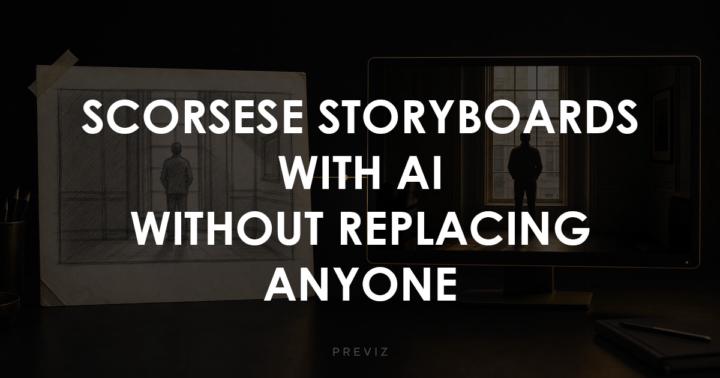
New issue is live: Scorsese is storyboarding with AI
The new AIography newsletter is out, and it is worth five minutes of your day. Here is the short version. Martin Scorsese, maybe the last director you would expect, just told the New York Times he used AI to storyboard his next film. The headlines are already getting it wrong, so I wrote the accurate read: he used it for previz, the sketch stage, to get the pictures in his head in front of his team faster. He did not replace actors. He did not replace his crew. The movie still gets shot, in camera, with real people. Previz, not replacement. That distinction is the whole story. The issue also covers the new tool that just took the top spot for AI video and the one piece of dubbing software that is actually good enough to use this week. Best part: there is a move in there you can steal today. The same thing Scorsese did, scaled down to your desk. Read it HERE
1 like • Jun 5
The only newsletter I actually read start to finish
1-10 of 23
@alecgraf
30 years writing novels and screenplays. 10 years as an indie filmmaker. Now I help filmmakers navigate the complexity of making great films.
Active 2h ago
Joined Mar 22, 2026
Powered by