Activity
Mon
Wed
Fri
Sun
Dec
Jan
Feb
Mar
Apr
May
Jun
Jul
Aug
Sep
Oct
Nov
What is this?
Less
More
Owned by Celia
Tired of yelling and repeating yourself? Get live coaching, immediate solutions & parent support for less arguing and more cooperation. Join us!
Freedom Lovers Only
53
Free
Leadership Skool
2.2k
5.0
Free
Fearless Prospecting Group
3.6k
Free
Evolved Health
368
Free
Tech-Lite Business Builders
520
Free
Soul Awakening Solutions
587
5.0
Free
The Porch (Michele Lefler)
632
Free
Backstage Mastermind
435
5.0
Free
CLASSIFIEDS VIP HUB
22
$300/y
154 contributions to the skool CLASSIFIEDS

3d •
Monday is the last day to apply for the VIP cohort until February!
If you've been thinking about applying for the VIP cohort or maybe you attended our Showcase and want to know how you can get involved with such an amazing group of people, this is your chance! Applications open up once a quarter, and the last day to apply for this quarter is Monday! You can find out more information and details in this post. Send me a DM if you have any questions. Apply here!


🔥
3 likes • 3d
Come join us.... the genius you surround yourself with absolutely matters. Be a part of a group that elevates you and inspires you.
🔥
3d •
[Free download] Want your child to be more responsible?
Children learn to be responsible when they are given responsibility. Here is a simple explanation that you can hang on your fridge or wall for them to remember. Want to stop the endless search for answers and tips, and finally find the ways to fix cooperation and listening, as well as raising an adult that has emotional intelligence? Join the BE A BETTER PARENT L.A.B. Where we Learn, Apply and experience the Breakthrough. https://www.skool.com/beabetterparent/about Meanwhile, download your Responsibility Rules sign for your home.
3
0


4d •
I looked at four fast-growing Skool communities to see what they do that you're not
Most Skool owners I come across aren't using social media at all. They post inside their community and wait. Very few are using Instagram. So I spent a few hours going through the public YouTube and Instagram activity of four fast-growing Skool communities. Two run YouTube and Instagram together, one runs Instagram alone and one runs YouTube alone. The pattern wasn't the platform. It was what happens at the end of every piece of content. The three that use Instagram all close their Reels by asking you to comment a keyword, and the full video or a free resource lands in your DMs. Two of the YouTube channels put the Skool link on the very first line of the video description, where it sits above the fold and is clickable. The setup I'd run starts with a long YouTube video, cut into Shorts that point back to it. For Instagram, I'd recommend making Reels created specifically for it, with their own hook and call to action. If you don't have the time or the resources, repurpose the same clips you cut for YouTube Shorts. I use Opus Clip to do that, or you can cut them by hand in your video editing software. Either way, each Reel asks for a keyword, and a DM sends the YouTube link and your Skool link. Because very few owners in your niche are doing it, it's an easy way to stand out. I've put the exact step-by-step into a free PDF, including the settings that keep your Instagram account from being flagged. Swipe right 👉 to get it. You don't need to join anything. If you'd also like to see how I run my own community, it's HERE. Des Dreckett - The Content Revenue Lab

🔥
2 likes • 4d
I don't CTA Join my community each time, because i also have my app, so not sure which i should target... but i. guess once they're in the community, i'm able to communicate with them more. Maybe i should start going this route.
🔥
1 like • 3d
@Des Dreckett thanks Des, I’m never sure
🔥
6d •
🌳 Sometimes the whole family needs a little more sky.
.A place to run. To breathe. To be loud. To release some of the energy that’s been bouncing off the walls all day. This Thankful Thursday, I’m grateful for nature and the space it gives us to find our calm or let our wiggles out. 💚 Step outside together. Listen to the birds. Look up through the branches. Let your kids run, jump, and crunch through the leaves. And yes… hug a tree! Wrap your arms around its trunk, feel the bark, and take a slow breath. You might feel a little silly. You might end up laughing together. That counts, too. 😊 We share this world with the trees, the birds, and each other. We’re all connected, and spending time in nature can help us feel that connection again. What’s your family’s favorite place outside to find some calm or let some energy loose? 🌿
4
0


7d •
Come and get it while it's FREE!!
Classifieds VIP Showcase Milestone and Bonuses A short little reflection on an EPIC WEEK inside the Classifieds VIP Showcase Come and grab your goodies. Thank you for allowing me to share this space with you this week. xo TNT
🔥
8 likes • 7d
What a great summit!! So much value and grateful to be a part of it!!
1-10 of 154
🔥
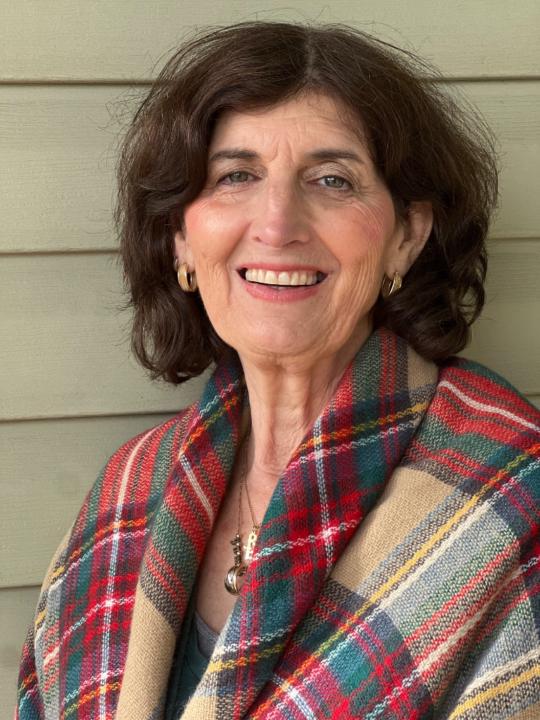
@celia-kibler-2186
Showing parents how to raise calm, confident, respectful kids w/o yelling. Founder, BeABetterParent.com & Day of Calm Foundation.
Join my Skool group
Online now
Joined Dec 31, 2025
Maryland
Powered by