
Pinned

Nov '25 •
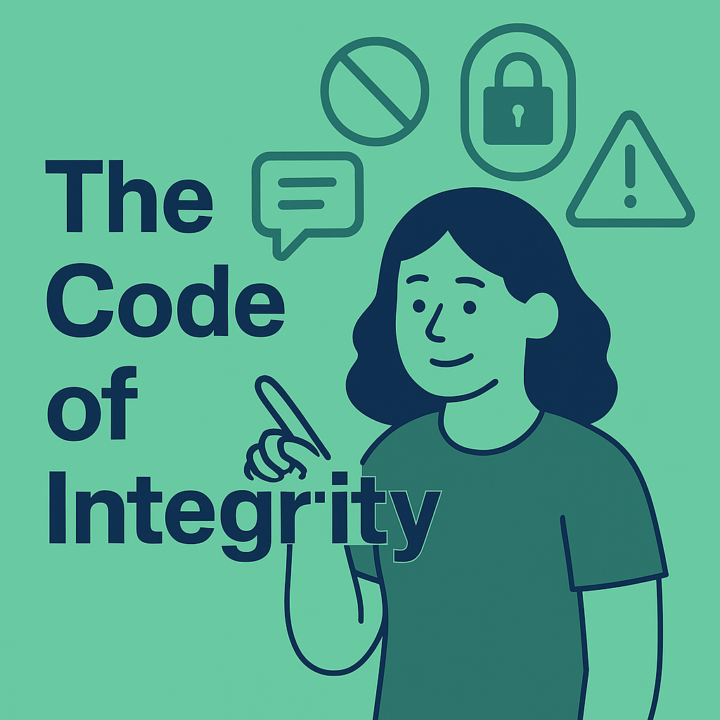
Community Code of Integrity
What it means to be in the circle at The Quiet Upgrade Being here means we’re part of something intentional. We grow, learn, and build in community—not just side-by-side, but together. That requires safety, respect, and shared responsibility. Here’s what that looks like in practice: 1. Respect Each Other’s Privacy - No screenshots of posts, comments, or DMs without clear consent. - Don’t quote or share anyone’s words outside the circle, even anonymously, unless they’ve said it's okay. - We protect vulnerability, not amplify it for content. 2. Originality Matters - Don’t copy and paste member content, prompts, or teaching into outside platforms (even with “credit”) without permission. - Get inspired, but make it yours. 3. No Uninvited Sales or Outreach - Don’t DM members with offers, promotions, or asks unless explicitly invited. - Our DMs are for connection, not cold pitches. 4. Community Info Is Not for External Use - All names, questions, comments, and shared experiences stay in this community. - Do not use, quote, reference, or share any part of a member’s contribution—whether verbal, written, or visual—for personal projects, content, research, marketing, or training without explicit, written permission. - This includes screenshots, anonymized summaries, and even casual references. When in doubt, ask first. - If you’re a moderator, team member, or guest contributor, this is non-negotiable. You agree not to extract, export, or reuse any community content, member identity, or insight for outside use. - We take this seriously. Breaching this principle may result in immediate removal from the community and, if necessary, legal follow-up. 5. Moderation with Care - Moderators model the tone and culture of the space. - If boundaries are crossed, we respond with clarity, not shame. Liability & Responsibility By participating in this community, you agree to uphold the integrity of the space. If you violate any of these agreements—intentionally or unintentionally—you are solely responsible for the consequences. The community hosts and business owners are not liable for any outcomes or damages that result from another member’s behavior, misuse of information, or breach of conduct.
0
0

1d •
Connection is still the best business tool
Whether it's over coffee or over a screen, connection is still the best business tool there is. That's what this community is built on. Who's up for a coffee chat? Let's set it up!
0
0

2d •
Not everything needs a response right now
Not every notification needs an immediate response. When your systems handle the routine stuff, you get to decide what actually deserves your attention.
0
0

4d •
You don't have to be on all the time
You don't have to be available 24/7 to run a great business. The right tools let you set boundaries without dropping the ball.
0
0

5d •
You don't need a fancy system, you need something that scratches your itch
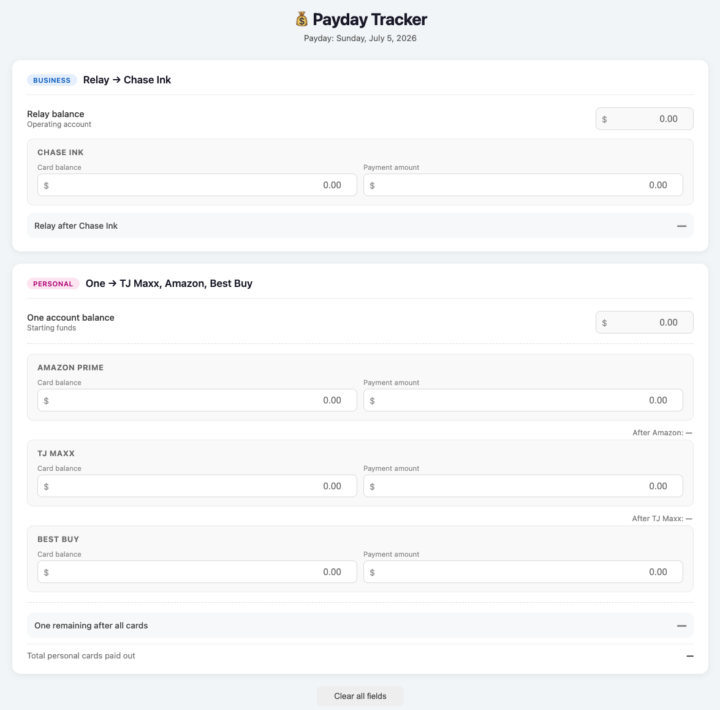
Quick example from my own desk this week. I wanted to see, in one glance, how much money I actually have across my personal and business accounts before deciding how much to send toward each credit card balance. I had been writing down chicken scratch notes to keep track each payday, and I knew this was not good as it relied on me doing math, which I'm bad at. I didn't want a spreadsheet to update by hand every time, just something where I plug in the balances and what I want to pay, and it figures out where that money comes from. So I built one. Took just a few minutes with Claude, and now I've got a little tool that does that one weird, specific thing I needed. Nobody else on earth needs this exact setup. That's kind of the point. This is what I mean when I say start simple. You don't need a big system or a perfect plan. If something in your business bugs you every week, a report you keep building by hand, a decision you keep doing math for in your head, there's a good chance you can put together something simple that solves just that. Is there something that's bugging you right now? Drop it below and let's see what we can build.
0
0
1-30 of 35
powered by
skool.com/the-quiet-upgrade-5680
For business owners who want to save time & boost profits. A community with simple systems & smart tools. Join The Quiet Upgrade.
Suggested communities
Powered by