
Write something

Sep 23 •
Frigate: Local AI Camera Detection
I used to pay a camera company every single month to record my own driveway. Cloud storage, per-camera fees — year after year, money auto-renewing out of my account while I never looked at the bill. Then I switched to Frigate. It's free. It runs on hardware I already own. It watches for people, cars, packages with AI — and it charges me nothing. No subscription. No auto-renew. It's already paid for itself. This is the whole mindset this community runs on. You don't get ahead by working a second job — you get ahead by keeping more of what you already make. Every subscription you kill is money you stop shipping out. And money you keep, you get to point somewhere. I stopped being a subscriber to my own life. I became the owner. Your turn. What's the subscription you know you're overpaying for and still haven't cancelled? Drop your starting numbers in a POST. See everyone in here kill one thing this week. We do this together, not alone. One subscription gone by Sunday — that's the whole win. Two alternate punchlines if you want to swap one in: "I'm not the customer of my own money anymore — I'm the owner." "Frigate ended up cheaper than my morning coffee habit. And it can't be auto-renewed."
0
0
Apr 13 •
START HERE: Welcome to Project Smart Home
You're in. Welcome home. 🏠 Whether you're just putting in your first smart bulb, automating your whole house with Home Assistant, or figuring out how to layer in AI — you're in the right place. Step 1 Introduce yourself Drop a post in the community. Keep it short: - Where you're based - Your current setup (Home Assistant, Google Home, Matter, etc.) - One automation you're proud of — or one you can't figure out We just want to know who you are so we can help. No pressure to write an essay. Step 2 Start with the foundations Head to the Classroom and start with Start Your Smart Home Journey if you're new or rebuilding from scratch. It walks you through everything from choosing your hardware to your first working dashboard in Home Assistant. No setup yet? Start with the Automation Launchpad, Figure out what you actually want to automate before buying a single device. Step 3 Add AI to your home Take your setup further by using Claude to master Local LLMs, Voice Assistants, and Predictive Automations. Instead of manually coding YAML, use Claude to instantly generate adaptive dashboards, complex Jinja2 templates, and intelligent sensors that anticipate your needs. This moves you from being a manual operator to an architect of a home that finally thinks for itself. Step 4 Show up and keep building This community is full of people deep in the wiring (literally and figuratively). Share your wins. Share your stuck moments. Debug together. We're all building smarter homes — one automation at a time. 🌱
Aug 26 •
F1 Meets Home Assistant: Bringing Live Race Data Into Your Smart Home
Step by Step Install Guide Here: If you are a motorsport fan who loves tinkering with home automation, integrating live Formula 1 data into your setup is an absolute game-changer. Moving past basic static calendar reminders, modern integrations let you pull real-time telemetry, session phases, and race control feeds directly into your local network. - Real-Time Session Tracking: Automatically monitor live session states (pre, live, suspended, finished) without managing complex manual API setups. - Race Control & Track Status: Pull official flags and safety statuses instantly, including CLEAR, YELLOW, VSC, SC, and RED. - Broadcast Syncing: Built-in delay offsets mean you can match your specific TV streaming or satellite lag so your automations line up with what is actually on your screen. What It Unlocks - Immersive Lighting: Trigger your room or desk RGB lights to flash yellow or orange the exact moment a Safety Car or Virtual Safety Car is deployed. - Dynamic Dashboards: Automatically pull up live timing cards, weather trackers, and tyre strategies on wall-mounted tablets whenever a session goes live. - How are you bringing your favorite sports, hobbies, or live events into your smart home setup?
0
0
Apr 24 •
Classrooms have had a OVERHAUL
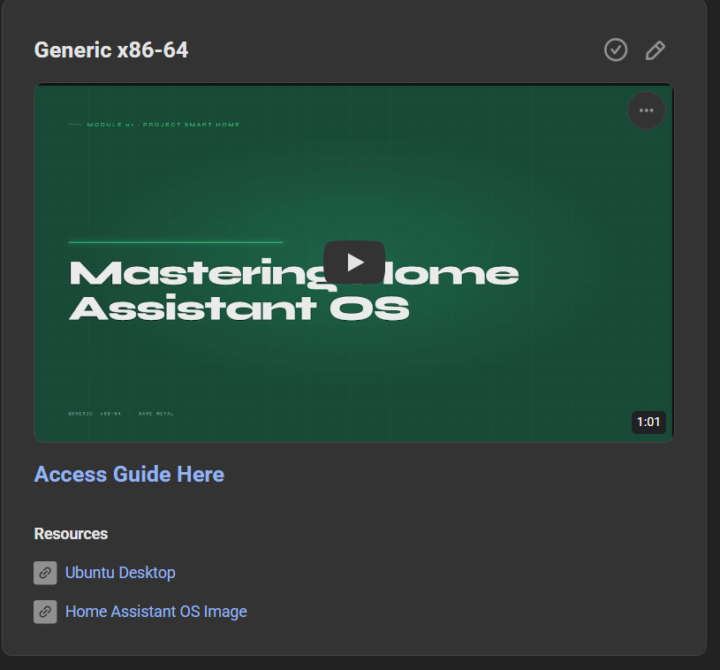
I've started overhauling the classrom infomation to make it less like a wall of text (because we all know no one is going to read that and it gets boring fast Each classroom tutroial will now include 1 video around 60 second motion graphic of the tutorial and a full written guide with graphics to show the commands better also for easier copying
0
0
Apr 21 •
🤖 Stop Using Rigid Slash Commands for Your Home!
Still talking to your smart home like it’s 1995? It’s time to give Home Assistant a real brain. 🧠 Check out this new guide on building a Natural Language Telegram Bot powered by Claude AI. No more memorizing specific commands—just text your house like a friend: - "Is the garage door open?" - "Turn off all the downstairs lights" - "What’s the temperature in the bedroom?" Why this setup rocks: - True Natural Language: Powered by Anthropic’s Claude (Sonnet/Haiku) for human-like understanding. - Secure: Only responds to your specific Telegram ID. - Cost-Efficient: Uses prompt caching to keep API costs down. - Total Control: Works with any entity in your Home Assistant instance. Ready to level up your automation? 🚀 Full Guide Here: Natural language Telegram bot - Mastering Home Assistant with Claude Would you like me to tweak the tone to be more professional or perhaps more "hacker-style" for a different audience?
0
0
1-11 of 11
powered by

skool.com/simplify-technology-7037
A community built to master smart home automation. Learn, share, and build powerful systems that simplify everyday life.
Suggested communities
Powered by