
Write something
Pinned

14h •
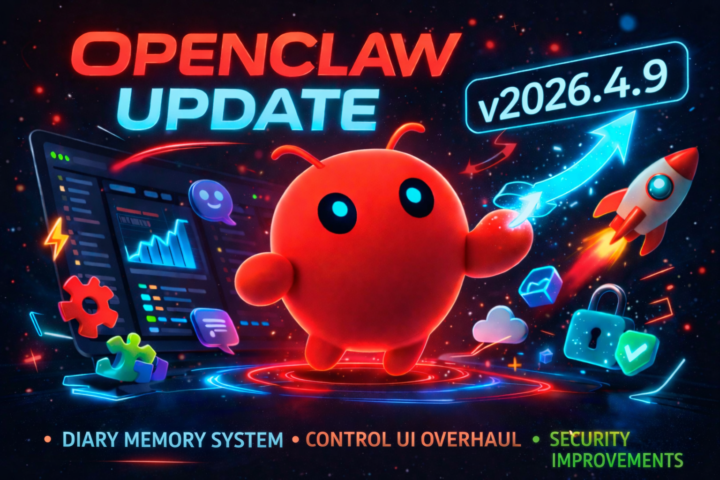
OpenClaw v2026.4.9 Just Landed
OpenClaw v2026.4.9 just landed and this one actually feels like a meaningful step forward rather than just another incremental patch. The biggest shift is around memory. They’ve introduced a much more structured “diary” style system where sessions, notes, and historical context can feed back into the agent properly. Instead of memory feeling a bit scattered, it now looks like it’s moving towards something you can actually reason with over time, especially with the REM-style replay and promotion into longer-term memory. The Control UI has also been cleaned up quite a bit. There’s now a proper timeline view for what the agent is doing, along with clearer summaries of its “thinking” and actions. It makes it far easier to understand what’s happening behind the scenes, which has honestly been a bit of a weak point until now. On the reliability side, there are some important fixes:• Sessions should behave better across Telegram, Slack and other channels (no more replies jumping between sessions)• OAuth / auth issues are surfaced more clearly instead of silently failing• Fewer weird artefacts leaking into chat (like internal control tokens or NO_REPLY text showing up) Security has also been tightened quite a bit, especially around plugins and environment variables. A lot of edge cases where things could be overridden or injected have been locked down. There’s a long list of smaller fixes as well, but overall this feels like one of those updates that makes the whole system more usable day-to-day, rather than just adding another feature. If you’re running OpenClaw on a VPS or using multiple channels, this is probably worth updating sooner rather than later. Cheers Jason 🙌
3
0
Pinned
Feb 20 •
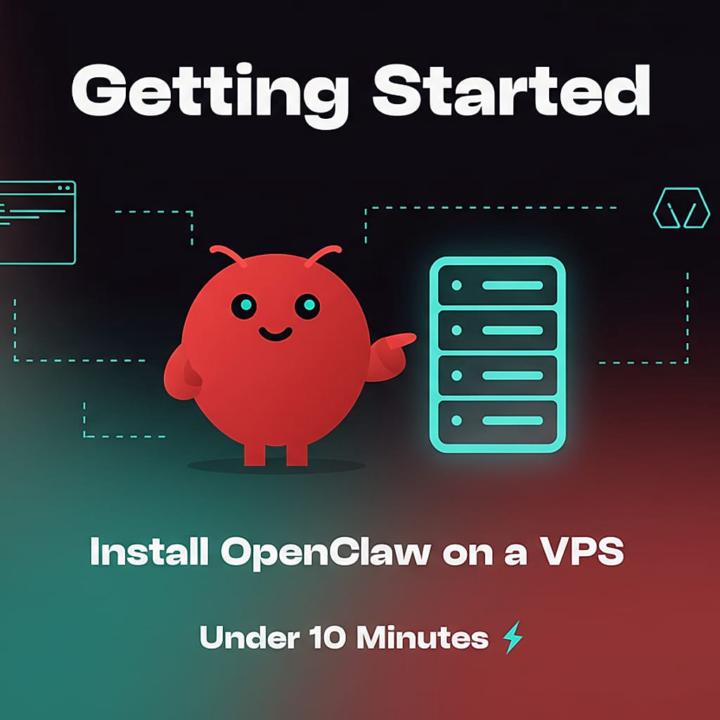
🚀 Getting Started: Install OpenClaw on a VPS in Under 10 Minutes
New here? This is the fastest way to get OpenClaw up and running on your own server. You'll need two things: 1. A VPS (I recommend Hostinger — it's what I use) 2. An API key from an AI provider (Anthropic, OpenAI, Gemini, or xAI) Step 1: Get a VPS If you don't have a VPS yet, grab one from Hostinger. They have a one-click OpenClaw template built right into their Docker Manager, so you don't need to mess around with the command line. 👉 Get a Hostinger VPS here (20% off with this link) The KVM 2 plan is more than enough to run OpenClaw comfortably. Step 2: Deploy OpenClaw If you're buying a new VPS: • Head to the Hostinger VPS marketplace and select OpenClaw • Choose your plan, click Deploy • OpenClaw is automatically pre-selected as the application • Complete the purchase If you already have a Hostinger VPS: 1. Go to your hPanel → Docker Manager (install it if you haven't already) 2. Navigate to the Catalog section 3. Search for OpenClaw and click Deploy Step 3: Configure Your Environment During deployment, you'll see a configuration screen where you can add all your LLM API keys. ⚠️ Important: Copy your OPENCLAW_GATEWAY_TOKEN before moving on. You'll need it to log in. If you forget, you can find it later in Docker Manager → your project → Environment section. You only need ONE AI provider key to get started. You can always add more later. Step 4: Wait for Deployment Docker will pull the OpenClaw image and start the container. This usually takes 1-2 minutes. Wait until the status shows "Running".

23h •
Cron commands fail with “pairing required” even though gateway is running and status works
I was trying to set up a simple daily reminder using openclaw cron, but all cron commands failed with: gateway connect failed: GatewayClientRequestError: pairing required What I tested: • openclaw status worked • openclaw gateway status showed the gateway running and RPC probe ok • openclaw cron status, openclaw cron list, and openclaw cron add ... all failed with pairing required • ran openclaw doctor • ran openclaw doctor --fix • regenerated gateway token through openclaw configure • restarted gateway with openclaw gateway restart At one point the dashboard/config flow also showed: unauthorized: gateway token mismatch After token regeneration + restart, the mismatch cleared, but cron still failed with pairing required. This seems like a broken local auth/pairing state for cron specifically, with no clear recovery path. The UX is especially confusing because normal status checks work while cron remains unusable.
1
0

24h •
Hey everyone 👋
Just joined OpenClaw Users and excited to be here. I’m really interested in getting hands-on installing, building, breaking things, and actually learning how these AI agents work in practice 🤖 Right now I’m focused on:• Setting up and experimenting with OpenClaw• Building useful (and maybe a few wild) agent workflows• Learning by testing, failing, and improving fast My goal is to move from ideas → working systems as quickly as possible. Looking forward to seeing what you all are building and sharing my own experiments along the way 🚀
2
0

1d •
Anthropic just banned OpenClaw, watch this before you rebuild
A lot of people are reacting to the Anthropic change by ripping Opus out of their stack completely, and I think that’s the wrong move. Yeah, the old subscription setup is gone, but that does not mean OpenClaw is dead. It just means the architecture has to change. I just posted a video breaking down what actually happened, why the old setup stopped working, and the exact stack I’d use right now if I were rebuilding from scratch. In the video, I walk through the new setup, how I’d split the work across models, and the mistake I think most people are about to make. If you’re building agents for yourself or for clients, watch this before you touch your stack.
1
0
1-30 of 52
skool.com/openclawusers
Free community for OpenClaw users to install, build, break, fix and share wild AI agent ideas together.
Leaderboard (30-day)
1

+16
2

+6
3

+5
4

+4
5

+4
Powered by