Activity
Mon
Wed
Fri
Sun
Jun
Jul
Aug
Sep
Oct
Nov
Dec
Jan
Feb
Mar
Apr
May
What is this?
Less
More
Owned by Michael
Gemeinsam Kanäle aufbauen: Technik, Strategie, Motivation! Für Neueinsteiger & Erfahrene - werde Value Creator – hier unterstützen wir uns dabei 💪🎥
Memberships
AI Automation Vault
10.8k members • Free
The Agentic Lab
2.1k members • Free
Claude Code DACH
94 members • Free
Claude Business Community
82 members • Free
Claude Community -Deutsch
181 members • Free
🦞OpenClaw Community🦞
10 members • $9/month
Openclaw Builders Club
223 members • Free
OpenClaw Users
907 members • Free
Voicery Community
28 members • $29/month
5 contributions to OpenClaw Users

8h •
Community Closing
Sorry everyone, but I've taken the hard decision to close this community to focus on my primary businesses. I was so excited about OpenClaw when it first launched, and I knew others would be too. I thought it would be great if we could all get together and share how we are using the platform. Sometimes, unfortunately, you have to look at your priorities and focus on one thing at a time to do the best job. In my case, that is, without a doubt, fastbots.ai. Focus stands for "follow one course until successful" as they say. I'd like to thank everyone who joined the community, and I will see you around in the world of AI for sure. If you would like to keep in touch, then check out my YouTube channel, and I wish you all the very best of luck with your AI adventures. The community will close at the end of May. Cheers everyone, Jason West

1 like • 7h
Good luck with fastbots Jason...understand why you´re doing this..thought as well that OC would perform better but it seems not...🤓
0 likes • 4h
@Jason West that´s exactly the same experience on my side and the fact why I switched over to Hermes...stable, reliable, model-independent..that´s how I like it..and of course still communitcating via telegram with my Hermes Agent using Codex generous usage limits 🤓
19d •
Connecting OpenRouter to OpenClaw — one command, done
If you're running OpenClaw and haven't connected it to OpenRouter yet, you're either spending more than you need to on API calls or you just haven't tried it yet. OpenRouter lets you route requests across dozens of models (including Qwen 3.6 Plus, which is currently free with a 1M token context) from a single API key. Here's the command to get it set up: openclaw onboard --install-daemon --auth-choice apiKey --token-provider openrouter --token "sk-or-your-key-here" Replace sk-or-your-key-here with your actual OpenRouter API key (grab one at openrouter.ai if you don't have one — takes about 60 seconds). A few things to check if it doesn't work first time: Your key starts with sk-or- — OpenRouter keys have that prefix. OpenAI keys start with sk- and won't work here. OpenClaw is installed globally and current: npm install -g openclaw@latest The daemon has permission to run — on macOS you may need to approve it the first time. Once connected, you can switch models per-command or set Qwen 3.6 Plus as your default to keep costs near zero while you're experimenting. What models are you routing through OpenRouter? Drop yours below — always curious what the community's running for different tasks.
0 likes • 11d
OR is good for testing..but if you have found your model of choice it´s always better to go directly through the providers OAuth call...no routing through openrouter..no performance issues..and often better usage limits you get directly from the provider of that model. 🤓
12d •
Setting up your first skill in OpenClaw, a 4-step walkthrough
Skills are how you teach OpenClaw to do specific things consistently. Once you've got one wired up, you can call it from any agent, on any channel, with the same predictable behaviour. Here's the fastest way to set up your first one. Step 1. Create the skill directory. Inside your OpenClaw install, head to the skills/ folder and make a new directory named after what your skill does. Keep it lowercase and hyphen-separated. Example: skills/weekly-summary/. Step 2. Add a SKILL.md file. This is the brain of the skill. At the top, drop in YAML frontmatter with at least name and description. The description matters, it's what your agent uses to decide when to trigger the skill, so be specific about the situations it should fire in. Below the frontmatter, write the instructions in plain English. Treat it like a one-page brief for a junior teammate. Step 3. Drop in any helper files. If your skill needs a template, reference doc, or prompt fragment, put it alongside the SKILL.md in the same folder. The agent can pull from anything in there at runtime. Step 4. Reload the daemon. Restart your OpenClaw daemon so it picks up the new directory. The skill should show up in your agent's available toolkit on the next invocation. Once you've built one or two, the pattern becomes muscle memory. ClawHub (clawhub.ai) is also a good place to browse community-built skills for inspiration before rolling your own. What's the first skill you'd want to build for your agent? Drop it below.
0 likes • 12d
It is important to note that on ClawHub there are infected skills that can install malware or malicious routines on your own computer or generally in the OpenCL framework. So, you really have to be careful what you install there. It is wise to examine the skill or have it examined and, if necessary, rebuild it according to your own needs, so that you can be sure that it is not infected. I recently had a skill from Cloud Code rebuilt, and it worked great.🤓
28d •
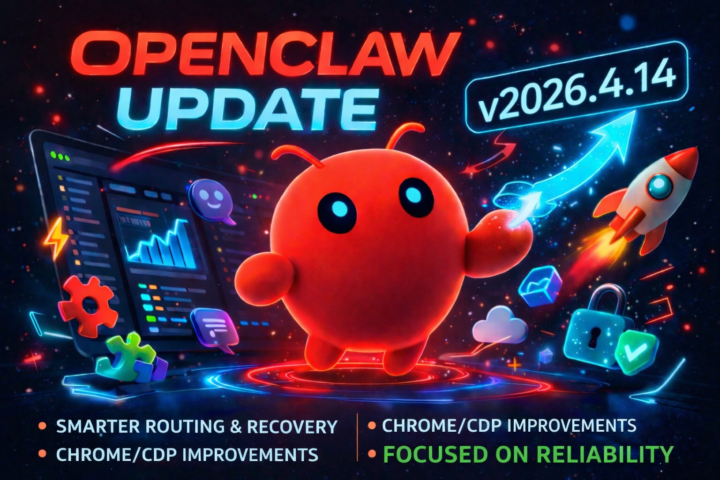
OpenClaw 2026.4.14 just dropped… and this one’s all about reliability 🦞
If you’ve been running OpenClaw daily, you’ll probably appreciate this one more than any flashy feature update. This release is focused on tightening things up under the hood and making the whole system feel more stable and predictable. What’s new: • Smarter GPT-5.4 routing and recovery → Better handling when things go wrong, fewer broken runs • Chrome / CDP improvements → More reliable browser control and automation • General reliability upgrades across the stack → Smoother performance in real-world usage From the broader April updates, OpenClaw has also been improving things like memory handling, Telegram workflows, and overall agent stability, which all feed into this release as well Why this matters We’re starting to see a shift now… Less “look at this crazy new feature” More “this actually works properly day-to-day” And honestly, that’s exactly what OpenClaw needed. Because once your agent is: • running automations • connected to real tools • handling real data Reliability becomes everything. My take This is the kind of update that doesn’t look exciting… …but makes a massive difference once you’re actually using OpenClaw properly. Fewer crashes Better recovery More trust in your agent That’s what gets you to the next level. If you’ve updated already, I’d be interested to hear: 👉 Have you noticed it feeling more stable? Cheers Jason
1 like • 27d
Feels more stable and faster using Codex. 🤓

Feb 25 •
How to run OpenClaw for FREE (Stop paying for API tokens) 🛑
Hey everyone, if you’re actively building and testing with OpenClaw, you've probably noticed how fast API token costs can rack up—especially if an agent gets stuck in a logic loop overnight. I set these up for clients full-time, and the very first thing we do is secure their testing environment so they aren't bleeding money on API calls. You absolutely do not need to pay per token just to build and test your workflows. I just recorded a full step-by-step guide showing exactly how to bypass these costs and run premium LLMs for $0.00. In the video, I walk through: 1. Nvidia’s Free Models: The exact JSON config changes to swap your primary model to Kimi K2.5 for free. 2. The OAuth Trick: If you already pay for ChatGPT Plus or Gemini Pro, I show you how to connect your account directly so you stop paying for AI twice. 3. Open Router Setup: How to route into Open Router to unlock a massive library of 100% free models (like DeepSeek R1). I show my screen for the entire setup, including the terminal commands and the exact raw config edits you need to make. 📺 You can watch the full walkthrough here: https://www.youtube.com/watch?v=Qfj_Zj1GuQI Save your paid API tokens for your actual production tasks, not testing! Let me know in the comments if you run into any config errors while setting this up—happy to help you troubleshoot.
0 likes • Mar 22
I don't prefer 2 of these methods. The first method is an extremely slow version of Kimi K 2.5, as to be expected for all free models. The fact that everybody wants to have a free version of everything makes it more than understandable that free models cannot be good performers. The third option is okay, but we need to keep in mind that Open Router has to earn money. The models are not as cheap as if you get them directly. For example, the Moonshot offer is way more capable and even faster than using Kimi through Open Router. The OAuth "trick" is a good one although it´s not a trick at all 🤓
1-5 of 5

@michael-gruendling
💡 skool Community Consultant
💪🏼 Content Strategist
🌱 Empower People
🕊️ Freedom Lover | Author von "Das skool Buch" & "Jeder kann YouTube"
Active 3h ago
Joined Mar 22, 2026
ENFP
Leipzig
Powered by