

Nov '25 •
Repair step #1- reports and cleanup bio
1. The agency’s only use your reports from annual credit repair.com - these are the reports you should use to dispute. 2. Since all accounts are tied to one of your names or addresses, the first thing is to download the reports and then look for incorrect spellings of your name, DOB, wrong ssn, and OLD ADDRESSES!! you don’t have to list all of them, but you only have to tell the bureaus which one is correct. 3. Type a letter that’s dated, your name, address. Last 4 of your ssn on the header, CRA address - subject reinvestigation of incorrect identification. 4. In your letter you have to specifically say who you are and what your disputing and what action you want them to take. also you must provide a copy of your ID, proof of ssn, and a utility bill with your address with each letter. 5. 6. Letter example - I am the consumer listed above. This is not a 3rd party writing this letter, I really am Youssouf Ahmed. I am disputing inaccurate information on my report regarding who I am. 7. 8. My only name listed is Youssouf Ahmed, my DOB IS AA/ee/zzzz. My only address is 1234 repair street. Philadelphia, PA 12345. Please remove all other variations of my name, dob, ssn, address, employer, phone number, different from what is listed above I have enclosed verification of my SSN, proof of identity, proof of address to this letter.

Aug '25 •
🟢 Live FTC & CFPT Step-By-Step Video
Hey JSC family — welcome back! In this video I’ll show you, step-by-step, how to create your FTC Identity Theft report and submit a CFPB complaint when you’re dealing with items or unwanted accounts on your credit reports. ⚠️ Quick note: Make Sure all your 3 Credit Bureaus are FROZEN. If you haven’t go and Freeze your Experian, TransUnion and Equifax before starting your dispute. What you’ll need • Your latest credit reports (Equifax, Experian, TransUnion) • A list of accounts to dispute (name, account number—last 4 is fine—open date, and what’s wrong) • Photo ID and proof of address (utility bill, bank statement) • Optional (identity theft only): any supporting documents. ⸻ Part 1 — Create your FTC Identity Theft Report (for identity theft cases) 1. Go to IdentityTheft.gov and click Get Started. 2. Follow the guided questions: select the type of problem, add the companies/accounts affected, and enter your contact info (only fields with an asterisk are required). 3. At the end, download your FTC Identity Theft Report (affidavit) as a PDF. Save it — you’ll attach this to complaints and disputes. Tip: The site builds a simple recovery plan and letters you can reuse. ⸻ Part 2 — File your CFPB Complaint 1. Go to consumerfinance.gov/complaint and start a complaint (create an account if you don’t have one). 2. Choose Product: “Credit reporting or other personal consumer reports.” • Then choose the Issue that fits (e.g., “Incorrect information on your report” or “Improper use of your report”). 3. In the narrative, clearly explain: • What happened and why it’s wrong • The accounts (name, account # last 4, dates) • What you want: e.g., “Delete the unauthorized account(s) and correct my report.” Keep it concise and factual. 4. Attach files: your FTC Identity Theft Report, ID, proof of address, and any supporting docs. 5. Select the company you’re complaining about (e.g., Experian, Equifax, TransUnion — you can submit separate complaints for each if needed).

Aug '25 •
Credit Sweep 4 Days or Less With FCRA § 605(b)
How to Remove All Identity Theft Negative Items from a FICO Credit Report in 4 Days or Less Using FCRA § 605(b) Blocking This technique allows for the removal of negative items from a FICO credit report in just four days, compared to the standard 30-day removal timeframe under FCRA § 609 disputing. The entire process can be completed remotely using a computer or smartphone with an internet connection. This method can eliminate all negative accounts and delinquencies on a FICO report, as well as hard inquiries, collections, and charge-offs resulting from the fraudulent accounts. Required Websites: - https://www.identitytheft.gov - https://www.consumerfinance.gov Required Documents and Proof: - Affidavit of Truth Templates (used as proof of identity; must be notarized) – Found in Level - Proof of Identity and Proof of Address for all three credit bureaus – Found in Level 2 Understanding FCRA § 605(b) BlockingFCRA § 605(b) allows consumers to request the blocking of credit report information that is the result of identity theft. Once blocked, the fraudulent information will no longer appear on the report and will not affect the consumer’s credit score. Steps to Invoke FCRA § 605(b) Block: 1. Provide Proof of Identity Theft – Submit a police report or FTC Identity Theft Report to the credit reporting agency. 2. Identify the Fraudulent Information – Clearly specify the accounts or entries on the credit report that resulted from identity theft. 3. Request the Block in Writing – Send a written request to each credit reporting agency, along with your proof of identity theft and identification documents. Once the credit reporting agency receives your request and supporting documentation, it must block the fraudulent information from your credit report promptly, protecting your credit history and score from the damaging effects of identity theft.


May '25 •
DID YOU KNOW?🔎
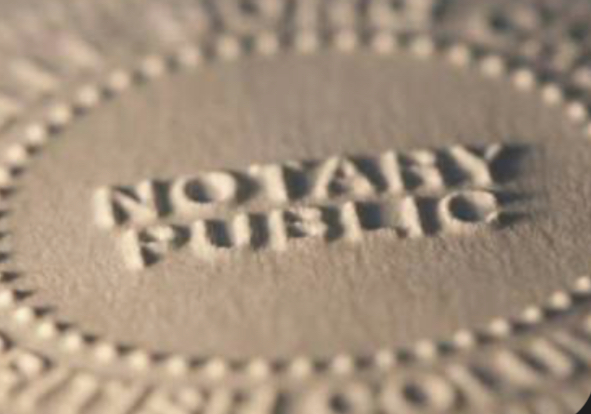
Benefits Of Being A Notary Public: Here are the top benefits of being a Notary Public, especially in 2025 when remote and digital notarization options are booming: •General notary work typically pays $10–$50 per appointment. •Loan signing agents can earn $75–$200 per signing—some making over $5,000/month part-time. Navigate to the: 🎨 MRR. Specialty Hubs & Industry Zones > Side Hustle-Business Lab> How To Become A Notary. Let me know if you need guidance! https://www.skool.com/jsc/classroom/70106f04
Jun '25 •
✨How to: Classroom Navigator 🧭
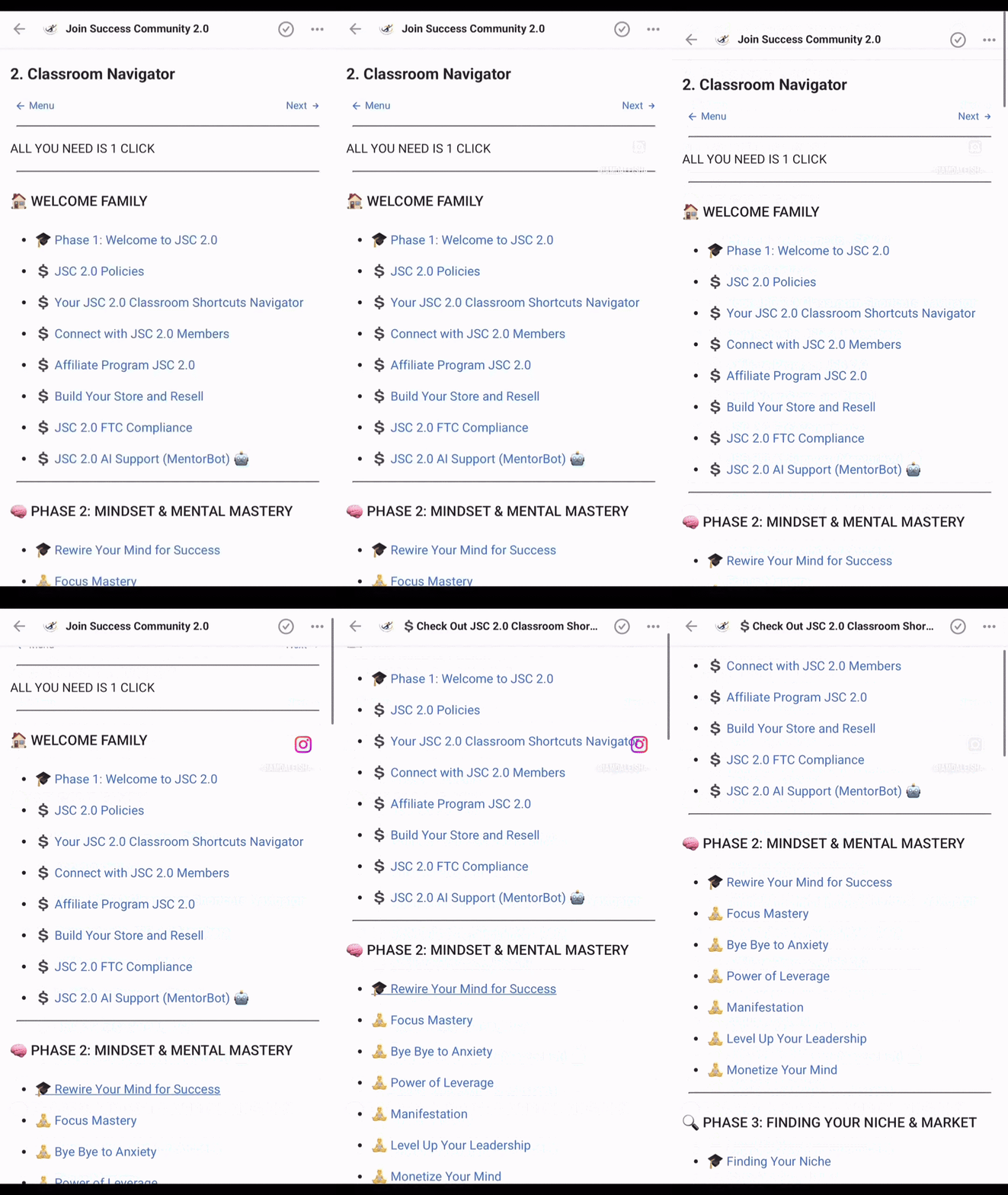
🧭 Welcome to the Classroom Navigator This is your go-to guide for exploring all our community courses—strategically organized to support your growth, starting with mindset, moving into business-building strategies, and ending with AI tools and automation systems that scale your success. ✨ Featured: The PLR Collection (Private Label Rights) Want to sell ready-made content as your own? Dive into our PLR Collection where you’ll find fully editable resources like: - Passive Income Mindset eBooks - IG Hook Templates - The Nelson Law PLR - The Womanpreneur Booklet (editable in Canva) - Master Vendor Lists (ready to rebrand + resell) 💡 Whether you use them for personal growth or flip them for profit ($5, $20—your choice), these tools are here to help you make moves now. 👉 Head over to the PLR Collection and start building your digital empire today. Press Play▶️
1-14 of 14
powered by

skool.com/free-success-community-7285
Welcome to the future of content creation. Master AI, from idea to final export using powerful tools, scripts, visuals, and editing.
Suggested communities
Powered by