
Write something
6d •
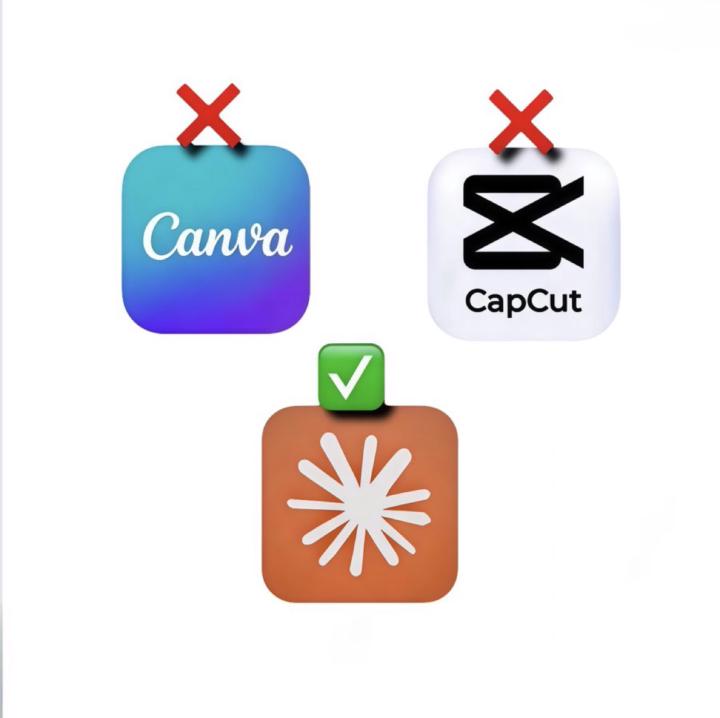
Goodbye CANVA and CAPCUT.
You can now use Claude to create, design, edit, and program 30 days of content in 2 hours. Here are 5 prompts that replace both: 1. Design Concepts Generator “Develop 10 visual content design ideas tailored to my niche [insert]. Outline the layout structure, color direction, typography choices, spacing, and visual hierarchy for each. Add export-ready instructions that allow Claude to produce final design outputs.” 2. Post-Ready Graphic Prompt “Produce a modern, polished graphic concept based on this idea [paste text]. Define the header, supporting text, layout framework, spacing, and a visual style aligned with my brand identity.” 3. Script to Video Editing Plan “Transform this script [paste] into a detailed shot-by-shot editing outline. Specify visuals, timing, transitions, subtitles, pacing, and on-screen elements for a 15–30 second video format.” 4. Auto Caption Prompt + Formatting “Write optimized captions for this post [paste content]. Include a compelling opening hook, main body copy, call to action, and relevant hashtags. Tone: [your tone]. Keep the writing concise, natural, and audience-friendly.” 5. 30-Day Content Programmer “Build a structured 30-day posting plan for my niche. Include: • content format/type • design prompt guidance • video or editing direction • caption prompt suggestion • recommended posting timing Prioritize consistency, audience engagement, and content variety.” I hope you've found this thread helpful.
Dec '25 •
💡 Creativity Quick Win
Tool: Textideo Why This Tool: Textideo turns text or images into pro videos using Veo 3.1 transforming static images into professional animated videos with smooth motion and cinematic effects in minutes, using advanced AI to bring your photos to life. Best For: Content creators needing scroll-stopping social media videos, marketers turning product photos into promotional content, small business owners creating video ads without hiring a video team, educators bringing diagrams and illustrations to life Cost: Free plan available with customizable options Website: https://textideo.com/image-to-video Quick Win Prompt: "Upload a product photo or brand image to Textideo, let the AI automatically apply natural motion and transitions, then download your first animated video to post on Instagram or TikTok within 10 minutes. No video editing experience required."

Dec '25 •
Image Prompts
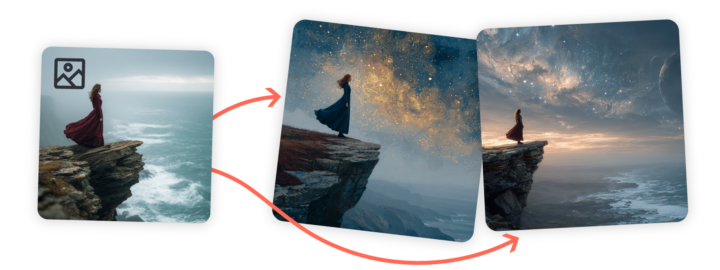
Want to influence the content, composition, and colors of your Midjourney creations? Include an image as part of your prompt! There are several ways you can use your own pictures when creating prompts with Midjourney. In this article, we'll focus on Image Prompts, but there are also Style References, Omni Reference, and moodboards using Personalization. You can even mix and match to get exactly what you want in your images! What are Image Prompts? Image Prompts let you guide Midjourney by including an image along with your text prompt. Midjourney looks at your image's core elements, and uses it as a source of inspiration for your new and unique image. Three Ways to Use Image Prompts 1. Single Image Prompt + Text PromptChoose an image similar to your vision, then add descriptive text. Your text prompt should include everything you want in the final image, rather than instructions for changing the reference image. 2. Multiple Image Prompts Without Text PromptUpload two or more images without text to blend them together—similar to using the Blend command in Discord. This is perfect if you want Midjourney to focus on visual elements. 3. Multiple Image Prompts + Text PromptCombine several images with descriptive text for more detailed guidance. Use your text prompt to specify important details not visible in your reference images. 4. Using Image Prompts To add an image to your prompt, start by clicking on the image icon in the Imagine bar. This opens the images panel, allowing you to upload new images or pick from those you've already uploaded. You can even select multiple images to use in your prompt! Click your image in the uploads library to automatically add it as an Image Prompt. You can also drag and drop your image into any of the image sections to use it in different ways. To remove your image from the Imagine bar, hover your mouse over it and click the X icon.
Dec '25 •
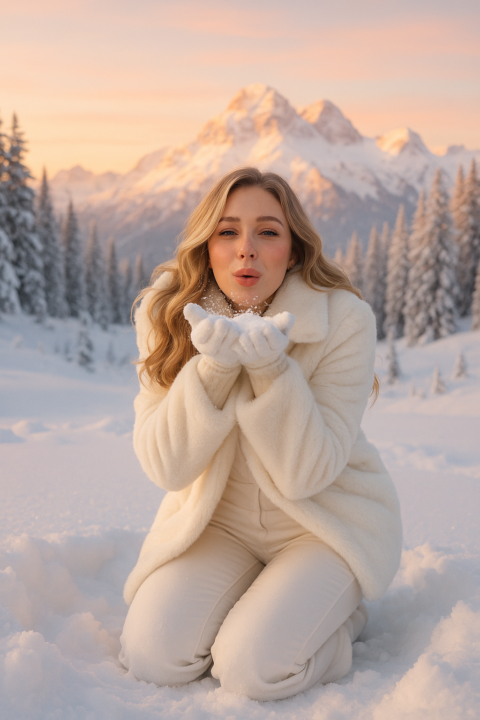
Winter Wonderland Prompt❄️
soft winter wonderland aesthetic, woman kneeling in fresh powder snow, wearing an all-white monochrome outfit — plush faux-fur coat, fitted winter pants, white gloves — blowing a handful of snow toward the camera, joyful candid expression, golden-hour alpenglow hitting the snowy mountain peaks, pine trees dusted with frost in background, dreamy pastel sky, cozy luxury ski-vacation vibe, elegant soft glam beauty, high-end influencer winter photoshoot style — hyperreal detail, 85mm lens, crisp cold lighting, cinematic depth of field
1-17 of 17
powered by
skool.com/digital-boss-academy-1196
Learn to start, brand & grow your digital product Marketing. Get free assets, AI tips & tools for Etsy and websites. 🚀 start selling digital products
Suggested communities
Powered by