
15h (edited) • General discussion
📢 How to Open Arrow Coach Pro + Your First Screenshot Challenge!
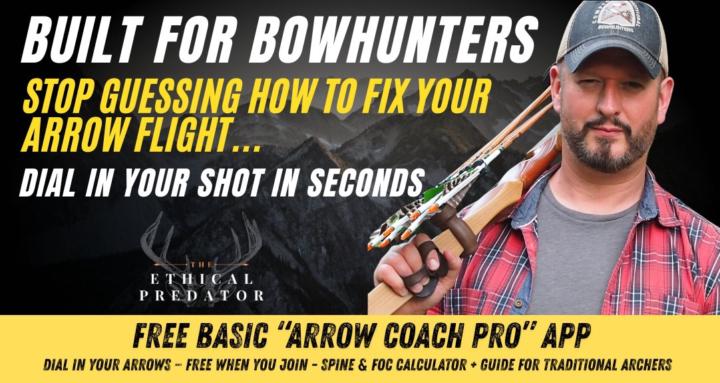
Arrow Coach Pro is live. Built by Grant & I, to take the voodoo out of traditional arrow tuning. Spine, FOC, bare-shaft testing, photo coach...all in one place.
But it's only useful if you actually open it. So here's how to get in, and what to do first.
✅ Step 1 - Get inside the Arrow Coach App:
- Click on the link: https://arrow-tuner-pro.overskill.app/
- Generate an account for Arrow Coach Pro
- IMPORTANT: Use the same email you used when you signed up for SKOOL
- Click Redeem Code (top right menu - Redeem Code)
- REDEEM CODE For Standard Community: ARROW-BASIC-44 (This redeem code will be different depending on which tier you are in, different tiers give you more photo coach uses/month)
🔔 To Discover Your Redeem Code For Your Tier, Go To Classroom and Open The Arrow Coach Pro App Module For Your Unique Redeem Code!
👉 Also, make sure to refresh the page to load the app, you may have to click the link again to refresh the app
Your in!
.
✅ STEP 2 - Run your first calculation
Open the Spine & FOC Calculator.
Plug in your bow's real specs - draw weight, draw length, point weight, shaft material.
Hit Calculate.
Screenshot your result.
✅ STEP 3 - Drop it below ⬇️
Reply to this post with your screenshot and tell us:
- What you're shooting (longbow, recurve, selfbow, ASL)
- What the calculator came back with for your recommended spine
- One word for how it feels - right, off, surprised, confused
Grant's going to jump in and call out a few of you.
Why I'm asking
Most of us are tuning by feel, by what the guy at the range said, or by what worked ten years ago on a different setup. That ends here. Real numbers in. Real answer out.
And yeah... Photo Coach is in there for Premium and VIP. We're going to do a separate challenge for that soon. For today, let's just get everyone through the front door.
Drop your screenshot below. Let's see who's actually been tuning.
— Jenn
PS. If you entered the wrong Redeem Code, no worries....If someone entered the Standard code and later realizes they actually have a Premium or VIP code, they can just go back to /redeem, sign in with the same account, and enter their higher code.
The system automatically removes the old tier and grants the new one — the last valid code entered always wins, so there's no need to undo the Standard first....
Also, Use the same email/account they redeemed Standard with (so it upgrades the right account, rather than creating a second one).
Reload the app once after redeeming — the new photo allowance (3/mo Premium, 10/mo VIP) kicks in on refresh. The redeem screen already reminds them of this.
3
15 comments
📢 How to Open Arrow Coach Pro + Your First Screenshot Challenge!
skool.com/bowhunting
#1 Bowhunting community on SKOOL. The complete tuning companion designed for traditional archers. Dial in your shot w/our Arrow Coach Pro App!
Leaderboard (30-day)
1

+233
2

+214
3

+200
4

+181
5

+110
Powered by