

14d •
Meet Betty
She's one of my AI team members and she's about to rewrite your bio for you. For free. In minutes. So it doesn't read like a crappy résumé. ____________________________ Writing your own bio is one of those things that feels like it should be easy. It's not. You sit there staring at a blank screen trying to sound impressive without sounding braggy, professional without sounding robotic, and interesting without sounding like every other bio on the internet. So you write something safe. Something flat. Something that technically says who you are but doesn't make anyone feel anything. I've been there. I originally wrote a SUPER lame one too. Then Betty asked me a few questions and pulled things out of me I'd completely forgotten about. Experiences I never thought to mention. Moments that actually mattered. And my bio went from forgettable to something I'm genuinely proud of. That's what Betty does. 𝗕𝗲𝘁𝘁𝘆, 𝘁𝗵𝗲 𝗔𝗜 𝗕𝗶𝗼 𝗪𝗿𝗶𝘁𝗲𝗿 is a 𝗙𝗥𝗘𝗘 custom tool I built specifically for people who need a powerful, professional bio and don't have time to struggle through writing one themselves. 𝗛𝗲𝗿𝗲'𝘀 𝗵𝗼𝘄 𝗶𝘁 𝘄𝗼𝗿𝗸𝘀: 1) Click here: https://chatgpt.com/g/g-69d54e9c34f88191b830f33ba01a8277-betty-bio-writer-turning-authors-into-authorities 2) Betty asks you a handful of smart questions. She's not just collecting bullet points. She's digging for the real stuff. The kind of details that make someone read your bio and think "I need to know this person." Then she writes it. A polished, platform-ready bio that positions you as the authority you already are. Betty writes bios for Amazon author pages, speaker profiles, LinkedIn, media kits, book back covers, and more. And she's ready to work right now. 👉 𝗧𝗿𝘆 𝗕𝗲𝘁𝘁𝘆 𝗳𝗼𝗿 𝗳𝗿𝗲𝗲 𝗵𝗲𝗿𝗲: https://lnkd.in/grs7gYHc 𝗧𝗔𝗞𝗘 𝗔𝗖𝗧𝗜𝗢𝗡 𝗡𝗢𝗪: Try her, and let me know what you think below.

8d •
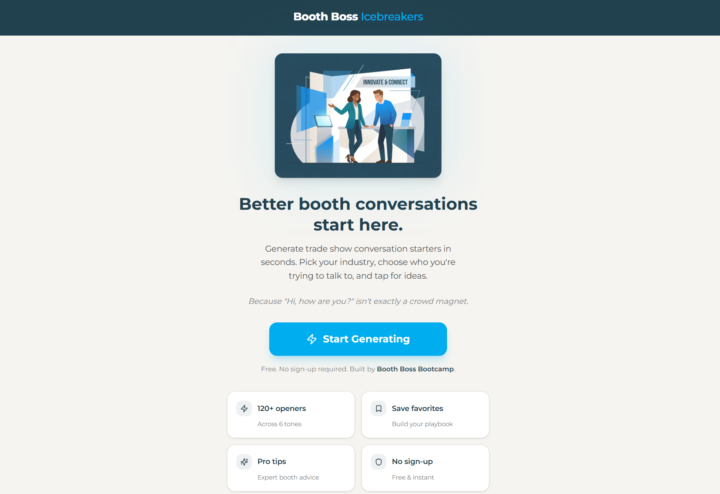
FREE Trade Show Floor Icebreaker App
Your booth staff is your secret weapon. They are also your biggest liability. It all comes down to what comes out of their mouths in the first 10 seconds. Most teams walk into a trade show with zero preparation on how to start a conversation. They default to "Hi, how are you?" And then wonder why traffic walks right past them. The opener is everything. It sets the tone. It earns the next 30 seconds. It's the difference between a real conversation and a polite nod goodbye. I built a free app that generates conversation starters: - Customized to your industry and your audience. - 120+ openers across 6 different tones. - AND, you can save your favorites. No sign-up. No cost. Just better conversations. Pull it up in your morning huddle. Test a few. See what lands. Ditch what doesn't. 👉Try it free: https://boothboss-2zp2wpqv.manus.space/
1
0
20d •
Claude Skills
If you're interested in AI and aren't already following Charlie Hills on LinkedIn, I highly recommend checking out his content. He's one of the sharpest minds in the space and consistently shares valuable tools, practical insights, and real-world applications that are actually useful. One post in particular caught my attention: his breakdown of Claude Skills. It's a great look at how Claude can be customized to perform specialized tasks and support a wide range of business functions. You can see Charlie's original post here:https://www.linkedin.com/posts/charlie-hills_claude-can-do-almost-any-job-for-you-share-7471139262126649345-UrSR/ For convenience, I've reposted his content below. Full credit goes to Charlie. This is his work and perspective, not mine, but I thought it was too valuable not to share with the community. (Special thanks to @Ganesh Ariyur for introducing me to Charlie and this post.❤️ And, if you don't know Ganesh, you should. He is also brilliant and worth connecting and following: https://www.linkedin.com/in/ganeshariyur/) __________________ Claude can do (almost) any job for you. You only need to install the right skill. A skill is a folder of instructions Claude loads on demand. It turns Claude into a specialist with zero prompting from you. Every skill installs with one command: ✦ Find Skills (1.9M installs) Finds Claude skills for you → https://lnkd.in/eFcmubhq ✦ Agent Browser (432K installs) Lets Claude browse for you → https://lnkd.in/eUS4cxjs ✦ Superpowers (211K installs) Plan, test and debug code → https://lnkd.in/eppbgRaK ✦ Caveman (142K installs) Cut tokens by ~75% → https://lnkd.in/e3uPsgtM ✦ Frontend Design (521K installs)
1
0
May 30 •
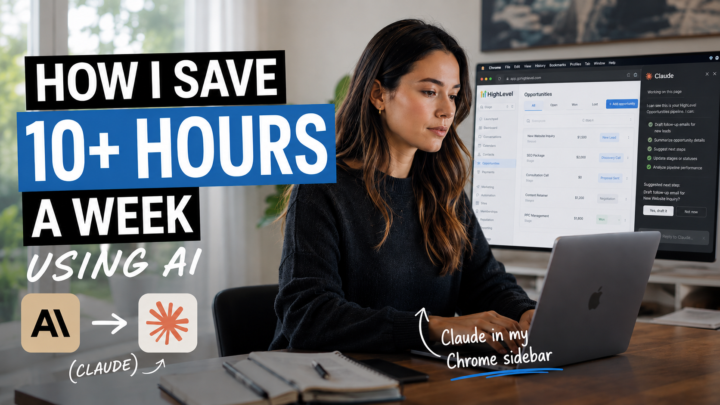
𝗜 𝗚𝗼𝘁 𝟱-𝟭𝟬 𝗛𝗢𝗨𝗥𝗦 𝗕𝗮𝗰𝗸 𝗟𝗮𝘀𝘁 𝗪𝗲𝗲𝗸 𝗪𝗶𝘁𝗵𝗼𝘂𝘁 𝗪𝗼𝗿𝗸𝗶𝗻𝗴 𝗙𝗮𝘀𝘁𝗲𝗿
It was soooo easy. (And close to free.) Last week, I saved HOURS. I didn't work faster. I just stopped doing the stuff Claude Extension could do while I was busy being human. 𝗛𝗲𝗿𝗲'𝘀 𝗮 𝗿𝗲𝗮𝗹 𝗲𝘅𝗮𝗺𝗽𝗹𝗲... My email blast looked perfect in Outlook. Then I checked it in Yahoo. The spacing was a mess. Fixing that kind of thing means digging into CSS files and HTML code. That's not a quick fix. Claude's Chrome Extension found the issue and corrected it while I kept working on other things. That's the point. I stayed human while AI fixed my tech problem. 𝗪𝗵𝗮𝘁 𝗶𝘁 𝗱𝗼𝗲𝘀: It lives inside your Chrome browser as a side panel. You tell it what to do and it gets to work. It clicks buttons, fills forms, pulls data from dashboards, and moves between tabs on its own. You don't have to stop what you're doing. It runs in the background while you stay focused on the work only you can do. 𝗪𝗵𝗮𝘁 𝗶𝘁 𝗰𝗼𝘀𝘁𝘀: It's free to download. You'll need a paid Claude plan to use it. I'm on the $20 a month Pro plan. Higher tier plans unlock more powerful features, but the Pro plan gets the job done. 𝗛𝗼𝘄 𝘁𝗼 𝘀𝗲𝘁 𝘂𝗽 𝗖𝗹𝗮𝘂𝗱𝗲 𝗘𝘅𝘁𝗲𝗻𝘀𝗶𝗼𝗻: 1 - Open Google Chrome 2 - Go to the Chrome Web Store and search "Claude AI for Chrome" 3 - Click Add to Chrome 4 - Sign in with your Claude account 5 - Click the puzzle piece icon in your toolbar and pin Claude 6 - Click the Claude icon to open your side panel 7 - Type what you want done and let it work You are welcome in advance. =) 𝗧𝗲𝗹𝗹 𝗺𝗲: - 𝘁𝗵𝗲 𝗼𝗻𝗲 𝘁𝗮𝘀𝗸 𝘆𝗼𝘂 𝗵𝗮𝘁𝗲 𝗱𝗼𝗶𝗻𝗴 𝗺𝗼𝘀𝘁. I might have a tool for that. - how Claude Extension can help with your next project, task, problem.
Jun 5 •
Plaud = The Device That's Changing Trade Shows
𝗧𝗲𝗰𝗵 𝗧𝗼𝗼𝗹 𝗙𝗿𝗶𝗱𝗮𝘆: Badge scans give you a name, email, and generic details. That tells you nothing: what they said, what they need, or how they feel. But things are changing. Let me introduce you to Plaud.ai. 𝗪𝗵𝗮𝘁 𝗜𝘀 𝗜𝘁?: Plaud.ai is a wearable AI recording device that clips right to your lanyard, shirt, phone, etc. It records your conversations, syncs to your phone, and delivers a full transcript, speaker-labeled notes, and AI-generated action items automatically. 𝗪𝗵𝘆 𝗜𝘁 𝗕𝗲𝗮𝘁𝘀 𝗟𝗲𝗮𝗱 𝗖𝗮𝗽𝘁𝘂𝗿𝗲 𝗘𝘃𝗲𝗿𝘆 𝗧𝗶𝗺𝗲?: No more scribbled notes. No more "I think he mentioned Q3." No more follow-up emails that sound like you forgot who you talked to. After the show, drop every conversation summary into ChatGPT or Claude and ask it to flag the hottest leads, identify the top pain points, and suggest one piece of content to send the whole list. What comes back is a sales intelligence report, a content strategy, and a follow-up plan. All in one shot. Your booth is the best focus group you'll never pay for. Plaud captures everything that focus group is telling you. 𝗪𝗵𝗮𝘁 𝗜𝘁 𝗖𝗼𝘀𝘁𝘀?: 💲Hardware starts at $159 (one-time). 💲Service plan runs about $8.33/month billed annually. Worth every penny before your next show. 𝗛𝗼𝘄 𝗧𝗼 𝗨𝘀𝗲 𝗜𝘁: 1. Clip it to your lanyard, shirt, phone, etc 2. Tap once to record when someone walks up 3. Tap again when the conversation ends 4. Review transcripts and summaries in the app 5. Feed summaries into your AI tool for follow-up and analysis That's it. 10 minutes to learn. 30 seconds per conversation to operate. I called this out in my chapter in *AI in the Field* (co-written with Alicia Lyttle) and I'm calling it out again here. It's my #1 recommendation right now. What do you think about this technology on the show floor? How useful, or useless, do you see this being?

1-27 of 27
powered by

skool.com/booth-boss-bootcamp-6684
A place where busy marketing pros come to work smarter, not harder. Trade show strategy, AI tools, weekly hacks, and a community full of heart.
Suggested communities
Powered by