
Write something

7d •
Step-by-Step Roadmap to Launch, Grow & Scale Your Community
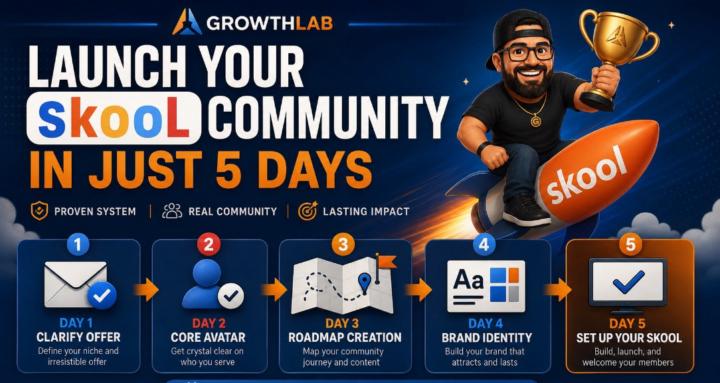
1. 𝗢𝗳𝗳𝗲𝗿 𝗖𝗹𝗮𝗿𝗶𝗳𝗶𝗰𝗮𝘁𝗶𝗼𝗻 Clearly define what your community is about, who it is for, and the specific outcome members can expect. A well-positioned offer helps attract the right audience. 2. 𝗢𝗳𝗳𝗲𝗿 & 𝗣𝗿𝗶𝗰𝗶𝗻𝗴 𝗦𝘁𝗿𝗮𝘁𝗲𝗴𝘆 Structure your offer, pricing, and bonuses to match your goals and your audience's needs. 3. 𝗟𝗮𝘂𝗻𝗰𝗵 & 𝗖𝗼𝗺𝗺𝘂𝗻𝗶𝘁𝘆 𝗦𝗲𝘁𝘂𝗽 Create a professional and organized community that makes a great first impression and provides a smooth onboarding experience for new members. Basic Community Setup Includes: - About Page - Pinned Posts - Start Here Module - Technical Settings 4. 𝗖𝗼𝗻𝘁𝗲𝗻𝘁 𝗦𝘁𝗿𝗮𝘁𝗲𝗴𝘆 Plan your content strategy, how often you'll post it so members consistently receive valuable content that educates, engages, and encourages participation. 5. 𝗠𝗮𝗿𝗸𝗲𝘁𝗶𝗻𝗴 Promote your community across platforms such as Instagram, Facebook, YouTube or any platform your audience hangs out on. Solve real problems within your niche and use smart CTAs to drive them into the community. 6. 𝗖𝗼𝗺𝗺𝘂𝗻𝗶𝘁𝘆 𝗚𝗿𝗼𝘄𝘁𝗵 & 𝗠𝗮𝗻𝗮𝗴𝗲𝗺𝗲𝗻𝘁 Keep conversations alive, answer questions, celebrate wins, and create an environment where members actually want to participate. 7. 𝗢𝗽𝘁𝗶𝗺𝗶𝘇𝗮𝘁𝗶𝗼𝗻 & 𝗦𝗰𝗮𝗹𝗶𝗻𝗴 Track community growth, engagement, and member feedback to improve the experience over time. ❓Which part are you struggling with the most❓


May 30 •
AI Just Saved Me Thousands
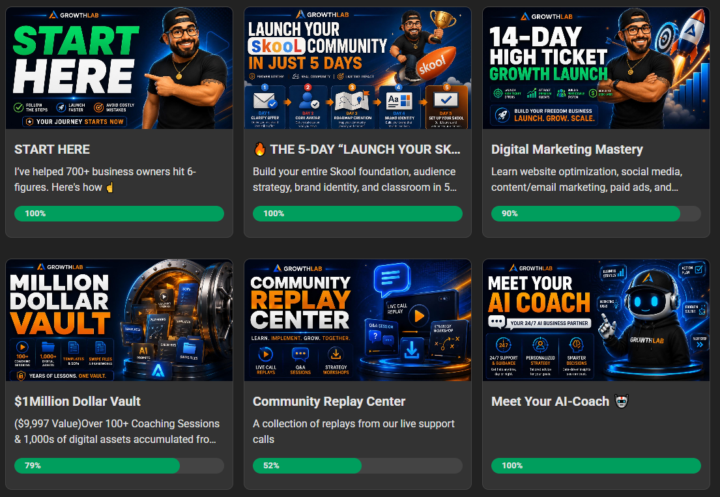
In Under 60 Minutes. No designer. No agency. No Canva marathon. No Photoshop. Just AI. Today I completely rebranded my entire Skool community: ✅ Classroom thumbnails ✅ Course covers ✅ Community graphics ✅ Mascot design ✅ Brand identity ✅ Vault graphics ✅ AI Coach graphics ✅ Challenge graphics ✅ Start Here section Every graphic now looks like it came from a $10,000+ branding package. Here's exactly how I did it: STEP 1: Upload your current graphic. STEP 2: Tell AI exactly what you want your brand to become. Mine was: "Veteran Dad Entrepreneur" "GrowthLAB" "Blue & Orange" "Trust" "Community" "Education" "Pixar-quality mascot" STEP 3: Create ONE master brand prompt. This becomes your brand bible. STEP 4: Feed every old graphic into AI one at a time. Tell it: "Redesign this using my official brand identity." STEP 5: Keep refining until every graphic looks like it belongs in the same ecosystem. The result? A community that finally looks as good as the value inside it. The crazy part... Most people spend months talking about rebranding. I did mine before lunch. We're living in a time where your biggest limitation is no longer money. It's imagination. How many of you are still using the same graphics you created 2 years ago? 👇

27d •
🚨 Skool Growth Boost Update 🚨
A few days ago, I started noticing Skool ads showing up across Meta platforms featuring specific communities. Then I saw my own community in one of the ads. 👀 Today, Skool released more information about Growth Boost in Skool News #60. The short version: if you have Growth Boost enabled, Skool may promote your community through ads across Meta platforms like Facebook and Instagram. 📈 If you're struggling to get new members, this can be a very cost-effective way to generate traffic and visibility. Like the affiliate program, Skool takes a 30% commission on members they bring to your community. At first glance, that might sound expensive, but if you're like me and don't have a large advertising budget or a massive social media following, paying $0.30 on the dollar for a member you wouldn't have reached otherwise isn't a bad deal. 🔥 What this means for your community is even more important. Your community page needs to be ready before that traffic arrives. ✅ Your cover graphic should be clickable - It should immediately communicate who the community is for. - It should identify a problem, outcome, or transformation. - Someone should understand the purpose of your community within seconds. ✅ Your About Page should be crystal clear - Who is this community for? - What problem does it solve? - What can members expect when they join? - Why should they choose your community over another? Remember, when someone clicks your ad, they're making a decision in just a few seconds. Your branding, messaging, and positioning need to do the heavy lifting. ⚔️ Traffic is only valuable if your community converts visitors into members. Before worrying about more eyes on your community, make sure your community page gives them a reason to stay.
29d •
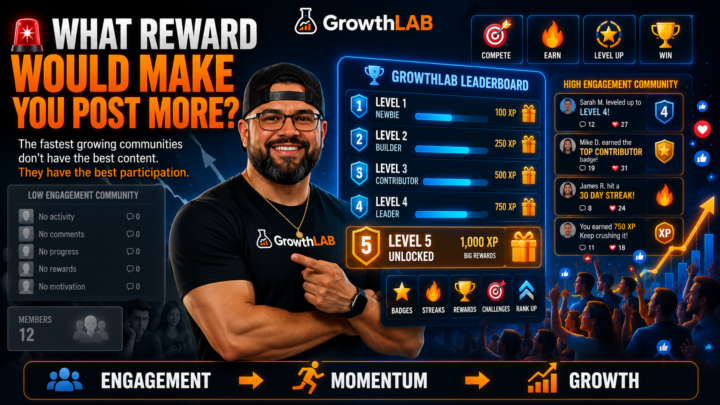
🚨 What Reward Would Make YOU Post More?
I was digging through some old trainings today and came across one of the most overlooked growth strategies I've ever used: Gamification. Not more content. Not better branding. Not another course. Just giving people a reason to participate. The funny thing is most community owners obsess over getting new members... But completely ignore the members they already have. The communities that grow fastest aren't usually the ones with the best content. They're the ones where members actually DO stuff. They post. They comment. They help each other. They compete. They level up. They earn rewards. They feel like they're making progress. That's exactly why I built the GrowthLAB leaderboard and Level 5+ rewards system. 👀 Which got me thinking... What's the BEST reward you've ever seen inside a community? Was it: 🔥 Cash? 🔥 Coaching? 🔥 Recognition? 🔥 Access? 🔥 Physical gifts? 🔥 Something else? Drop it below. I'm curious what actually motivates people these days. (P.S. If you haven't watched the Gamifying Community Growth replay yet... go find it in the Replay Center. It might be worth more than the last course you bought 😏) 🎥WATCH FULL REPLAY [CLICK ME] 👈
Dec '25 •
Canva + GPT Walkthrough for About Page Graphics
Want to design a high-converting About Page graphic—without hiring a designer or spending hours stuck in Canva? This step-by-step walkthrough shows exactly how to pair GPT + Canva to create a clean, professional, brand-aligned graphic for your School or community. We used this process to help Growth Lab student Derek, who launched his 90-Day Dad Bod Shred Program inside School. His original graphic rated 6.5/10—but we transformed it live into a clean, clear, CTA-driven layout that converts. Inspired by proven frameworks from Aaron Fletcher, Evelyn's School, and our very own Growth Lab assets. ❌ PROBLEMS Most About Page graphics fail because: - They're cluttered and blocky. - The layout is inconsistent with the brand. - There's no clear CTA or benefit-driven messaging. - People get lost in fonts, colors, and Canva overwhelm. ✅ STEPS (Signature Solution Snapshot) 1. Clarify the Brand & Messaging – Use GPT to extract your Million Dollar Message and positioning. 2. Generate a Design Prompt – Let GPT write the prompt for you (no more guessing or buying 100 prompt packs). 3. Use Nano Banana / Gemini AI (Optional) – Rapidly prototype visual ideas. 4. Create in Canva – Start with a simple layout: Image Left / Text Right or vice versa. 5. Apply Your Brand Colors – Use the hex codes generated in your 5-Day School Challenge. 6. Add Value-Driven Copy – Promise + Outcome + CTA. 7. Make It Pop – Use shadows, spacing, and contrast to highlight the CTA. 8. Iterate – This isn’t the final version. Update it as your brand grows. 🧠 CONTEXT Your About Page Cover Photo is the first thing people see. It sets the tone for trust, clarity, and conversion. Using this system means you no longer need to guess—you can build like a pro, even if you’re brand new. 🚀 ACTION Want this About Page Canva Template for your own School or community? Comment “Template” below. And if you want a chance for me to design YOUR graphic live, complete Day 4 of the 5-Day School Challenge and tag me in the community post. *will pick winners at the end of each month*

1-30 of 43
powered by
skool.com/be-bold-investing-5726
THE community for experts building recurring income through Skool. Launch faster, simplify growth & put family first 💎
Suggested communities
Powered by