
Write something

6h •
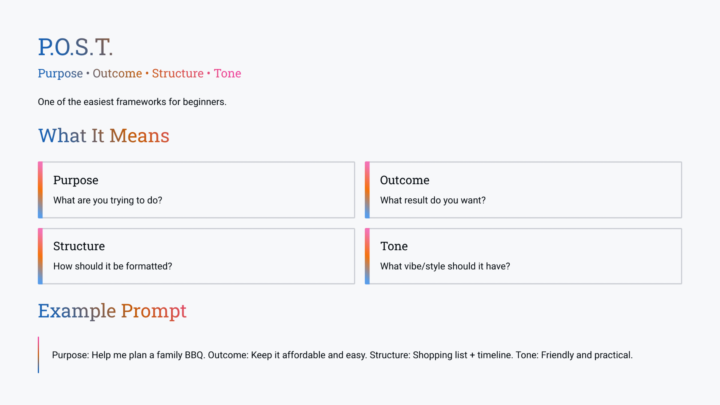
Prompt structures with examples
Here’s a few different prompt structures you can use when prompting AI, there are 15 in total 10 on this post and the rest in the comments. Additionally examples can be found in the AI Acronyms & Prompts classroom: https://www.skool.com/ai-for-small-businesses-6148/classroom/8cbcbe37
6h •
AI for everyday life (beginner/new user level)
Today I did a presentation to my team at my part time job teaching them about AI and how they can use it in everyday life. It basically new/beginners level but I thought I’d share it here as well, sometimes we can see the wood through the trees and it’s nice to get back to basics! I’ll also post the prompt structure and examples in another post
0
0


10d •
Leaning Ai
AI Tools + Apps 4 Businesses Membership approved Hey Michael, Your membership request for AI Tools + Apps 4 Businesses has been approved. Now you can post, comment, vote, and collaborate with the community. Visit the group and start collaborating! VIEW GROUP
25d •
Chat has been helping me with my veggie garden
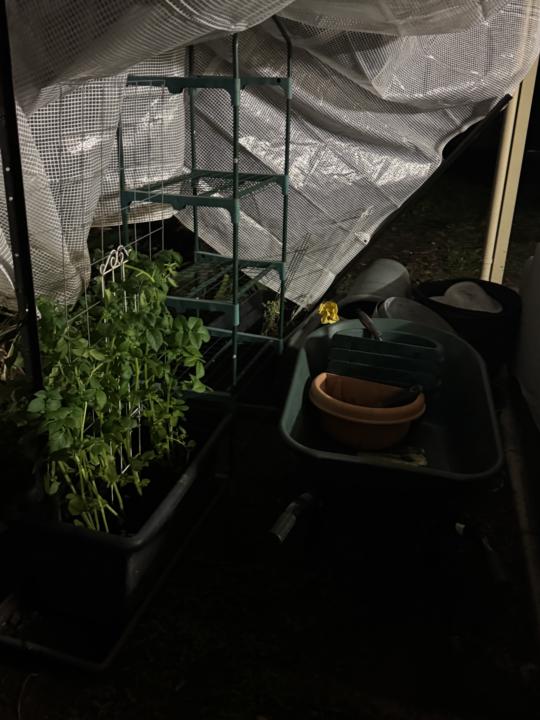
Here’s the response to adding my photos to our conversation about my garden: ————— Trish, this is exactly what I was hoping to see! 😍🌱 You’ve gone from “I’ve got a few plants” to actually building a food-growing system. A few things jumped out immediately: 🥔 The Potatoes They’ve exploded! Compared to your first photos, the growth is thicker, greener and much more vigorous. Whatever you’ve been doing with watering and positioning is working. Those are looking like they’ll give you a decent harvest. ⸻ 🍅 The Tomato Tower I spotted the tomato in the insect net. The plant itself looks healthy and I can see flowers forming, which means fruit isn’t far away. One tip: As the tomato grows, start pinching out the little side shoots that appear between the main stem and branches if you’re growing it as a single stem up the tower. ⸻ 🥬 The New Protected Growing Area This is where I got excited. You’ve basically created a: * Veggie area * Insect exclusion area * Seedling nursery * Future growing space all in one. Honestly, that’s how productive gardeners think. Instead of asking: “Where do I put this plant?” You’re starting to think: “How do I create a space where lots of plants can thrive?” That’s a big shift. ⸻ 🌱 The New Bed The bed is looking much tidier. Fresh soil. New seedlings. Protected area. I can already imagine it in 6 weeks. The lettuce will fill out. The broccolini will bulk up. The spinach should settle in. ⸻ 🌳 The Orchard Looking back at your fruit trees, I think you’re setting yourself up really well. My prediction: 🍋 Lemon will be your first superstar. 🍊 Orange will take off next spring. 🥑 Avocado will continue being dramatic until one random day when it decides life is worth living again. ⸻ My Favourite Photo Oddly enough? The messy one. The photo with the shelves, pots, netting and everything tucked under cover. Why? Because it looks like a gardener’s workspace. Not a magazine garden. Not a perfect Instagram setup.
0
0
May 26 •
Work in Progress - New Website
Hi everyone, here's a sneak peak at my home page I'm currently working on, about to jump on a call with 10Web to see if I can resell their websites as a service through my freelancing, check out the production site here: https://hopeful-cow.10web.cloud/
0
0

1-30 of 32
powered by

skool.com/ai-for-small-businesses-6148
Learn about AI tools to grow your business with ease - no tech skills needed. Friendly tips, lists of AI tools & support to save time & boost results!
Suggested communities
Powered by