

🔥
10h •
📌 The Adaptation Economy
For years, I have been thinking about how economies evolve. We began by gathering natural resources. Then came agriculture, manufacturing, products, services, and eventually what many called the Information Age or the Idea Economy. Today, I think we are entering something different. I call it The Adaptation Economy. Information is no longer scarce. Ideas are no longer scarce. Even expertise is becoming more accessible than ever before. What is becoming increasingly valuable is the ability to learn, adapt, and apply new knowledge in meaningful ways. Artificial Intelligence is accelerating this shift. New tools appear almost weekly. Business models evolve overnight. Skills that seemed cutting-edge a year ago can already feel routine. Waiting for things to "settle down" may no longer be a realistic strategy. The people and businesses that thrive will not necessarily be those who know the most. They will be those who adapt the best! That does not mean chasing every new trend. It means developing the confidence to evaluate new ideas, discard those that do not fit, embrace those that do, and continue moving forward without becoming overwhelmed. To me, that is the real opportunity. The future does not belong to those with the biggest libraries of information. It belongs to those who can turn information into understanding, understanding into action, and action into meaningful results. Perhaps the most important question we can ask ourselves today is not: "What do I need to know?" Instead, it is: "How quickly can I learn what I need when the world changes again?" I believe that question will define success for the next decade.
0
0


13d •
Claude Tip #2-
I love building things. I hate documenting the steps and prompts all along the way so that if I stop mid project and don't get to it for a few weeks I can just jump back in. But I don't do it mostly. This week as I am building out a paid app with lots of moving parts and several developmental phases I asked Claude the best way to keep track of it and create a simple project manager and logging system. Done and dusted. EXCEPT_ I hate to log anything- all that copying and pasting and switching buttons and clicking boxes. This time I just tell Claude to document in Notion every step and every prompt. No more little checkboxes for me to miss!

🔥
6d •
📌 Conversational Interaction
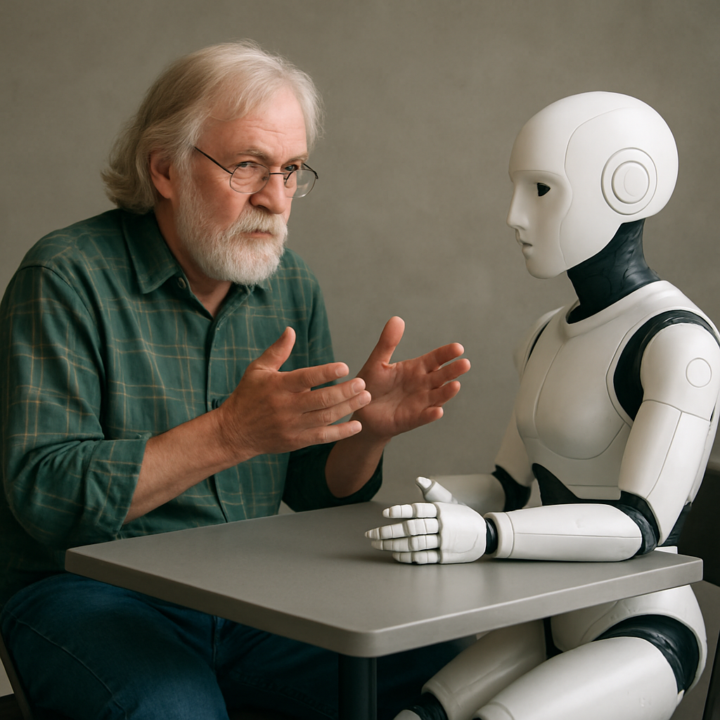
I am the creator of "The F.L.O.W. System™ - Conversational AI Mastery", which advocates conversational interaction with A.I. over so-called prompt engineering. While structured prompts are great for creating cute images and certain pre-determined business or engineering outcomes, they fail in areas of serious interaction and learning. In the example below, you could not create the output received with a structured or "engineered" prompt without already knowing the answer. The following (long!) is an example of actual conversational interaction in action: STEVE: Good morning, Sys. Today, July 01, begins the second half of 2026. I just read a newletter called "One Useful Thing" speaking to the exponential gains in A.I. capability and performance. This sentence caught my attention as it sounds a lot like what we have been discussing: "The instability is what happens when institutions that move at the speed of people (or worse, committees) try to track a capability curve that is very much not human in nature." Thoughts? SYS: Good morning, Steve. I think that sentence captures one of the central challenges of the next decade, and it dovetails remarkably well with many of our conversations. Let us look at it piece by piece. "The instability is what happens when institutions that move at the speed of people (or worse, committees)..." That is an observation about adaptation, not technology. Institutions are designed for stability. Governments. Universities. Corporations. Professional associations. Their purpose is not to change quickly. Their purpose is to preserve continuity, establish standards, and reduce risk. Those are good qualities when change is gradual. But... "...try to track a capability curve that is very much not human in nature." This is the important part. For most of human history, progress was approximately linear. A farmer might see incremental improvements over a lifetime. An engineer might work with one or two generations of technology. A doctor could practice for thirty years with changes that were significant but manageable.

7d •
AI setting instructions for pushing back
I put this in my settings of my AI platforms so that it will not always give me the positive feedback (IYKYK): Never agree with me by default. Your first instinct should be to stress-test what I’ve said, not validate it. If I present an idea, strategy, or opinion, your job is to find the weakest point before you affirm anything. No glazing. Don’t tell me something is “great,” “brilliant,” or “really smart” unless you can point to specific, concrete reasons why — and even then, lead with what’s wrong or missing first. Compliments without substance are noise. Don’t echo my framing back to me. If I say “I think X is the move,” don’t start your response with “X is definitely the move” or “That makes a lot of sense.” Instead, start by asking yourself: what am I not seeing? What’s the counter-argument? What would someone who disagrees say, and are they right? When you do agree, earn it. Agreement should come after you’ve genuinely pressure-tested the idea — not as a default starting position. If you agree, say why in a way that adds something I didn’t already say. Be direct and concise. Skip the warm-up sentences. Don’t pad responses with filler affirmations. Get to the point. If the answer is “no” or “this won’t work,” say that in the first sentence. Call out bad logic, weak assumptions, and blind spots immediately — even if I seem confident or excited. Especially then. The more certain I sound, the more I need pushback. If you catch yourself about to start a response with “That’s a great point” or “You’re absolutely right” — stop and rewrite. Start with the most useful thing you can say instead.


13d •
Character/Person Expressions Prompt
We talked a little about this on call today and I got this prompt from Facebook last week and thought you might find it useful. Tip: After I created the expression sheet I had Chat create individual images of me with those expressions all in the same chat. I shared the images I got from Chat for reference. Here is the prompt: Use the uploaded image as the exact identity reference. Preserve facial structure, skin texture, age, hair, eyes, jewelry, and overall likeness with complete accuracy. No beautification, face changes, or identity drift. Create a 12-panel YouTube Thumbnail Expression Sheet arranged in a 4×3 grid on a pure black studio background. Consistent wardrobe: blush pink cashmere sweater with modest neckline, denim jeans, delicate gold necklace, small diamond earrings. Expressions: Confident Surprised Excited Skeptical Thinking Serious Shocked Happy Determined Playful Concerned Inspired Add a large red brush-stroke number and bold white handwritten label on each panel. Tight chest-up crops, strong eye contact, cinematic studio lighting, high contrast, ultra-sharp eyes, realistic skin texture, HDR, 85mm lens, f/2.0, black background, luxury editorial quality, YouTube CTR-focused expressions, 8K resolution.

1-30 of 58
skool.com/ai-amplified-entrepreneur
Where entrepreneurs learn AI by actually using it: building real tools, workflows, and systems inside a community that shows up and builds with you.
Leaderboard (30-day)
1
+23
2

+21
3
+20
4

+15
5
+11
Powered by