Activity
Mon
Wed
Fri
Sun
Sep
Oct
Nov
Dec
Jan
Feb
Mar
Apr
May
Jun
Jul
Aug
What is this?
Less
More
AI Ranking (FREE)
9k members • Free
Data and Ai Automations
2.3k members • Free
AI Developer Accelerator
11.4k members • Free
Anthropic Claude Architects
1k members • Free
AI Automation Club
1.1k members • Free
AI Accelerator
20k members • Free
Brendan's AI Community
26.6k members • Free
Useful AI • AI For Business
31.1k members • Free
The AI Advantage
127.9k members • Free
5 contributions to AI Ranking (FREE)

🚀
11d •
⏰ 1 hour left on the 40% off
Last call. The premium annual closes in an hour, and it is not getting extended. - $336 for 12 months, which is $28/mo instead of $47 - $228 less than paying monthly - Premium only, not the basic plan Two things worth knowing before it shuts: It's grandfathered. Skool locks you at the price you join at, for as long as you stay. The annual price is going up at the end of the year as more tools get added to the platform. That increase won't touch you. It only works if you use it. Weekly site reviews, live Q&A twice a week, the full premium tutorial library, DataWise included. All of it sits there doing nothing if you don't show up. If you're not going to give it a few hours a week, save your money and catch the next one. 7-day money back guarantee. Cancel anytime. Join HERE


1 like • 10d
Looks like a lot of people made it in just before the deadline 😄 The grandfathered pricing is definitely the part that caught my attention. If the platform keeps adding tools and resources, locking in the lower annual rate could be pretty valuable for anyone who plans to actually use the community consistently.
🚀
13d •
Build your own AI visibility tracker for 91 cents
I built a custom AI search visibility tracker: a live page on its own shareable link that tracks where a website gets mentioned and cited across ChatGPT and Google AI Overviews. It refreshes whenever you want it to. It cost 91 cents to run. The whole thing is one prompt. It's attached below. Free, no email, nothing to buy. **What you need first** 1. **A ChatGPT subscription with access to Sites.** Sites is the plugin that turns the report into a real hosted page you can send to someone. It's not on the free tier. Chat or Codex mode both work, it genuinely doesn't matter which. 2. **A data source.** I use DataForSEO: https://app.dataforseo.com/?aff=182182. New accounts get **$1 of free credit**, and the report costs 91 cents, so your first one is effectively covered. After that it's pay as you go, so a one time $50 deposit lasts a long time if you're only tracking your own site. SE Ranking works too. You can also connect the Ahrefs or Semrush APIs if you already pay for them, but those get expensive fast and you'd be paying for data you're already renting. 🔌Connecting DataForSEO to ChatGPT🔌 is a two minute job and I've linked the walkthrough video in the description. Once it's connected you can build any custom SEO tool this way, not just this one. 👉🏼How to run it 1. Open a **new conversation** in ChatGPT. 2. Type `@` and pick **Sites**. 3. Attach the MD file and say: *"Please build this for [yourwebsite.com], follow the instructions."* 4. Hit enter and leave it alone for a bit. It may ask you a question or two. The prompt is long, which is why it's a file rather than something to paste inline. If you picked SE Ranking or another dataset instead of DataForSEO, you'll need to edit the API section near the top. **What you get back** A report, styled to the brand colours of whatever site you pointed it at, showing: - Where the site is mentioned and cited across ChatGPT and Google AI Overviews - **Which competitor is getting mentioned instead of you.** It picks that automatically, based on who is actually showing up in the AI answers, then tells you why them and not you.
2 likes • 13d
This is a great example of how AI is changing SEO workflows. Instead of just tracking rankings, tracking AI citations and competitor mentions gives much more actionable insight. I especially like the idea of combining external data sources with custom AI dashboards. The same architecture could be extended to many use cases beyond visibility tracking—automated audits, market research, and competitive intelligence. Great build!

Oct '25 •
Learn and take action = new clients = monthly recurring revenue
I used what I learned in the premium group to get results like: ⭐ Ranking new pages and blog articles page 1 fast. ⭐ Increased Click Through Rate by 80% in 60 days. ⭐ Increased page ranking from 30 to 10 in 60 days. Then I used those results to get a new client by showing the results. $997 for a website build - I did it cheaper up front - I want that monthly recurring revenue. The website is the vehicle to being able to upsell services. For less than what it costs me to take my wife out to dinner I've learned how to create Digital Assets that generate my clients new leads every month. I want this for you too! Click here and I'll see you over there! https://www.skool.com/ai-ranking/about?ref=9b7fd8e67d46429d917e363580ee565b
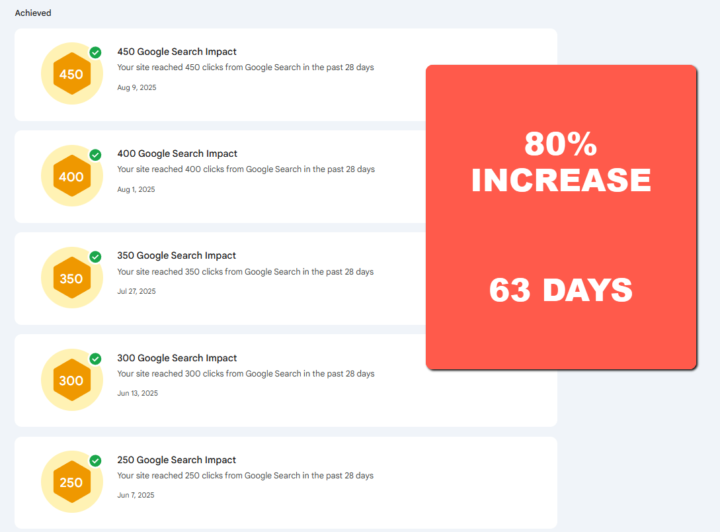
2 likes • 17d
Congratulations! 🎉 This is a great example of turning technical SEO improvements into real business results. As a web engineer, it's encouraging to see how combining solid website development with AI-driven SEO can create long-term recurring revenue. Thanks for sharing your journey!
🚀
20d •
The 5 Claude skills that run almost my entire SEO (download them below)
Most people do their SEO one prompt at a time. Open Claude, paste a prompt for keyword research. New chat, another prompt for the content. Another one for the metadata. Starting from scratch every single time. That is the slow way, and it is why most AI SEO comes out inconsistent. You don't need better prompts. You need skills. A Claude skill is a reusable instruction that Claude runs the same way every time. Instead of re-explaining yourself, you say the keyword and it executes. Below are the 5 I actually use: research, content, on-page, internal linking, and AI visibility. All 6 zips are attached to this post (5 skills plus the setup one). **Set this up first, or none of it works properly** Use the Claude desktop app, and connect it to real SEO data before you touch a skill. Without live data Claude is guessing. It might be a decent guess, but it has no native access to search volumes, crawl data or citation data. 1. Make a free DataForSEO account here 👉 https://app.dataforseo.com/?aff=182182 (you get $1 of free credit on signup, and it goes a long way. It's pay as you go, so if you don't use it you don't pay for it, and a full run of all five skills costs cents rather than dollars) 2. In Claude: Customize → Connectors → Add custom connector 3. Name it `DataForSEO`, URL: `https://mcp.dataforseo.com/mcp` 4. Connect, approve the OAuth screen, and choose "allow all" on the approvals so it stops interrupting you (HERE is a detailed guide on how to connect DFS to Claude) 5. Settings → Capabilities → turn on code execution and file creation 6. Create a Claude Project named after the website you're working on. One website, one Project. That is where the site's memory lives. Then upload all 6 zips: Customize → Skills → upload skill, one at a time. 🟢Skill 0: Site Brief Builder (the one that makes the other five yours)🟢
1 like • 17d
This is incredibly useful—thanks for sharing! I love the idea of using Claude Skills instead of constantly rewriting prompts. Looking forward to trying these out and seeing how they improve my SEO workflow. 🚀
🚀
17d •
⚡ 40% off the PREMIUM annual, this week only
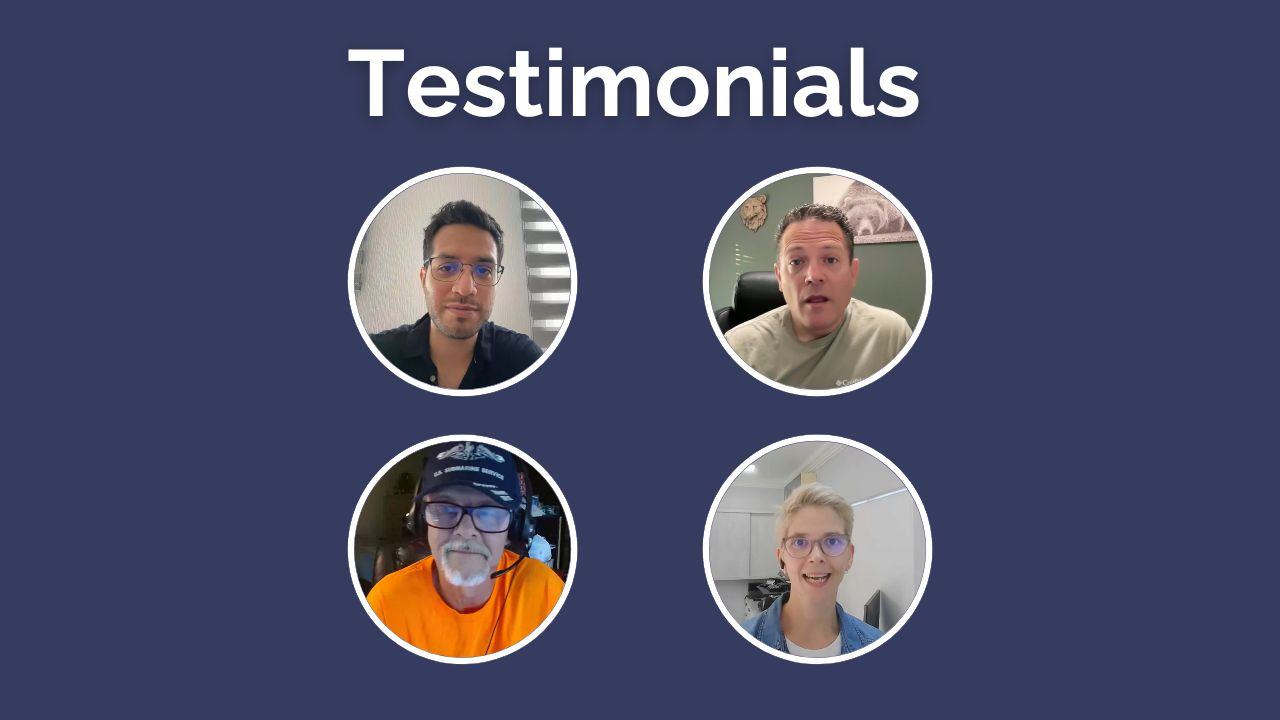
Quick one for the free side. Until Sunday the 9th, the premium annual is 40% off. To be clear: premium only, not the basic plan. - Premium normally: $47/mo, so $564 a year - This week: $336 for the year, or $28/mo $228 back in your pocket. What premium adds over basic Both plans get DataWise and the 7-Day Action Plan. Premium adds: ✅ Weekly live Q&As ✅ Website reviews (submit your site, I record a full audit video) ✅ Premium tutorials, updated weekly ✅ AI workflows for titles, metas, schema, content and local SEO ✅ 1:1 Onboarding Session (To make a custom strategy for you) The website reviews are the one that actually moves people. You can't proofread your own website. Recent wins 🔥 William: 0.3% to 2.3% CTR, 9x clicks, 35x impressions 🔥 Daniel: 119 to 1,200 clicks in 28 days 🔥 Steven: 0 to 100+ booked appointments a month Who should not buy this ❌ If you're not going to do the work. This isn't a magic fix button. The reviews show you what's wrong, you still have to go and change it. ❌ If you won't submit your site for feedback. The people who ask questions win faster than the people who only watch. ❌ If you can't give it 1 to 3 hours a week for at least 3 months. SEO lags. Below that you won't be around long enough to see whether it worked. I don't want this to be another subscription you forget about, that gives you a fake sense of productivity just because you bought it. If that's you, skip it and catch the next one. Need Proof it works: - Premium Member Win 1 - Premium Member Win 2 - Premium Member Win 3 - Premium Member Win 4 More testimonials in the video attached ✌🏼 7-day money back guarantee. Cancel anytime.
2 likes • 17d
This is a fantastic offer. I've been learning a lot from the free content already, so the website reviews and weekly Q&As make Premium really tempting. Looking forward to joining and improving my SEO. 🚀
1-5 of 5

@yamada-ryo-9678
私はフロントエンドからバックエンドまで幅広く対応できるWebエンジニアとして、約9年間にわたり
Webシステムおよび業務アプリケーション開発に携わってきました。
コードレビューやチーム開発を通じて品質向上に積極
的に取り組み、課題解決⼒と円滑なコミュニケーションを強みとしています。
Active 16h ago
Joined Aug 3, 2026
Powered by