Activity
Mon
Wed
Fri
Sun
Aug
Sep
Oct
Nov
Dec
Jan
Feb
Mar
Apr
May
Jun
Jul
What is this?
Less
More
Memberships
Webinar Masters
5.7k members • Free
Lifestyle Founders Group™
12.9k members • Free
Automatable Free
18.5k members • Free
AI Launchpad
30.6k members • Free
AI Freedom Launch Accelerator
3.2k members • Free
AI Money Lab
85k members • Free
Lead Gen Insiders by LGJ
1.8k members • $1,497
AI Automation Agency Hub
328.4k members • Free
AI Automation Society
422k members • Free
22 contributions to Lead Gen Secrets

Mar 19 •
The #1 Client Mistake That Eats Your Time and Profits
Most entrepreneurs don’t lose because of bad clients… They lose because of scope creep. And by the time they realize it - they’re already overworked, underpaid, and stuck. Here’s how it usually plays out: You close a client. Everyone’s excited. Week 1-2 → you’re setting things up Week 3 → client asks: “Where are the ads?” “Where are the leads?” “Can we also do LinkedIn?” And suddenly… You’re doing work you never agreed to. On timelines you never committed to. For outcomes you never promised. Now you look like the problem. The real issue? It’s not the client. It’s the lack of clarity. If you don’t define the work… The client will define it for you. Here’s how you fix it (properly) Before you sell anything: 1️⃣ Define EXACTLY what you do Be specific. No vague promises. 2️⃣ Define what you DON’T do This is where most people fail. “No ads included.” “No LinkedIn outreach.” “No additional channels.” Say it clearly. 3️⃣ Set a strict timeline Week 1 → Setup Week 2 → Infrastructure Week 3 → Testing Week 4 → Launch No assumptions. No confusion. 4️⃣ Put everything in writing Contract. Agreement. Scope doc. Make it crystal clear. So when they say: “Where are the TikTok ads?” You don’t argue. You just point to the agreement. And suddenly… You’re not defending yourself. They’re adjusting their expectations. This one shift alone will: • save you hours of unnecessary work • prevent awkward client conversations • protect your margins • and make you look 10x more professional If you want the exact contract template I use to eliminate scope creep completely… Comment “Creep” below. I’ll send it over 👇

0 likes • Mar 19
Creep
0 likes • Mar 19
@Jay Feldman thanks! This post resonated with me especially last week when I had to remind a client about boundaries and of the scope of our written agreement - she was treating me like a VA. Then she “paused” our working relationship then an hour later, received a very long email demanding a full refund.
Feb 28 •
Simple 7-step data audit before you send a single email
Most deliverability problems aren’t technical. They’re data problems. Before you touch copy, domains, or sequences - run this quick audit. 1) Check ICP alignment Ask: Are these actually your ideal customers? - Right industry - Right company size - Right role If your list isn’t aligned, nothing downstream works. 2) Remove obvious bad fits Clean out the noise: - Students - Agencies (if not your target) - Generic emails (info@, support@) - Competitors These don’t convert, and they hurt deliverability. 3) Verify emails Run your list through a verifier (MillionVerifier or similar). - Remove invalid emails - Remove catch-alls if you’re early stage or sending from new inboxes. 4) Spot-check manually Open 20–30 random records. Check: - Is the company real? - Is the domain active? - Is the title accurate? If you see multiple issues here, the whole list is suspect. 5) Segment properly Don’t blast one message to everyone. Segment by: - Sub-niche - Company size - Use case Better segmentation = stronger relevance = better replies. 6) Check domain patterns Scan your list: If you see lots of: - weird domains - parked websites - broken sites …it’s a sign your data source is low quality. 7) Run a personalization test Take 10 leads. Write your first line. Ask: Does this genuinely fit each one of them? If not → your targeting is too broad. The reality Clean list = ✔ lower bounce rate ✔ better deliverability ✔ higher reply rates ✔ longer-lasting inboxes Bad data silently kills good campaigns.
1 like • Feb 28
Love getting reminded of the basics 🔥

Dec '25 •
Insider Program Questions
This is my current state: Booking 5-10 calls every month, via LinkedIn and cold emails. I have never gone through any course regarding cold emails. I was able to come to 5-10 calls per month purely from trail and error. But this isn’t sustainable, becz not all 10 calls I books are qualified. And I am unable to pull consistent income or calls per month. I have got money for the insider program, but that’s every dollar I have. Question is: would the insider program help me to go from a 5 calls per month to 25 calls per month? Do you guys provide step by step VIDEO GUIDANCE on how to approach and planning campaigns? I need you guys HONEST OPINION. Would prefer responses From people in the program.
1 like • Dec '25
@Afzal Fauzan oh and make sure to attend the calls. See you there!
1 like • Feb 14
@Ishan Saini I’m not sure if they still do but I think they charge $7500 + monthly. So if you sell it for $10k+ monthly then you profit 2500 and the team does the fulfilment. Best to talk to @Ian Kirk or @Jordan Wiseman 🙂
Apr '25 •
This Insiders Deal Is So Good, It’s Basically Theft
Just watched the interview with Instantly and Jay— Pure gold, as always. But here’s the kicker… they're giving 40% off to join The Insiders?! Seriously, for what Jay is offering inside this community (plus the bonuses that basically pay you back), it’s a no-brainer. Like… why are we even still talking? If you’re into lead gen and want to actually get results, this is your sign. What are you waiting for—a handwritten invitation? Go get in there.
1 like • Jan 27
@Alex Myles I think they have another promo. @Ian Kirk can you assist here? 😊
Sep '25 •
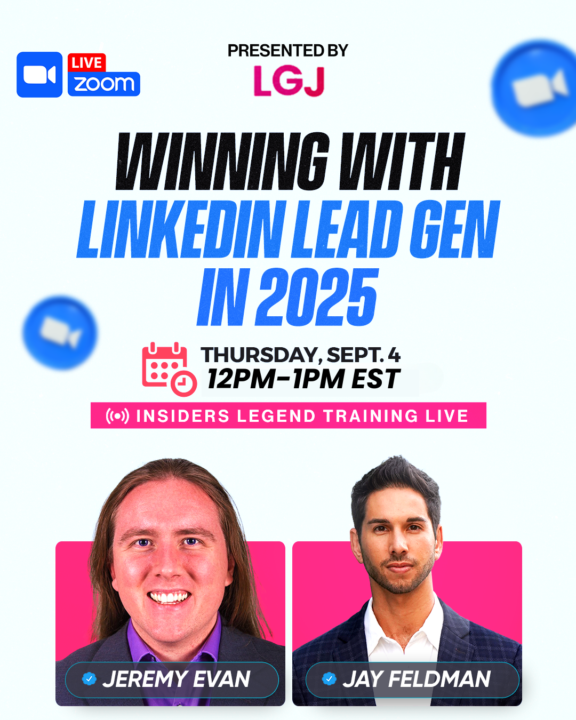
🚨 The LinkedIn Lockdown Playbook – LIVE with an 8-Figure Strategist 🚨
What if you could pull 2 qualified leads/day from LinkedIn… without getting banned? 🎤 This Thursday, we’re going LIVE with Jeremy Evans — a RevOps veteran who's saved companies millions while generating tens of millions using AI + LinkedIn at a scale most never imagine. 🧠 Jeremy’s bringing 15 years of B2B war stories, including his exact LinkedIn SOP that’s battle-tested for a decade. 👀 What you’ll learn: - How to avoid bans while LinkedIn is on high alert - The 1-account setup to generate 2 leads per day — cold - His internal system that’s been quietly printing ROI for 10+ years - How he leverages AI & deep research to 3x conversion rates - 🗓️ When: This Thursday, September 4th at 12PM EST 📍 Where: Register Here For everyone that has been asking for more LinkedIn strategies in the community, this is for you and definitely one you don't want to miss. Drop a 🥳 below if you are excited for this one
2 likes • Sep '25
@Salim Albitar if you click the link it will say Sep 4th
1-10 of 22

@rizzan-ds-5279
Helps Mission Driven Business Owners Save Time, Make More Money w/ AI & Automation.
Active 1d ago
Joined Jun 3, 2024
ESTP
Powered by