Activity
Mon
Wed
Fri
Sun
Dec
Jan
Feb
Mar
Apr
May
Jun
Jul
Aug
Sep
Oct
Nov
What is this?
Less
More
Master The Workflow
191
$9/m
16 contributions to Master The Workflow

Aug 17 •
QUESTION: Out of State Assistant/Editor
I have not been on here for awhile as life has thrown a curveball to address. My question is: Is it possible to work/get work in the Los Angeles market if you do not live in Los Angles via the internet? I have an opportunity to live in Wisconsin and takeover ownership of a house and take care of an ill family member. I currently rent an apartment in North Hollywood, CA. I do have another family member to care for our ill one. However, the house would be sold and I don't know if I'd ever be able to own one due to high costs. I have been working off and on for 20 years in LA and I do want to finish this program and hoping for the industry to refuel. In a pefect world I would be able to work remote from Wisconsin and maintain and expand my industry post production career. In North Hollywood I live in a rent controlled apartment. Not the nicest but for what rentals go now days for a much smaller place I hate to lose it if I can not maintain a post production career. What are your suggestions. I'm open for feedback. Thank you in advance.
0 likes • 2d
Unless you have strong relationships in Los Angeles with people who trust you and are willing to advocate for you to be on their show, it's becoming less and less likely that you'll be able to work consistently outside of it. More and more shows are returning to the office. As it still currently stands, work in Los Angeles is still lean.

Aug 26 •
Getting Value From Post Conferences
Hi everyone, I’m curious what your experience has been with post-production conferences in general. Have you found them genuinely useful for networking and learning, or do they tend to be more worthwhile when you already know people in the industry? Asking because Post Atlanta Conference is coming up in September, and tickets are $249. I’m trying to decide whether it’s worth investing the money as someone looking to re-enter the industry, and where I should set my expectations. Thank you!
1 like • 2d
@Norah Gulrays You could bring a resume if you wanted, but don't hand it out unless you're asked for it. You're more likely to talk to many people. Of those many people, you'll probably meet one or two that you make a connection with and you should exchange information to follow up with. Check in from time to time, go out for coffee and as you click, either they'll know somebody whom they'll recommend you to, or they'll need somebody and they'll put your hat in for the job. When it comes to networking, you're playing the long game. It's about building and nurturing the relationship. I find it's easier to not think of it as "networking" per se and more about simply being a friend. Check in as a friend, be interested in them as a person and hopefully that personal relationship becomes a professional one as well.

12d •
Importing Locators / Markers from a text file.
Hi everyone, I’m working on a TV series in Greece and need to apply the director’s notes to the final episode in Avid Media Composer. The notes are in a text file, and I’d like to import them as markers on the sequence so I can jump to each point and read the corresponding comment. What’s the correct way to format and import the file? Does Avid require a specific format or tool? Also, the notes use timecodes from an earlier version. If I cut or change the beginning of the sequence, how can I keep the markers aligned with the correct moments in the new version? I’m worried that importing by timecode alone could put them at the wrong positions. Thanks!
0 likes • 2d
The easiest way to learn the format is to export a marker list from Avid and recreate it. It's a tabbed delimited text file. The newer versions of Avid include additional spaces for the new "Marker Name" and the additional color options. It should be a UTF-8 text file. The order goes: (Avid User Settings Name) (Tab) (Timecode) (Tab) (Track) (Tab) (Color) (Tab) (Comment) (Tab) (Frame Length) (Tab) (Marker Name) (Tab) (New Color)
Jun 23 •
Opticals ListzZZZ - ZZZ
Hi all, Currently assisting on a picture cut in Avid Media Composer and my butt is starting to clench - which can only mean one thing... soon I will have to spend a considerable amount of time making an Optical Effects List of each reel of the film for the DI. In the past, I've dropped markers on clips that have effects - typing the effect and percentages into the marker text window, then file export. You know the drill. You also know how long this can take, especially when there's changes and updates are needed. Multiply that by each production, and you start to wonder if your pet dog has a better life. It's 2026. AI is taking over our lives. Surely there must be a better way to create Optical Lists. I've recently come across Parser IO (https://parserio.com/) — found a demo on Youtube (https://www.youtube.com/watch?v=BCHQ0bhFw_c) that explains it well. It works like a dream, but it's a bit pricey. How is the MTWF community dealing with this task? I've heard that making a sequence report in Avid is sufficient... but I haven't tried that workflow myself. @Richard Sanchez, what is your secret source? Can we expect a new Opticals tab on the Digital Codebook any time soon? Very best regards, Matt
0 likes • Jun 25
I don’t have plans to make an opticals lists in the database. I’ve always just added markers to the shots that have opticals and exported that marker list to DI. I’ve seen ParserIO’s marketing materials and it looks cool, though I haven’t tried it personally. Most opticals will get translated but the AAF. 3D Warp effects will come into Resolve, as long as they enable resizing information when importing the AAF.

Apr 13 •
Quiz access errors
Hello Lawrence and Richard, Thanks for putting this together, been enjoying the course a lot so far! When I try to start a quiz I get the following error message: Error loading questions: Failed to fetch. Has this error occurred before with other members, any ideas what might be the issue? Best, Mark
0 likes • Apr 15
We'll look into this.
1-10 of 16
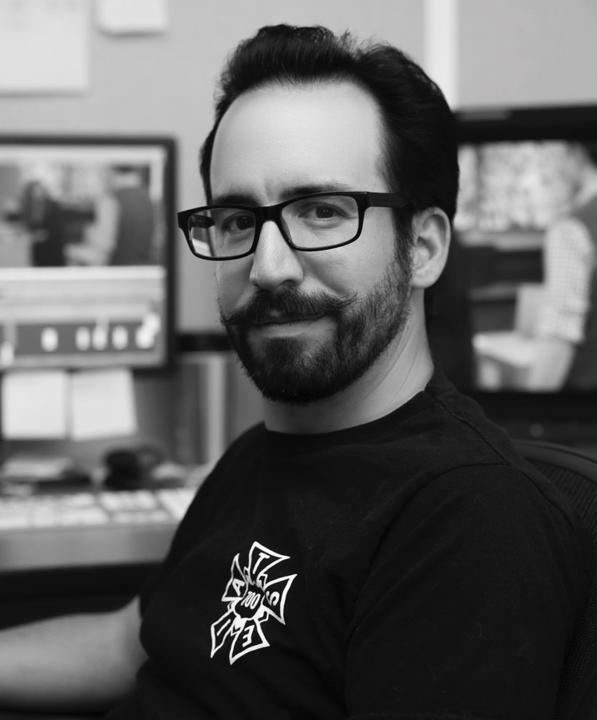
@richard-sanchez-9124
Assistant Editor since 2008, VFX Editor since 2018. Post Production Workflow enthusiast.
Active 2d ago
Joined Jun 23, 2025
Alhambra, CA
Powered by