Activity
Mon
Wed
Fri
Sun
Aug
Sep
Oct
Nov
Dec
Jan
Feb
Mar
Apr
May
Jun
What is this?
Less
More
Memberships
Free To Paid Buyer Journey
381 members • Free
Save Your Spot
39 members • $27
LinkedIn Strategy Lab
501 members • $7/month
AI Stock Photo Studio
880 members • $1/month
Empowered AI Collective™
3k members • Free
AI Amplified Entrepreneur
142 members • Free
WTIC: Women's Tech Integration
72 members • Free
The Currency of Visibility
144 members • Free
Authority Ecosystem
68 members • $997/month
12 contributions to The AI Identity Lab

🔥
7d •
Prompt for Social Media Posts
Upload a photo of you. ChatGPT Image 2.0 Prompt: (adjust as needed) Create a premium social media graphic in a 4:5 portrait format (Instagram/Facebook). Use a candid, photorealistic lifestyle photo of [describe the person] standing naturally in [location]. The person should be intentionally softly blurred with a shallow depth of field so they become part of the background rather than the main subject. Slightly reduce contrast and saturation, creating a subtle faded editorial look while still keeping the person recognizable. Leave generous negative space through the center of the image for typography. Overlay a large inspirational quote that occupies approximately 70–80% of the image height. Typography specifications: Large bold condensed sans-serif font White lettering Soft charcoal drop shadow for readability Center aligned High contrast Clean premium editorial design Comfortable line spacing Balanced margins Quote is the primary focal point Fade the background slightly behind the text so the words are effortless to read. Modern luxury branding aesthetic. Natural lighting. No logos. No watermarks. High-end magazine quote graphic. Text: "It is time to take action. No more watching from the side line. QUOTE: "1 in 5 people are actually implementing what they learn. Be that person." Lindsay Hack, The Identity Hacker
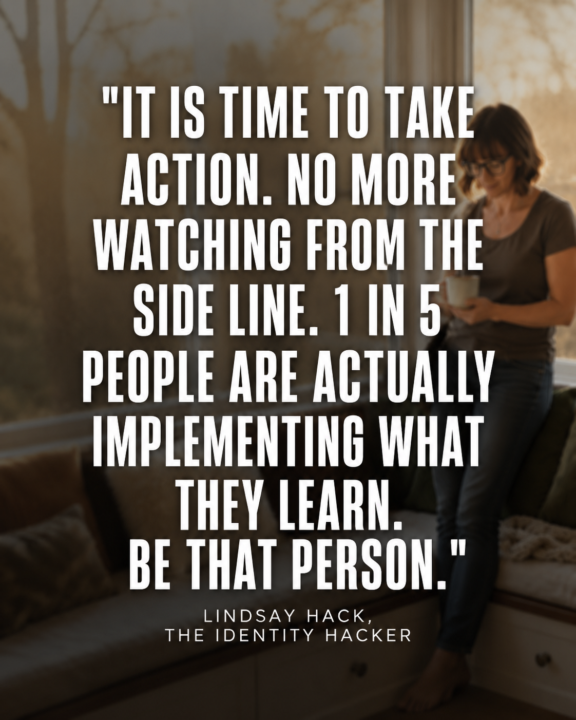

3 likes • 5d
[attachment]
🔥
8d •
Workshop Replay: Build Your Carousel Studio
Here is the full recording of our June 24 build, plus everything you need to use your tool and keep going. We built personalized carousel makers, in our own brands, in under 60 minutes. @Molly Dowdy even posted hers to Facebook before we finished. That is how fast this is. Watch the replay, then use the quick reference below so you do not have to scrub back through the video to remember a step. In this lesson - The full workshop recording. - Your tool file, attached. Download it, open it in your browser, never in an AI. - Your How To Use It guide, the SOP, attached. The key things to remember These are the moments people forget. Bookmark this lesson so you can come back to them. + Use Duplicate, not Add. This is the speed secret. Duplicate carries every setting forward, your colors, layout, and toggles, so you only change the words. Add gives you a blank slide and makes you start over. Duplicate almost every time. + Set your brand, then keep your tool the right way. Set up your brand once. The tool now remembers it when you reopen the same file. For a permanent copy that opens in your brand on any browser, click Download my tool, open that downloaded file, and bookmark that one. That is your real studio. + Download the moment you love a design. Your slides are not saved until you export. If you refresh or close before exporting, unsaved edits are gone. When a slide looks right, Export PNGs and save it. Aim for 5 to 7 slides. That is the sweet spot for Instagram carousels. Long enough to teach, short enough to hold attention. + Logo tip. A transparent PNG looks cleanest. But if your transparent logo looks odd, upload the regular version and let the tool place it in a box. Sometimes the box looks better. Use whichever fits your logo. Fewer than 4 brand colors? Fill the empty slots with black or white. They go with everything and keep your slides clean. Repurpose every carousel across platforms One build, many posts. Use your exported PNGs for:
2 likes • 8d
I’m looking forward to watching the replay.

1 like • May 24
I loe Claude to Canva but also Chat to canva.
🔥
May 2 •
The replay is LIVE: ChatGPT Image 2
If you missed Thursday's demo or want to rewatch — here it is: 📺 ChatGPT Images 2.0: AI Brand Photos, Vision Boards & Thinking Mode Demo This was one of my favorite demos I've done inside the Lab. The ease of what's now possible with ChatGPT Image 2.0 genuinely surprised even me. Now it's your turn. See the mini lesson below 👇 and drop your results right here in the community. 📖 MINI LESSON Chat Image 2.0 — Your First Try #ai-identity-lab #chat-image-2 #visual-identity ⚡ What This Is A quick-start lesson to get your first ChatGPT Image 2.0 result — using Thinking Mode for infographics and the photorealism trick for brand images. 🛠 Tool: ChatGPT (Image generation enabled) 📊 Level: Beginner-friendly ⏱ Time: 10–15 minutes 🔑 Two Things To Know Before You Prompt 1. Add "photorealism" to every image prompt. This single word dramatically changes your output quality — more detail, more accuracy, more YOU. 2. Turn on Thinking Mode for infographics. Thinking Mode lets ChatGPT research, plan, and build before it generates a single pixel. The accuracy difference is significant — especially for charts, process flows, and data visuals. ✏️ Your Prompt To Try Right Now Upload one photo of yourself — any photo, doesn't need to be perfect. Then use this: "Using this photo as a reference for my face, create a photo realism image of my future self. I am [location]. I am wearing [describe an outfit that feels like her]. My energy is [one word]. I look like someone who has already arrived. Photo realism." Fill in the brackets. Hit generate. ✅ Your Assignment Try the prompt above with your own photo Screenshot your result Drop it in the community with what you typed I'll give feedback on every single one. 👀
2 likes • May 16
@Lindsay Hack Here is my first try, and I took what @Suzanne Taylor-King did into account as well. Prompt: Using this photo as a reference for my face, create a photo realism image of my future self. I am in a upscale co-working space. I am wearing a purple jacket and dark blue jeans and heeled boots. My energy is infectious. I look like someone who has already arrived. Photo realism. and i would like this quote to be on top. -> What does your brand actually stand for and how do you incorporate that into everything you do?
🔥
May 7 •
NEW CHALLENGE is coming.
The votes are in. We're doing it. 🎉 The Content Machine Challenge starts Monday May 25th. 5 days. 5 scroll-stopping images. One brand. Zero Canva templates. By the end of this week you'll know how to open ChatGPT, type a prompt, and walk away with a branded, ready-to-post visual — in under 30 minutes. No template hunting. No starting from scratch. No staring at a blank screen. What to expect each day>>> Day 1 — Your Brand in a Prompt You'll learn how to translate your brand identity into language ChatGPT actually understands. This is the foundation everything else builds on. Day 2 — LinkedIn Visual, Done A platform-specific prompt formula for LinkedIn. Professional, on-brand, scroll-stopping — without looking like stock photography. Day 3 — Instagram or Facebook Visual, Done Same brand, different energy. You'll prompt for Instagram using the same foundation — and see how small shifts in language change everything. Day 4 — The Batch Session This is where it clicks. You'll create multiple visuals in one sitting using a repeatable system you can run every week going forward. Day 5 — Your Content Week, Mapped You leave with a visual content plan AND the images to back it up. No gaps. No scrambling. Just ready-to-post. Before we start — do this first If you already have your brand foundation documented inside the Lab — you're ready. Pull it out and have it nearby. If you're newer here or joining fresh for the challenge, do this quick exercise before Day 1 so you're not building on a blank slate: Your 5-Minute Brand Snapshot 1. What are your 3 brand colors? (hex codes if you have them, descriptions if you don't — "deep navy, warm cream, burnt orange" works fine) 2. What font or visual style do you gravitate toward? (clean and minimal, bold and editorial, warm and organic, etc.) 3. Pick 3 words that describe your brand's vibe or tone. 4. Who are you talking to in your content? One sentence max. 5. What's your primary platform — LinkedIn, Instagram, or both?

1 like • May 8
Yes!!
1-10 of 12

@patty-farmer-5203
Patty Farmer is an award-winning Marketing & Media Strategist, International Speaker, Podcast Host, Magazine Publisher & 7 Figure Event Producer.
Active 3d ago
Joined Oct 27, 2025
Powered by