Activity
Mon
Wed
Fri
Sun
May
Jun
Jul
Aug
Sep
Oct
Nov
Dec
Jan
Feb
Mar
What is this?
Less
More
Owned by Pamela
A supportive community for female entrepreneurs who podcast for their business...not just for fun. Tips, strategy, and real talk from women who get it
Your podcast should be generating you leads and bringing you clients. Audit your show, fix what's off, and align every episode with what you sell.
Memberships
Skoolers
191.8k members • Free
8 contributions to Offers To Launch 🚀

🔥
19h •
I Created A Web-Based Launch Map Planner! 🥳
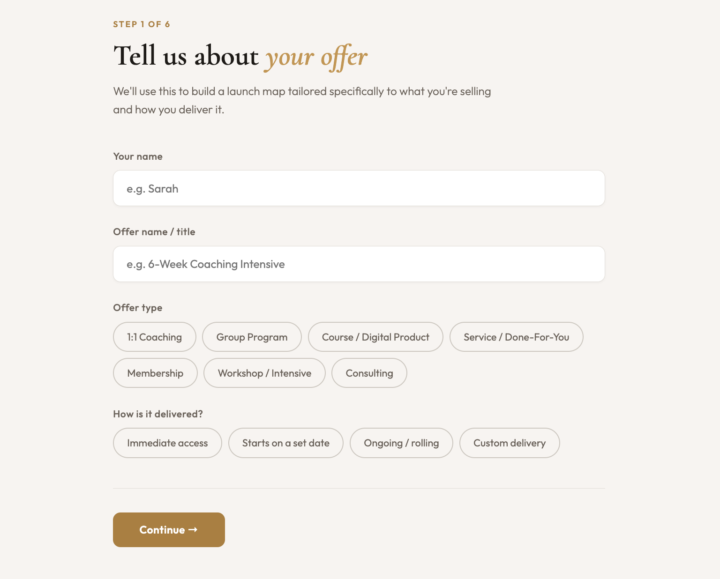
Ok, it's kind of premature to share this but last night I spent some time creating an interactive Launch Map Planner. When the results are revealed you can also download a PDF version. Does that sound like something that would be helpful to you? @Steve Gast is the only one that has tested it so far. As a member, it will be a free resource added to the classroom. Vote: 👇
Poll
7 members have voted

1 like • 17h
LOVE!!!!!
🔥
16d •
My First Loom-Style Skooly Video (and a Strategy You Need to Use)
Hey Offer Launchers! Okay… quick share before I get into the real reason for this post. This is my first Loom-style video using Skooly and I’m kind of obsessed. 😄 I’ve been wanting something like Loom for a while, but I didn’t want to keep stacking monthly subscriptions. So I kept putting it off… Then I found this. 🙌 Being able to share my screen and be on video at the same time? Game changer. 🤩 I’ll definitely be using this more because I think it’s important for people to see you while you’re teaching or walking through something. You can join Skooly with a 7-day free trial to see if you find it useful. But that’s not actually why I’m making this post. 😆 𝗟𝗲𝘁’𝘀 𝗧𝗮𝗹𝗸 𝗔𝗯𝗼𝘂𝘁 𝗬𝗼𝘂𝗿 𝗢𝗳𝗳𝗲𝗿 “𝗔𝗯𝗼𝘂𝘁 𝗣𝗮𝗴𝗲” 𝗦𝘁𝗿𝗮𝘁𝗲𝗴𝘆 This is something I don’t see many people doing… but I’ve been doing it since my very first offer on Skool. And I use it for everything: • Courses • Low ticket offers • Premium offers • High ticket offers Same strategy across the board. 👉 I create my offer “About Page” inside the classroom Think of it like your sales page… but hosted inside your community. And here’s why this matters: If you can keep people on your platform, everything gets easier. They’re more likely to: • Stay focused (no distractions) • Actually read your content • Engage with your offer • And ultimately… buy When you send people off-platform, you lose attention. Inside your community, you keep it. 𝗬𝗼𝘂𝗿 𝗖𝗹𝗮𝘀𝘀𝗿𝗼𝗼𝗺 = 𝗥𝗲𝗮𝗹 𝗘𝘀𝘁𝗮𝘁𝗲 We are paying for this space. Use it. I see people hesitate to “fill up” their classroom… But honestly? You’re not going to run out of space. You can: • Create offer pages • Build sales experiences • Add testimonial sections • Even create custom courses for clients I personally use it for all of that (and more). 𝗛𝗼𝘄 𝗜 𝗦𝘁𝗿𝘂𝗰𝘁𝘂𝗿𝗲 𝗜𝘁 Every offer gets its own “About Page” as a course. Then anytime I talk about that offer, I link directly to that page.

2 likes • 16d
Ahhhh yay this is amazing!!!
🔥
Feb 21 •
DM Support 💬
Hey Offer Launchers! 👋 As members of this community, you have DM support from me. If you’re in a decision-making spot and need guidance, I’m happy to help. I usually take off Saturday afternoons through Monday mornings, so if I don’t respond during that window, I’ll get back to you as soon as I’m back online. You’re also always welcome to post in the community and use the Questions for Mona category so others can learn alongside you.

2 likes • Feb 21
You have always been so helpful and supportive in the DMs!!! So grateful for you & this community!!
🔥
Feb 19 •
Krista is Nailing the Whisper Campaign!
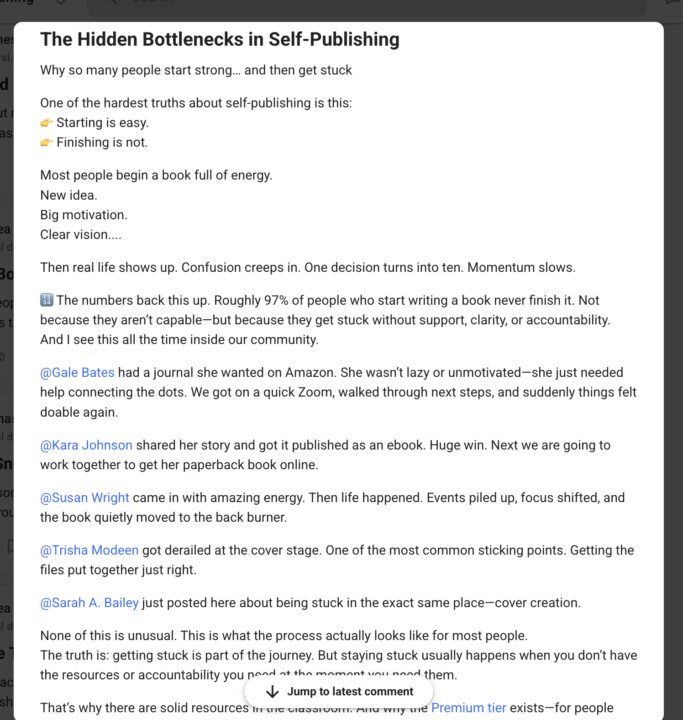
I realize I haven’t officially talked about the Whisper Campaign yet inside of Offers To Launch… but you actually watched me use it in real time inside of Next Level while I was building this community. I didn’t just “announce” the offer. I teased it while I was creating it. I talked about the problems. I asked questions. I shared the thinking. I built in public. And by the time I named it, people already wanted it. Why this works: You start by identifying the biggest pain points inside your community through real conversations and simple research. Once you’re clear on the desired outcome, you begin creating content around that outcome before the offer even exists publicly. That builds interest without pressure. People start connecting the dots on their own. It also gives you a long runway. You’re not cramming urgency into a few days — you’re letting demand build naturally over time. So when it’s officially launch time, your members aren’t confused or surprised. They’re already warmed up.They’ve been part of the process.They’ve been thinking about the solution. And I just have to say — @Krista Brea is doing an excellent job of this right now inside her community. I had to share because she’s doing so great. Well done! 👏 See how she identifies pain points and then casually teases what’s coming? That’s a Whisper Campaign in action.
2 likes • Feb 20
Go @Krista Brea!!! 🥰
Feb 12 •
Thank you for this group!!!
I just want to say thank you to @Mona Weathers for launching this new group!! I've been on Skool since August of 2025. I have been doing what I do in my expertise for almost four years, and I have let a lot of things delay and get in the way of my execution and implementation of actually launching something and also actually staying committed to talking about it and letting my community know that something is available. This was the kick in the pants I needed to help push me along with the other strategies Ive been implementing and I'm really excited! I'm announcing my paid Skool community today!!

1-8 of 8

@pamelakrista
Podcast strategist and mom of 5 helping female entrepreneurs get clients from their podcast without ads, sponsorships, or chasing downloads. ✨
Active 26m ago
Joined Feb 11, 2026
Indiana