Activity
Mon
Wed
Fri
Sun
Dec
Jan
Feb
Mar
Apr
May
Jun
Jul
Aug
Sep
Oct
Nov
What is this?
Less
More
Clief Notes
55.1k
5.0
Free
9 contributions to Clief Notes

Sep 1 •
ICM Org Deployment
Wanted to share in case it may help some of you trying to figure out how you can take the ICM framework and deploy it at an org/dept level. I work at a company of roughly 75-100 people, we're a tech company and I was tasked with building out our internal business AI capabilities. There are a lot of options, and I'm sure we'll continue to evolve and iterate the current system, but here's what works for us now: Problem - the ICM framework is great, controlled context/routing so a model can produce expected outputs. The course and Jakes video's used Claude Code as the primary surface, given that the system itself is agnostic, it's the structure that matters. The challenge for me was "how do I take this framework that works exceptionally well for myself in a Claude Code environment, and deploy it for my entire company on one of the Claude's UI interfaces (lets be real, sales team isn't going to download VSCode)" Initial Solution - I tried making everything it's own skill. I quickly realized bad move. Fine if you have 5 skills, breaks down at scale. You potentially run into 1) context injection problem because all skill definitions get loaded in at session start and 2) skill definitions bleed (ie. 2 or more skills with potentially similar/overlapping definitions) What Worked: 1. Surface - Claude Cowork - it's available through the main UI, anyone from our team can access it as long as they're part of the organization 2. Deployment - the ICM project gets zipped and uploaded as a plugin. A plugin has a handful of bootloaders, one of which includes "skills/". This is where your project lives, and instead of CLAUDE.md and CONTEXT.md at your project root, SKILL.md acts as your high-level routing logic. Note: plugins do have a size limit of 200 MB and 5,000 files. You can use Claude Github App to propogate any merges rather than manually uploading, but unfortunately we couldn't do this due to security concerns. My plugin project structure is attached in the image provided. 3. MCP - the plugin connects to an internal MCP we stood up - currently in EC2, really anything that requires oauth or secrets is managed here. Our tasks just call the necessary MCP tool

1 like • Sep 1
@Colm Whelan yes, skill.md is basically my CLAUDE.md. However I do still use the CLAUDE.md as a router. It just routes to my SKILL.md and if I had multiple "skills" (lets say one for each department), my CLAUDE.md would just route accordingly. The only purpose of this being so it works when I'm building/testing in Claude Code. Cowork is just my production surface.

Jul 1 •
ICM for Teams: My Understanding To Onboarding Coworkers to a Shared Content Pipeline
This has been one question i have always asked and kept trying to understand until recently. I've seen it asked and discussed multiple times here... So i decided to combine, study and comprehend the various perspective of those who have shared how they are using it @Curtis Hays and many others, to come up with a simple way for me to implement. Here is my personal understanding: Say we are four people in the marketing department, and i am the only one who has built an content pipeline using the ICM framework, now i want onboard the other 3 coworkers and you're one of them... lol 😀 We have one master system, the original pipeline i'm using is now hosted on GitHub (with the same agent.md and context.md, rules and stages). Step 1: Getting the System on Your Computer You copy/clone the entire workspace from the internet (GitHub) to your PC. This gives you the same folders I have: 01-ideas 02-drafts 03-formats etc Step 2: Creating Content Open your copy of the workspace. Talk to ai agent while in the folder normally. Example conversations: “Give me ideas for LinkedIn posts about productivity” “Turn idea number 4 into a full draft” “Format this draft for Instagram carousel and Substack” The agent uses the shared system I built, so all our content has the same style and quality. Step 3: Sharing Improvements If you create a better prompt or improve one of the stages: Tell the agent: “I improved the carousel format, make a Pull Request” I (or the content lead) will check it. Once approved, everyone gets the improvement automatically. Step 4: Where Files Live Your ideas and drafts: Stay on your computer (or save final versions to the department Google Drive, which we all have access to). The framework (how we create content): Lives in the shared system (Github). - What You Need to Do Install Git (one time, easy). Clone (copy) the workspace. Use AI agent within the folder workspace.
1 like • Jul 6
This has been an on-going project of mine. I'm at a startup (~75 people) building our internal business agent. I've had to modify the approach along the way, but staying true to ICM core principles as much as possible. Most of our organization is non-technical, meaning Claude Code really isn't an ideal interactive surface. Claude Code is the development surface (where I test/build) while claude.ai / Desktop is the deployed surface. I have an EC2 that operates as my mcp server. My skills' skill.md partially act as routing files similar to CONTEXT.md and additional reference docs, for example schemas/definitions, are also defined for the skill. The idea is "if user needs to perform abc, run xyz tool." Once I test/validate locally, a skill is uploaded to claude.ai and tools are uploaded into the mcp. There's 2 scenarios that I'm building for: Interactive (user-driven) and Automated (trigger/cron). What I described above is the interactive. The Automated is reserved for (semi) deterministic tasks. Need to update your weekly executive report or generate a sales outreach email from an incoming signal - this is where the full ICM framework comes in - repo stored on server + Claude API. Note that depending on my workflow, this could break a fundamental ICM rule which is human-reviewed stages. Also for pure deterministic tasks, if reasoning isn't necessary, I just run it on a DAG/cron, no need to overcomplicate. I would like to get your thoughts on how you may have approached an org wide deployment and what strategies you used. Open to any feedback/criticism on my approach as well.
0 likes • Jul 6
thanks - next step is to scope out a model routing solution for trigger-based (automated) tasks - going to look into OpenRouter
Apr 23 •
Skills and Tools in ICM
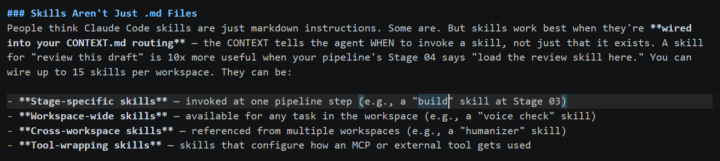
Hoping to get a few questions answered on skills/tools based on the resource materials and examples from the classroom. 1. Do you guys keep a "global skills" folder at the project level (ie. for skills used for multiple workspaces)? That way you don't have to maintain the same skill in multiple places? 2. In the workspace-blueprint example, it says "skills work best when they're wired into the CONTEXT.md files. I asked Claude how to "wire" (which I assume just means making it accessible via backslash) and Claude said it needs to exist in the .claude/ folder, but I don't see this in the example. 3. The example also states "you can wire up to 15 skills per workspace". I don't see this limitation in any documentation - is this just a suggestion? If so, why? If you invoke a skill by name or md, why would you want to limit the number of skills in a workspace - if the ICM works as intended, it should only load in the specified skills.
0 likes • Apr 23
@Tristen Andre thanks for your response! I am using claude code w/ vsc. I had a chat with Claude, and it seems that it only has attention of a skill (automatically at the start of a session) if it exists in .claude/skills, otherwise you have to reference the skill in CONTEXT.md (which you should do regardless). Additionally, Claude Code will only read the description of the skill.md file for skills in .claude/skills instead of loading in the entire md at session start. I'm going to manage this through CONTEXT.md just because I want a model agnostic framework, in case I need to switch models in the future
0 likes • Apr 23
@Albot Bot Thanks for your response! I did some additional research and I likely won't make them discoverable through .claude/skills/ since I want a model agnostic framework. I also understand your point on description dilution - thanks

Apr 22 •
Level 2!!
Made it to Level 2!! I'm working on some ideas and folder structures that I'd like to share. Are we allowed to share github repo's here? Not sure of the rules, couldn't see any posting guidelines.
1 like • Apr 22
I don't think there's any rules against it. Interested in seeing what you have though!

Apr 20 •
LEAKED: The Anthropic Team's Internal Prompting Framework
An ex Anthropic researcher just leaked 10 prompts to help you optimize your prompting. ## Prompt 1: Context Brief (The Map Claude Actually Needs) Never jump straight into a question. Start with rich context: ``` You are helping me with [specific goal]. My background: [your role + company/project + constraints]. I've already tried [X and Y]. I'm stuck on [Z]. First, confirm you understand the full context before suggesting anything. ``` Internal tests showed this single change boosts output quality by 41%. Claude isn't psychic — give it the full map. ## Prompt 2: Force Visible Reasoning (Chain-of-Thought on Steroids) Don't ask for answers. Demand the process: ``` Before giving any final recommendation: - show your full step-by-step reasoning - explicitly list every assumption - flag uncertainties and confidence levels (low/medium/high) - only then deliver the polished answer. ``` This pulls out Claude's hidden reasoning layers. You don't just get an answer — you get an auditable thought process you can actually trust. ## AND MORE - see attached files. From @kyronis_talks on X
1 like • Apr 22
Awesome - thanks for sharing! I assume the most appropriate place to integrate these into the ICM would be in the CLAUDE.md?
1-9 of 9