Activity
Mon
Wed
Fri
Sun
Jan
Feb
Mar
Apr
May
Jun
Jul
Aug
Sep
Oct
Nov
Dec
What is this?
Less
More
Memberships
Women Build AI
1.1k members • Free
Real-World n8n Builders
261 members • Free
Synthesizer
33.2k members • Free
AI Automation Agency Hub
274.4k members • Free
Agency Owners
17.7k members • Free
AI Automation Society
208.1k members • Free
15 contributions to Real-World n8n Builders

3d •
http request -> Cloudflare security issue
I am a beginner in n8n and I am setting up a workflow for our finance team that is intended to download invoice attachments such as PDF and CSV files from our supplier's portal. The flow runs until the most important node, namely the login procedure, is executed, at which point I keep getting a 401 error or a message from Cloudflare security. Does anyone have experience with this? I've been struggling with this for two days now. Any information that helps me move forward would be greatly appreciated.

1 like • 3d
@Roger Huijskens which service do you try to login into? A 401 is an authentication error, so it looks like the credentials aren’t set correctly.

10d •
Testing automation in test mode
Has anyone upgraded their n8n to the latest version and noticed issues whilst testing automations in workflow mode? particularly webhooks and forms In production mode everything seems to work fine, but when I try to 'execute workflow' in test mode to debug - either form pop-ups don't come up or the webhooks gives "The requested webhook \"bla bla\" is not registered.","hint":"Click the 'Execute workflow' button on the canvas," Am I missing something silly or is this an upgrade issue?, I also get these logs in the docker container on hostinger: Received request for unknown webhook: The requested webhook "bla bla" is not registered.
1 like • 10d
@Jomana Al Ahmad thanks for sharing the solution!

16d •
Question: Best RAG strategy for 12 heavy Textbooks?
Hi @Nadia Privalikhina & @Serop B , I have a client project using n8n and I need some advice on the RAG setup. The client has 12 large textbooks (PDFs). I need to build an automation where the AI generates course lessons, but it must use only specific books or chapters as the source material (not the whole library at once). I know that you will teach us about this in the upcoming course, but I just want to quickly understand it because I need it right now. My questions: 1. What is the best strategy to "chunk" or split these large files? Should I split them by chapter before uploading? 2. How do I set up the metadata so the AI knows which book is which? 3. Are there any specific tutorials or resources you recommend for building a "Textbook RAG" system in n8n? Thanks in advance!
1 like • 15d
My 2 cents: I agree with Serop. I'd also use Gemini because of the large context window. If your system is query-based, then you need RAG. But if the user just needs to see all the chapters and pick the ones that fit best, you can simply store the text and chapter names in a regular database, no need to vectorize anything.
1 like • 15d
@Ved Automation we covered how to extract text from PDFs in week 3: you have extract text from PDF node, Mistral or Llama Parse. I'd test the first one and check if the format it returns lets you identify new chapters. If not, LlamaParse returns the text in markdown format and you should be able to split it by '#' or sub headers using regular javascript .split function

25d •
🎉 Week 2 Completed — Great Job, Everyone!
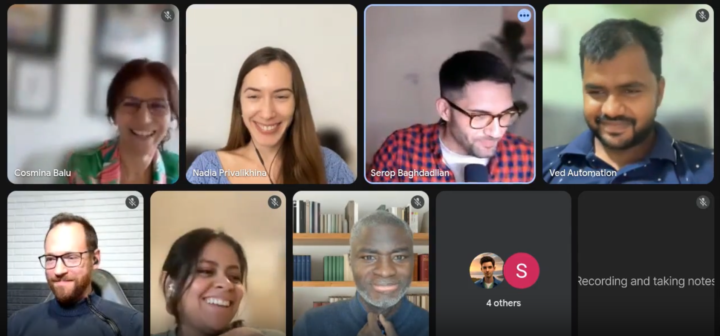
We’ve officially wrapped up Week 2 of the cohort, and what an amazing week it has been! 🚀 So far, we dove deep into n8n fundamentals and explored two real-world use cases me and Nadia have already sold to clients: ✨ Automated Proposal Generation ✨ Email Auto-Responder Systems It was incredible to see the group applying these skills so quickly and creatively. You submitted your homework, tackled brainstorming tasks, and pushed yourselves to build practical automations that bring real value.👏 Huge congratulations to everyone who submitted their work on time and an equally big shoutout to those still working hard to learn n8n and integrate AI into their daily workflows. Your effort, curiosity, and consistency are what make this community special. Let’s keep the momentum going, Week 3, here we come! 💡
3 likes • 25d
My takeaway so far is that 10 people can build the same automation in 10 different ways, and all of them can be right 🙂 Great to see everyone's progress!
1 like • 25d
@Ved Automation nice work so far! Keep that curiosity alive, we still have a few things to share that'll turn you into a real automation ninja :)

Nov 7 •
W1 Homework Question
So for the homework we have to respond to 2 scenarios. 1. Email to "hello@" being represented by a personal email. 2. An email from noreply@ with the specific subject and hello@ as CC. How are we supposed to mimic/test this second scenario with just a personal email? Just filter on cc + subject?
3 likes • Nov 7
Hi @Nathan Hull! filtering on cc + subject is the way. If you want to test it, you need 2 emails: - one that you connected to the automation [email protected] - another one to emulate the sender, let's say [email protected] Send an email from [email protected] to [email protected] and cc: [email protected]
1-10 of 15

@nadezhda-privalikhina-5095
Passionate about creating useful AI solutions, I'm a builder and creator at heart.
Online now
Joined Oct 19, 2025
INTJ
Vienna, Austria
Powered by