Activity
Mon
Wed
Fri
Sun
Sep
Oct
Nov
Dec
Jan
Feb
Mar
Apr
May
Jun
Jul
Aug
What is this?
Less
More
CB
Kingdom Bass
287 members • Free
Bass Brief | Music Production
956 members • $5/month
Ai Filmmaking
6.7k members • $7/month
AI Automation Society
438.6k members • Free
ChatGPT Users
12.8k members • Free
Create Guitar Instrumentals
435 members • $55/year
Pick Your Online Business
1.3k members • Free
Unison Producer Growth Hub
48.8k members • Free
The AI Advantage
127.7k members • Free
10 contributions to ChatGPT Users

24d •
💡 CHATGPT PROMPT SHORTCUTS — HOW TO USE THEM CORRECTLY
I am new here. Thank you for welcoming me to this community. I wanted to share something that may help us get better and more useful responses from ChatGPT. First, an important clarification: ⚠️ These are NOT official ChatGPT commands, secret codes, or hidden modes. They are PROMPT SHORTCUTS — easy labels we can use to tell ChatGPT what type of reasoning, analysis, tone, or approach we want. For the best results, especially in a new conversation, don’t rely on the shortcut word alone. Type the shortcut AND tell ChatGPT what you want it to do. Here are some useful ones and how to use them correctly: 🔹 TRUTHMODE USE WHEN: You want honest feedback instead of reassurance or automatic agreement. PROMPT: “TRUTHMODE: Give me your honest assessment. Don’t agree with me just to be agreeable. Tell me what works, what doesn’t, and what I may be overlooking.” 🔹 ELI10 USE WHEN: Something is complicated and you want it explained in simple language. PROMPT: “ELI10: Explain this to me as if I were 10 years old. Keep the language simple, but don’t leave out information I actually need to understand it.” 🔹 REDTEAM USE WHEN: You have an idea, plan, business strategy, argument, or decision and want someone to challenge it BEFORE you act on it. PROMPT: “REDTEAM: Challenge this idea. Look for weaknesses, risks, blind spots, incorrect assumptions, counterarguments, and reasons this could fail.” 🔹 80/20 USE WHEN: You’re overwhelmed and need to know what actually deserves your attention first. PROMPT: “80/20: Apply the Pareto principle to this situation. Identify the few actions likely to produce the greatest results and tell me what I should prioritize first.” 🔹 FIRSTPRINCIPLES USE WHEN: You don’t want the standard answer and want the problem broken down logically from the beginning. PROMPT: “FIRSTPRINCIPLES: Break this problem down into its fundamental facts and assumptions. Separate what we know from what we’re assuming, then build the best solution from there.” 🔹 SOCRATES USE WHEN: You want ChatGPT to help you THINK through something instead of simply handing you an answer.

0 likes • 3d
Thanks .. a great time saver

Jul 8 •
Introduction
Hello everyone! I’m so happy to be here in ChatGPT user land. I’ve been looking for a community like this for quite some time. I’m looking forward to learning new things, participating in discussions, and connecting with everyone. I’m truly glad to be here. Plus learn better ways to ask/use it.
2 likes • Jul 9
Welcome James, let's go!

Jul 2 •
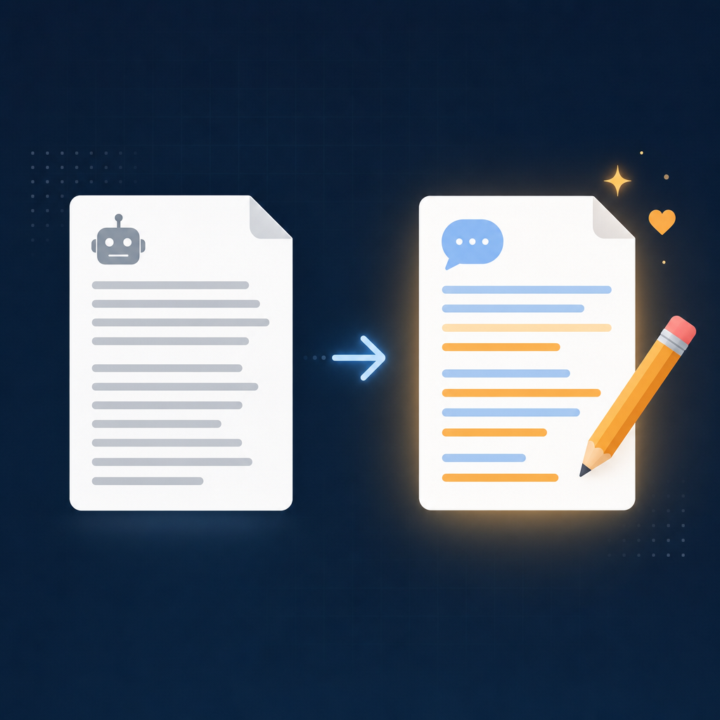
How to get ChatGPT to sound like you, not like ChatGPT
One of the most common frustrations I see in here is that ChatGPT writes well, but it does not write like you. Everything comes out a bit polished and generic, and you end up rewriting half of it anyway. The fix is simpler than most people expect. Instead of describing your style in words, you show it. Grab three or four things you have already written that sound like you. Emails, posts, a page from your website, anything in your natural voice. Paste them in and give ChatGPT this job: "Study these samples and describe my writing style back to me. Cover tone, sentence length, how formal or casual I am, words and phrases I lean on, and how I open and close. Turn it into a short style brief I can reuse." Read what it gives you and correct anything that feels off. Now you have a style brief written in your own voice. From then on, you paste that brief at the top of any writing task: "Write this in the style described below," then the brief, then the task. The output lands much closer to how you actually sound, so you spend your time refining instead of rewriting from scratch. If you use Custom Instructions or a Project, drop the brief in there once and it applies automatically. Have you tried getting ChatGPT to match your voice yet? What has worked, and where does it still fall down? Drop it below.
3 likes • Jul 5
But.what.if.I .. sound. monotone.like.a ROBOT?? 🤖

🔥
Mar 2 •
ChatGPT
Is everyone still loving ChatGPT or have you migrated elsewhere? I still use it daily but have noticed it crashing more and more... or lagging. It's becoming frustrating!

2 likes • Jun 8
@Heidi Richards Mooney It's great for like 80% of my chats. Don't need AI to Overthink things... I do that enough myself 😄
1 like • Jun 9
@John Santos sure!

Jun 5 •
Business Building Tools/Advice
Hi! I've written some posts in the past about rebuilding my dog training business. I've done some searches in this community, but I thought I would post some specifics about my situation. I have so many tools I pay for, and I just can't figure out what to use, when to use it, and how to use them! I spend so much time trying to figure out how to use what I have, both independently and together, etc. There are many things I would like to do, but briefly, here are the things I would like to work on/create to get started. -I would like to create knowledge bases for different things. A couple of examples are: A knowledge base all about my dog training business Knowledge bases on different aspects of dog behavior (reactivity, puppies, anxiety, etc.) I was thinking I would try Google NotebookLM to create the knowledge bases. Then I could use ChatGPT or Gemini to create content from the info in the Google Notebooks. I currently mostly use ChatGPT for my business. I have a project that contains my chats. I don't know much about custom GPTs, but would it be better to learn how to create a custom GPT that's trained on my business rather than using projects? Should I still create the NotebookLM Knowledgebase? This is just scratching the surface for a place to begin. There are many things I want to do, and many different tools. There are also so many more tools I see all the time...maybe something else would be better? What about chatbots? AI assistants? I'm constantly seeing these tools, and they are always adding more and more options to create things. I have asked ChatGPT these questions, but I would like to get some advice from real people who know what they're doing. I'm learning as I go, and it's quite overwhelming! I'm hoping for a little guidance, suggestions, recommendations, and personal experiences from anyone willing to help me out. Feel free to ask me any follow-up questions that may give you some more specifics about anything...what tools do I have, more details on what I would like to accomplish, etc.
3 likes • Jun 6
Yeah.. dog training! Here's a couple questions: - Have you considered that your brain might be neurodivergent? What you described are classic ND patterns ( I hate badges so don't take this unnecessarily) - I use an All in one AI (see my bio) that has all these tools for a single subscription. But it's geared towards Agents.. - I trained my AI (stored memory) to act as a business consultant and STOP me from exploring endless options. It can tell when I am drifting and steers me back to executing tasks that build rather than spiral out of control.
1-10 of 10

@marcus-frakes-4548
Get Magica - ALL AI models from $8/month!
Use Promo Code for an extra 10M credits: GC2EHDY
Active 9h ago
Joined Feb 10, 2026
INFJ
Powered by