Activity
Mon
Wed
Fri
Sun
Aug
Sep
Oct
Nov
Dec
Jan
Feb
Mar
Apr
May
Jun
What is this?
Less
More
Memberships
E-Ink Tablet Users
1k members • Free
2 contributions to E-Ink Tablet Users

3d •
🚀 CalSync 1.4.0 is Here — Native reMarkable Cloud Sync is Here!
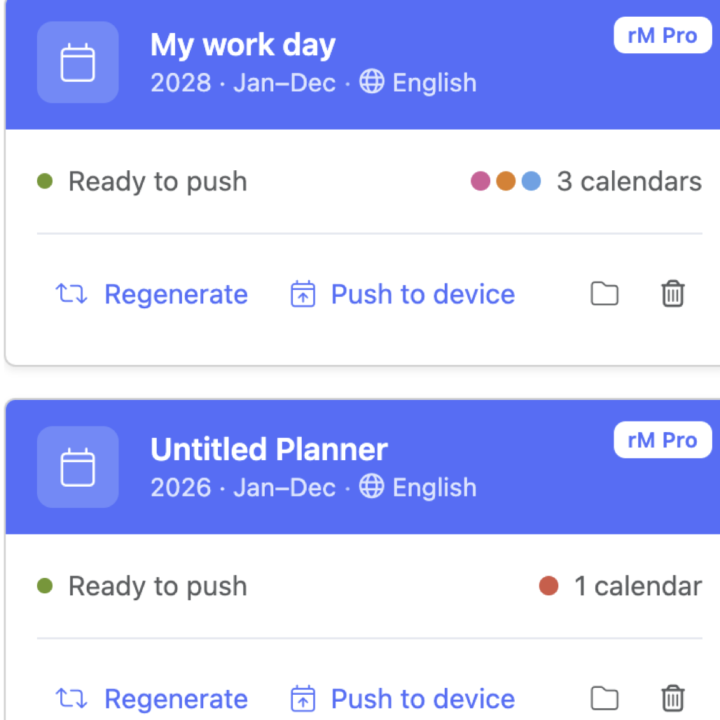
This is our biggest CalSync update yet, and it’s the one many of you have been waiting for. You can now connect natively through the cloud. No Developer Mode. No cables. No complicated setup. Simply sign in, sync your planner, and keep your handwriting every time your planner updates. ☁️ Native Cloud Sync We’ve made cloud syncing the easiest way to use CalSync. For reMarkable • Connect through reMarkable Cloud• No Developer Mode required• No USB cable required• Sync your planner from anywhere with an internet connection For Supernote Supernote is now fully supported and officially out of Beta. • Connect through Supernote Cloud• Keep your handwritten notes across planner updates• Or connect locally over Wi-Fi if you prefer Whether you use reMarkable or Supernote, connecting is now as simple as signing in. 📱 Support for Every Device CalSync now supports all your devices from one place. • reMarkable Cloud • Supernote Cloud• Direct Wi-Fi / USB • Universal Mode for virtually any PDF tablet Switch between devices whenever you like—CalSync remembers the correct connection for each one. 📂 More Reliable Cloud Sync Cloud delivery has been rebuilt to be even more reliable. • Planners consistently arrive in the correct cloud folder • Failed uploads automatically retry • More dependable syncing overall 📊 See Every Sync The Activity screen now tells you exactly what happened. Every sync is tagged with how it was delivered: • reMarkable Cloud• Supernote Cloud• Direct• USB You’ll always know when your planner has been successfully updated. ⭐ Favorites Stay Favorites If you’ve marked a planner as a favorite on your tablet, CalSync now preserves that favorite every time you regenerate your planner. 💾 Smarter Planner Storage Generated planners are now organized by both account and device. That means multiple devices—or multiple accounts on the same computer—no longer overwrite each other’s files. ✨ Lots of Polish We’ve also included dozens of improvements throughout the app.

1 like • 2d
You are on fire with all these recent updates. I like the new clarity planner layout and cloud sync!
8d •
We are considering two way calendar support but need feedback.
Meaning a way for you all to add text on available time slots on the calendar and then actually adding and modifying events on the connected calendar(s). Do you think is valuable or overkill?
2 likes • 6d
@Jason Smith That wouldn't make the process smoother for me, as I can already just open the calendar app on my phone and add a meeting. The real advantage for me personally would be the ability to block a time slot on my reMarkable without having to grab my phone. I don't mind having to add the details (location, attendees if any, links, etc) later, when I am on my computer or phone.
1-2 of 2
Active 2d ago
Joined Jun 10, 2026
Powered by