Activity
Mon
Wed
Fri
Sun
Nov
Dec
Jan
Feb
Mar
Apr
May
Jun
Jul
Aug
Sep
Oct
What is this?
Less
More
The AI Agents Course
4.4k
5.0
$1,997/y
AI Consultant Certification
2.3k
$6,997/y
AI InnoVision Affiliates
1.5k
Free
Unapologetically AI Summit
428
Free
Money Making Millennials W/ AI
759
$47/m
Kingdom AI Learning Lab
1.1k
Free
Growth Hub 365
13.6k
Free
Digital Clarity Training
5.2k
5.0
$17/m
AI Experts Club
4.8k
$47/m
152 contributions to Digital Clarity Training

🍀
Sep 10 •
10 September 2026 | DCT Will Be Under Construction Through Sunday, September 13, 2026
Every quarter we flip the classroom and it’s that time again. We’ll be focusing on Black Friday. The goal is to help at least one person reach their first $100, one to reach their first $1000 and another to reach their first $10,000 4th quarter earnings. Less modules, greater value. What is your fourth quarter goal?
Poll
61 members have voted

2 likes • Sep 10
Thank you for the notification
🍀
Aug 25 •
August 25, 2026 | Yesterday we talked about OPP at AI Agents Live with Alicia Lyttle...🤭
But not that OPP. We talked about Other People's People. The purpose of OPP is to use someone else's audience. I used the prompt yesterday to write an email to the Howard County Economic Development Authority Director of Strategic Outreach and to the President of the Prince George's Chambers of Commerce, and both replied this morning, excited to meet. DCT - WE are so ahead in AI that when we make ourselves findable and reach out to our chambers, library, etc, it becomes a no-brainer for them to reply back to us. I'm going to share my prompt, but you must pledge to send the email today. If you plan to wait until later, please skip this challenge. This is only for those who are ready to take action even if they're afraid. Check the chat for a prompt to help you write your emails.
1 like • Aug 26
Sent
Aug 20 •
I Started A Gospel Music Channel at 69 - First Royalties = $1,552.79!
I'm Yvonne and I'm 69 years young...I started my first music channel on December 9, 2025. I'm streaming on all the major platforms. I told NO one what I was doing and decided to share what I've been up to for 8 months, consistently! On Spotify I have ONE song that took off and keeps growing last check it was over 34K streams. Brazil seems to be my major streaming audience! I started another music "TEST' channel on June 30 to see if I could do it again since I am thinking of offering what I did as a service...That channel has 51 subs 3,500+ channel views. One song hit 1K+ views. Latest long-form hit 26.4 watch hours (instrumental) I'm looking to go to the next level...I, too, want to hit that 6-figure income someday -- SOON!😂

3 likes • Aug 26
Just down right awesome, congratulations
🍀
Aug 25 •
August 25, 2026 | Creative Fabrica Created This Video
It was soooo close to being perfect, but it flipped the letters in DCT. I created this 30-second video in Creative Fabrica's Studio. Go here for the prompt: https://studio.creativefabrica.com/ai-video-generator/3IQ8pkr7rKv6KJPiYikMiivWQzZ/ref/1173575/?campaign=DCTVideoTemplateonCreativeFabrica *This post includes my affiliate link and I may earn a commission if you subscribe or purchase something from Creative Fabrica.

1 like • Aug 26
Nice, I absolutely love this
🍀
Aug 25 •
August 25, 2026 | Give ChatGPT a Designer Mode
👉🏾 I created something I want you to try inside ChatGPT called Designer Mode. The goal is simple: instead of asking AI to “make it look better,” you give it a clear design standard to work from. Designer Mode tells ChatGPT to think like a professional design team. It considers factors such as audience, message, goal, focal point, hierarchy, typography, contrast, spacing, color, platform fit, and usability before suggesting or creating anything. It also tells ChatGPT to challenge weak design choices, protect decisions you already approved, and review the final work before calling it finished. Copy and paste this into ChatGPT: Remember this as Designer Mode: Whenever I am creating, reviewing, improving, planning, or discussing visual design, operate as a professional multidisciplinary design team. Begin with audience, message, goal, and desired action. Evaluate focal point, visual hierarchy, composition, typography, contrast, scale, alignment, negative space, color, imagery, accessibility, platform fit, and usability. Diagnose the communication problem before decorating or generating. Challenge weak design choices instead of simply agreeing with me. Protect decisions I have already approved. When information is missing, ask only the questions necessary to make a strong design decision. Treat references as inspiration for principles, not permission to copy. Before calling work finished, perform a professional design-quality review. I retain final authority over brand, message, likeness, positioning, claims, and consequential creative decisions. Automatically use Designer Mode whenever my request involves visual design unless I tell you not to. Then tell ChatGPT: Please save that definition to memory under the name Designer Mode. After that, test it. Create a flyer, presentation, social graphic, workbook cover, thumbnail, landing page, or mockup and ask: Turn on Designer Mode and tell me what is working, what is weakening the design, and the three changes that would most improve it.
3 likes • Aug 26
Saved and stored as a skill file
1-10 of 152
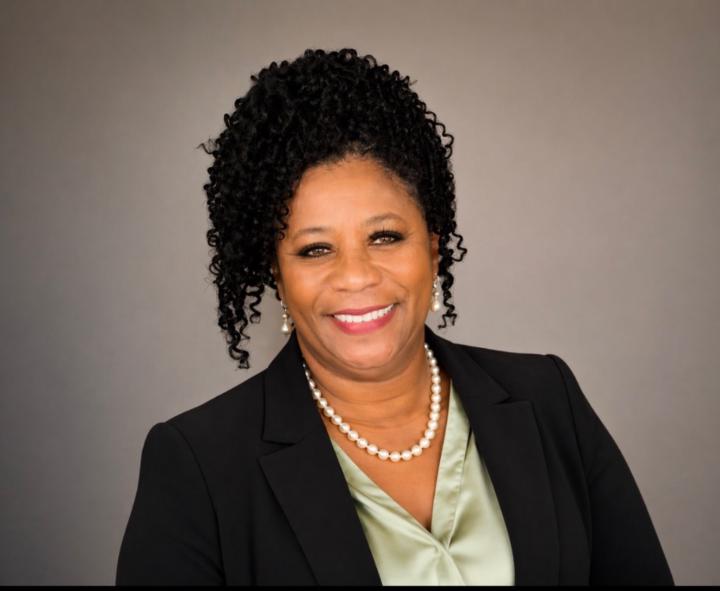
@linda-medlock-7597
Certified Payroll Professional, SHRM-SCP, background in healthcare, education and
Active 5h ago
Joined Dec 24, 2025
Dallas Texas
Powered by