Activity
Mon
Wed
Fri
Sun
Aug
Sep
Oct
Nov
Dec
Jan
Feb
Mar
Apr
May
Jun
What is this?
Less
More
Owned by Kimberly
Midlife confidence made simple! Aromatherapy + essential oils + wellness solutions for health, home & harmony. Join our circle for calm & clarity!
Stop being invisible in Skool! Learn authentic engagement strategies to turn lurkers into leaders without sacrificing authenticity or sleep. Join us!
Memberships
Skoolers
169.7k members • Free
Skool Extensions 🧩
593 members • Free
AI Grimm Society
106 members • Free
Indie AI Business Hub
93 members • Free
Leads by AI Grimm
354 members • Free
AI-Driven Business Community
8.5k members • Free
Skool Scale Camp
4.9k members • Free
Aligned AF Community
216 members • $100,000/month
The Sanctuary with Carey Kaas
324 members • Free
13 contributions to The Cold Coffee Club

🔥
Apr 5 •
Happy Easter! 🪺🐇🐣
I’m in the midst of cooking our Easter meal (and potentially causing electrical fires…but that’s a story for another time…😅), but just wanted to pop in quickly and wish everyone a happy Easter and a wonderful, calm, joyous, relaxing Sunday 🫶


🔥
1 like • Apr 6
Happy Easter 🐰🐣🐇
🔥
Mar 31 •
A BIG welcome to new members!
(And a virtual hug for the existing ones who have been so amazing and supportive during a super busy season for me. Practicing what I preach! 😜) I know I've met a lot of new faces at the Built to Be Seen summit and I'm excited to connect and learn more about you and your business! AND I also know you have one more day of the summit to go and summit brain is real... So before everything you just learned turns into a foggy blur — try this! 👇 Copy this prompt and paste it into ChatGPT or Claude and add in your notes from the talks so far: "I'm attending a summit and my brain is full. Here's everything I took away: [paste your notes or just free-write what you remember]. Help me: 1) find the one idea with the most momentum for me right now, 2) build a simple 3-step action plan I can start this week, and 3) flag anything worth saving for later so it's not lost but it's not cluttering my focus right now." And when the summit wraps and you're ready to go deeper on sorting your ideas into what to pursue, park, or pass on entirely — your Shiny Squirrel Wrangler is already waiting for you inside the classroom here! (PS if you have any issues accessing the course or questions about the community, just let me know!)

🔥
2 likes • Apr 1
Welcome everyone!
🔥
Mar 22 •
Do you have a Skool community?
Do you have a Skool community? Or have you been curious about starting one? Because I'm speaking at Skool Scale Camp - a free 3-day live summit happening March 30th - April 1st. - and you should definitely be there!! We're talking 50+ speakers, live and recorded training sessions, tools and resources to launch and scale your community, and a lineup that is genuinely STACKED. I'll be teaching The 3-Hour Skool Week - my system for running a thriving Skool community without it eating your life - and I'm hoping to demo it live with someone on the call. (My session is LIVE on March 31st at 1:00 pm Eastern, but there will be a recording available!) It's free. It's live. It has a swag bag. And the community is already buzzing with 4,000+ Skool builders inside! 👉 Check out the summit community here

🔥
3 likes • Mar 23
Yes I have a Skool community and in 3 months. Looking forward to your presentation in Summit.
🔥
Mar 21 •
How’s your weekend going?
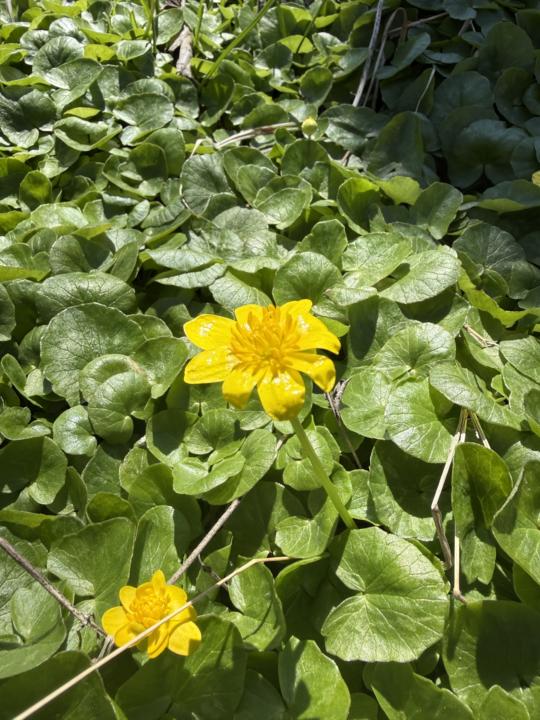
So far our Saturday has included a lovely walk in the woods. What are you up to this weekend? 👀
🔥
2 likes • Mar 22
Nice dinner with friends and I got the tuna poke bowl!
🔥
1 like • Mar 22
@Olivia Radcliffe it was nice to try a new restaurant to me that my friends long to go to.
🔥
Mar 6 •
FriYAY! This or That
Let’s have some fun and get to know one another a bit better 😊 This week’s This or That is all about your personal style: - Comfy or cute? - Jewelry or no jewelry? - Hair up or hair down? - Neutral colors or bold colors? - Sneakers or sandals? - Minimal makeup or full glam?

🔥
2 likes • Mar 7
@Olivia Radcliffe favorite color? Have you ever done Carol Tuttle’s Dressing Your Truth for colors and styles? https://my.liveyourtruth.com/dyt/home/?gad_source=1&gad_campaignid=1405649754&gbraid=0AAAAADj4Axv7NUNylW7fg1aOj4TNnK4cw&gclid=CjwKCAiAtq_NBhA_EiwA78nNWHtkxskqXJ6JWd6P4iM071vqMLzFy-p1vOq8EkAUQjm-gqc_25cthxoCf-gQAvD_BwE I’m a 4 primary and 2 secondary.
🔥
1 like • Mar 9
@Olivia Radcliffe it truly helping with shopping for right colors, patterns and accessories. She sells flash cards you can take to store to match colors too. But you can find colors on Pinterest.
1-10 of 13

🔥
@kimberly-armatys-4646
🌍🏖️✈️ 🌿 Certified Aromatherapist | Tax Pro | Skool Owner (2) | Helping you blend wellness, community & smart systems—so life feels lighter! 🏒📸☕️
Active 3m ago
Joined Feb 5, 2026
Bradley, IL