Activity
Mon
Wed
Fri
Sun
May
Jun
Jul
Aug
Sep
Oct
Nov
Dec
Jan
Feb
Mar
Apr
What is this?
Less
More
Memberships
Your First $5k Club w/ARLAN
25.6k members • Free
AI Content Creators
4.2k members • Free
AI Creator School
7.6k members • Free
AI For Teachers (Free)
160 members • $9/month
REVENUE REVOLUTION
7.5k members • Free
Stealth Founders Club
1.5k members • Free
Free Skool Course
64.7k members • Free
workwithsydney
2.2k members • Free
The Template Tribe
3.4k members • Free
4 contributions to AI For Teachers (Free)

Feb 20 •
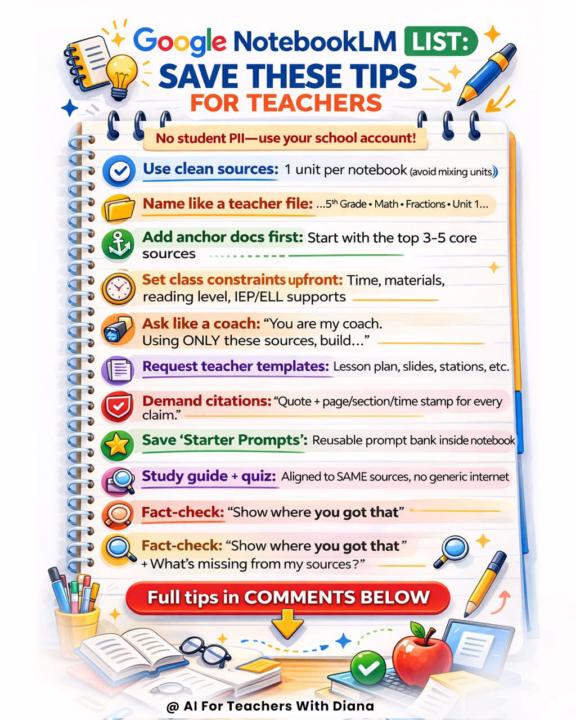
✅ Best NotebookLM Tips for Teachers (Printable)
Hi teachers. I have consolidated the most important strategies to get high-quality output from NotebookLM. If you use it correctly, it becomes your instructional coach, curriculum assistant.😊 📘 Here are your secret weapon tips: 🔹 Use one unit per notebook. Avoid mixing subjects or units. Clean inputs = accurate outputs. 🔹 Start with anchor documents. Upload your top 3–5 core sources first (curriculum guide, textbook chapter, pacing guide, key articles). Build from there. 🔹 Name files like a teacher. “5th Grade – Math – Fractions – Unit 1” is better than “Chapter3.pdf.” Organization improves clarity. 🔹 Set constraints upfront. Tell it the time limit, materials available, reading level, IEP/ELL supports. You’ll get usable plans, not generic ones. 🔹 Ask like a coach. Try: “You are my instructional coach. Using ONLY these sources, build…” This keeps everything aligned and citation-based. 🔹 Request templates. Lesson plans, slide outlines, stations, exit tickets, study guides — all aligned to your uploaded materials. 🔹 Demand citations. Ask for quote + page/section/time stamp for every claim. This is how you maintain academic integrity. 🔹 Build from the same sources. When you create a study guide and quiz, ensure both pull from the SAME notebook. No generic internet filler. 🔹 Fact-check strategically. Ask: “Show me where you got that.” “What’s missing from my sources?” This helps strengthen your unit. Most teachers underuse NotebookLM because they treat it like a search tool. It’s not. It’s a source-grounded thinking partner when used correctly.🤓 💡How do you plan on using it in your classroom?

1 like • Mar 4
I used Notebook LM as a way to connect resources to my Google Gem about preparing my 4th graders for their State tests in ELA and Math & Science for 5th graders. I used the GEM to create test questions and ideas about prepping my students for what to expect. I have yet to use it directly with students but that is my next step.
Feb 21 •
✅ Fun Pixar Style Image Prompt to Try (Give it a try!) 🤩
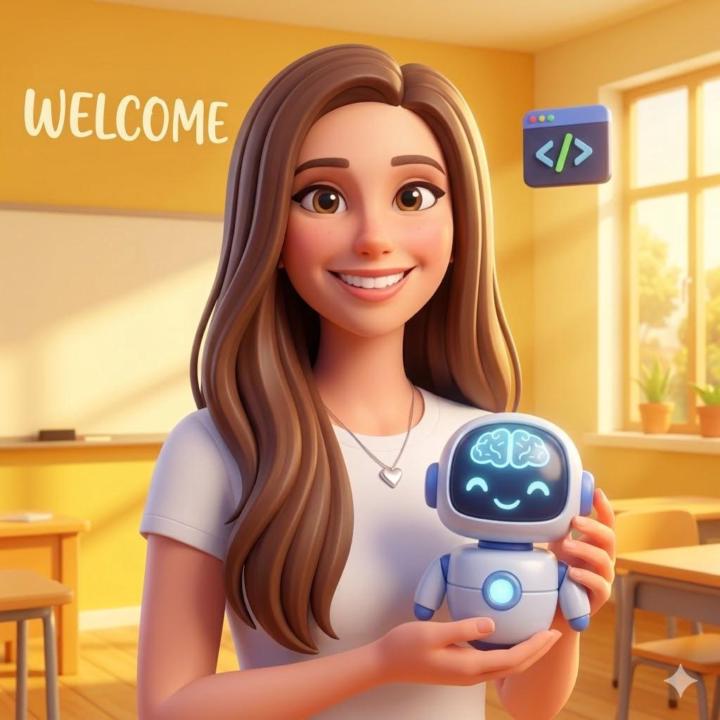
Create a fun Pixar image of yourself this week with the below prompt. Simply fill in brackets with your state and subject then send it off to Gemini or ChatGPT to create your image.😊 😊 + A massive, warm welcome to our new members Talya and Ami.🙌 Feel free to use the welcome generation prompt below or simply share your state and subject. We are so happy to have you part of our AI home.🏡 📌 Welcome Prompt to Add Image in Thread: "You are an expert 3D character designer. [YOUR STATE/COUNTRY] = [YOUR SUBJECT] = Create an excellent image: high-quality 3D animated model/character illustration of the teacher's state or country flag in their subjects classroom or elements of their subject in a bright, cheerful classroom setting. No super busy. Please follow these instructions based on what I provide: 1. If I have attached a photo of myself: Create the 3D teacher character based on my facial features, hair, and general appearance in the photo. Have the character smiling warmly and holding a cute, stylized 3D icon related to [YOUR SUBJECT]. Square image. 2. If I have NOT attached a photo: Create a beautiful stylized flag representing [YOUR STATE/COUNTRY], surrounded by cute, floating 3D icons representing [YOUR SUBJECT]. The overall aesthetic should be bold playful, vibrant, 3d excellent model, warm, and highly inviting! Square image."

1 like • Mar 3
[attachment]
Feb 1 •
💙 What's Your Why? (Save time?, End Work Early?)
Welcome!😃 So, happy to have you here! Lots of GREAT resources! 1) First Introduce yourself in a New Post Here: 👇 In a new post here Share: ✅ Name: ✅ Grade/Subject & What you want to accomplish: (Optional: Attach an AI generated image of yourself!🖼️) 😃 Once you've introduced yourself in a New Post Here → Access your AI Courses & Resources here to get a tour of your new AI home.🏡🥳
1 like • Mar 3
My Name is Karey. I am a special Education Teacher from Upstate New York. I am very excited about AI and its use in Education, especially in Special Education. I enjoy creating material and other lessons within AI programs. I like testing out programs to see what I can get from them- can they give me a lesson, modify the lesson, give me visuals, put in my students IEP Goals, etc. I have tried so many programs and have leaned so much from that experience. A task that has been taking up a lot of my time is a project I’m working on for my Professional Learning for my district. I created a Google Gem to help Special Education Teacher's with writing their IEP’s.
Feb 6 •
🥳 👉 START HERE (Important: Read Entire Post) ⬇️
✅ First Introduce Yourself to the Group Here.😊 👉 Next Start your fun 3-day AI bootcamp here: 🟢 Newest #1 AI Courses For Teachers. Each day unlocks, new resources, AI assistants and learnings! Go at your own pace. 👉 Next head to your AI Assistant Vault Here it includes over 140+ AI teacher assistants, a NotebookLM setup guide, and is frequently updated to save you time immediately. (If you just joined your access will unlock in 24 hours. Be patient. You can explore the AI courses in the meantime.) I am so happy to have you here.😍 A lot of VALUE inside. My mission is to make sure you have everything you need in one place, so learning AI feels simple, supportive, and stress-free.🙌 ❤️ Heart this post after reading. To confirm with yourself you are ready to up your AI skills!🤩 Super excited to have you here! 💙 Love our content and teacher support? Please consider sharing this community with other teachers to help them with AI. Most AI courses charge $2,000+.🤯 (This is insane to me). That is why I created this community: a valuable and accessible home for teachers. P.S - You also can achieve certificates to add to your resume.🤩

1 like • Mar 1
Hi. I am a special ed teacher and use AI a lot. I don’t use it with my students but I use it to create materials, lessons, and worksheet’s for them and to help with data collection and IEP writing. Most of the teachers I meet are afraid of AI. I have come to embrace it as a friend and companion. I am from (all the way) Upstate NY. I am currently enrolled in my districts training called the “AI Teachers Innovators Cohort”. We get extra training on AI programs and how to use them in the classroom. It’s great to be here!!
1-4 of 4
@karey-starr-3867
Special Education Teacher, Artist, Techie
Active 6d ago
Joined Mar 1, 2026
NY
Powered by