Activity
Mon
Wed
Fri
Sun
Sep
Oct
Nov
Dec
Jan
Feb
Mar
Apr
May
Jun
Jul
Aug
What is this?
Less
More
Pocket Square Club
67 members • Free
Gentle Self-Care Creatives
53 members • Free
North knit Loft
47 members • Free
Weight Loss After 40
491 members • Free
Machine Knitting Hub
30 members • $2/month
Small Daily Habits
53 members • Free
Londa's Creative Sewing
92 members • Free
The Sewing Academy
234 members • $7/month
Crochet Creations
835 members • Free
38 contributions to Machine Knitting Hub
🔥
9d •
Ever wondered what's actually in the classroom? 👀
I know life gets busy, and it's easy to join a community and then... never quite make it past the welcome post. No judgement here — that's exactly why I made this. I've put together a short video walking through the classroom: what's in there, how it's organised, and where to start if you're not sure. It only takes a short while to watch, but it'll save you a lot of scrolling. → See exactly what's inside the classroom, from Getting Started right through to Troubleshooting Your Machine → Find out where to go first if you're feeling a bit lost → Get a proper look at the checklists, guides and patterns that are already there waiting for you If you've been meaning to dig in but haven't quite got round to it, this is your sign. Pop the kettle on and give it a watch — I promise it's worth five minutes of your time. ❓ Any questions or suggestions (I'm constantly trying to tidy up and make everything easier to access) for the classroom please do pop them below 👇

1 like • 17h
Thank you Jan 😊 I have worked on some of the classroom sessions, there is a lot of helpful information there.
17h •
Macbeth day!!!?????
"Oh what a tangled web I weave !"🕸 Today's disaster 😑 😪 Fear not I will try again tomorrow.

🔥
8d •
Not securing the yarn end at the start - Common mistakes - Quick fix
If the yarn end isn't anchored properly at cast on, the first few stitches can unravel and the whole cast on can come undone mid-row. 𝗙𝗶𝘅: Always hold the yarn tail down at the side of the machine for the first two or three rows, or wrap it around the leg of the table. Or, secure with a peg. A quick habit that prevents a lot of unravelling. For more quick tips go to the classroom
1 like • 20h
So I must admit I forgot this only yesterday, caused a bit of a mess 😱😱
3d •
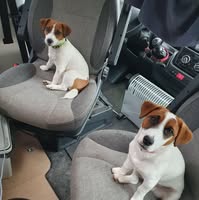
Jumpers knitted for grandchildren in 2020! - I just found these photos...
I knitted these 2 dropped sleeve tops in 2020 for 2 of our grandchildren - they loved them!! 😍😍 I used Woolyknit (UK) 4ply acrylic. NECKBAND I cast on in 1x1 rib, knit the rows required (I did test pieces first to get the correct 'look and feel' for the rib) , transferred stitches to back bed, knitted one row (don't know if this row was necessary) hooked up the neckline with right side facing me, and knit 3 rows on Maddie's and I believe 4 on Thomas’s. Took off on waste. Then back stitched through the last row of loops (think that's it lol...)

1 like • 20h
Wow, I remember making school sweaters and Cardigans for my kids (6 of them) on my 710 ? I knitted the ribs by hand them attached them to the machine for the main bodies and sleeves, it was a good machine for me to learn on. I may still have it in the loft 🤔🤔
22h •
Yarn stash choices.
My problem is trying to use up a large stash of yarn which has been stored, not all with labels. I am happy to swatch. Any ideas of simple pattern ideas would be so welcome 🙏 🤗

1 like • 20h
@Auli Takala thank you Auli 😊
1-10 of 38
@june-e-mackenzie-3743
Hello, I am a retired mum and grandmother who loves crafting. Looking forward to improving skills x
Active 10h ago
Joined May 23, 2026
UK