Activity
Mon
Wed
Fri
Sun
Aug
Sep
Oct
Nov
Dec
Jan
Feb
Mar
Apr
May
Jun
What is this?
Less
More
Memberships
Claude for Online Business
369 members • Free
Marketing Momentum Collective
108 members • Free
The Dog Sitting Sisterhood
12 members • Free
WeMeet for Women Entrepreneurs
3.2k members • Free
The AI Identity Lab
151 members • $27/month
Women Helping Women Mastermind
11.2k members • Free
57 contributions to The AI Identity Lab

🔥
7d •
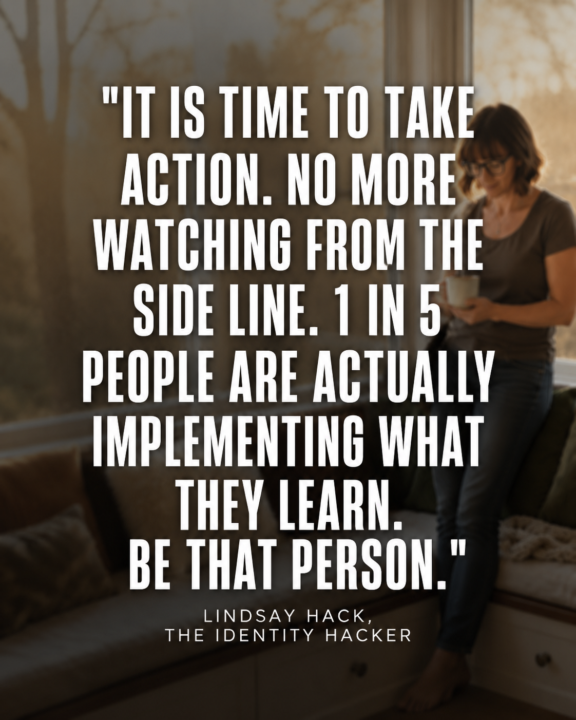
Prompt for Social Media Posts
Upload a photo of you. ChatGPT Image 2.0 Prompt: (adjust as needed) Create a premium social media graphic in a 4:5 portrait format (Instagram/Facebook). Use a candid, photorealistic lifestyle photo of [describe the person] standing naturally in [location]. The person should be intentionally softly blurred with a shallow depth of field so they become part of the background rather than the main subject. Slightly reduce contrast and saturation, creating a subtle faded editorial look while still keeping the person recognizable. Leave generous negative space through the center of the image for typography. Overlay a large inspirational quote that occupies approximately 70–80% of the image height. Typography specifications: Large bold condensed sans-serif font White lettering Soft charcoal drop shadow for readability Center aligned High contrast Clean premium editorial design Comfortable line spacing Balanced margins Quote is the primary focal point Fade the background slightly behind the text so the words are effortless to read. Modern luxury branding aesthetic. Natural lighting. No logos. No watermarks. High-end magazine quote graphic. Text: "It is time to take action. No more watching from the side line. QUOTE: "1 in 5 people are actually implementing what they learn. Be that person." Lindsay Hack, The Identity Hacker

1 like • 3d
@Becky Nieves so good.
1 like • 3d
@Brenda Adelman love how bold this is- great
🔥
7d •
Welcome to The AI Identity Lab
@Kay Scott @Annie Harmon @Kristina Daugherty Welcome to the community. We are excited have you join and dive right in. Please introduce yourself and your business here in the community. Every new member gets a call with me as well, so please reach out when you are ready.

3 likes • 7d
welcome everyone- you are going to love it @Kristina Daugherty so good to see you in here
🔥
Apr 16 •
Common Mistakes — And How to Avoid Them
https://check.theidentityhacker.com/image-guide Before you generate anything, get the reference right.
1 like • Apr 18
@Lindsay Hack this was very helpful
🔥
Apr 16 •
🎉 Upgrade Celebration! 🎉
Big congrats to @Barbara Anderson for upgrading into the $47/month from the free level. She is ready!! Barbara locked in to focus on her images and learning. This room rewards people who move when it feels aligned instead of sitting on the fence. I will get to your audit and send your personalized road map video soon.

1 like • Apr 18
Welcome- you made a great decision
🔥
Mar 22 •
Stop Starting From Scratch Every Time You Sit Down to Create Content
If content creation feels like pulling teeth, it's not a creativity problem. It's a system problem. Most entrepreneurs open a blank doc, stare at it, and either write something generic or give up. The fix isn't inspiration — it's a repeatable process that starts with one clear problem and branches into weeks of content automatically. That's exactly what these 3 prompts do. How This Works (The Logic Behind It) Think of content like a tree: The root = one real problem your audience has The branches = different angles on that problem The leaves = individual posts in multiple formats Most people try to grow leaves without roots. They post random tips, hope something lands, and burn out. These prompts build the tree first — so every post you create has a reason to exist and a clear home in a bigger strategy. ⚠️ Important: These prompts work best after you've done your AI Identity Lab foundation work. If your brand voice, ICP, and niche focus aren't clear yet, go back and complete those modules first. These prompts will amplify what you've already built — they can't replace it. The 3-Prompt System 🔵 Prompt #1 — Find Your Core Before you create a single post, this prompt helps you identify the one problem worth building around — the kind people actually talk about, search for, and share. It also hands you a 30-day measurement framework and a sharp ICP table so you know exactly who you're speaking to and what makes them act. Use this once per content cycle (monthly or quarterly). 🔵 Prompt #2 — Break It Open One problem, seven angles. This is where most content creators stop too early — they find a topic and post the obvious take. This prompt forces you into counterintuitive territory: the myth, the hidden cost, the "you've been doing it wrong" frame. That's where shares and saves live. Use this immediately after Prompt #1. 🔵 Prompt #3 — Branch Into a Full Month This is where the system pays off. Each of your 7 angles becomes 3 subtopics. Each subtopic becomes 3 post formats — educational, provocative, and case study. That's 63 post frameworks from one core problem. You won't use all of them. But you'll never stare at a blank page again.
1 like • Mar 24
@Lindsay Hack thank you so much :)
1-10 of 57

@jennifer-hynes-5621
Life & mindset coach for high-achieving women who feel burned out, stuck in people-pleasing, and ready to stop looking like they’re “fine.
Active 4h ago
Joined Sep 26, 2025
Charleston, South Carolina
Powered by