Activity
Mon
Wed
Fri
Sun
Apr
May
Jun
Jul
Aug
Sep
Oct
Nov
Dec
Jan
Feb
What is this?
Less
More
Memberships
AMZ Influencer Community
420 members • Free
Amazon Influencers Unite
29 members • Free
Maven
170 members • Free
Pinterest Skool
2.2k members • Free
Amazon Influencer Review Hub
297 members • Free
Influencer Strategy w/Nicole V
108 members • Free
Amazon Influencer Inner Circle
10 members • Free
Rose Credit Academy
871 members • $37/month
Caregiver Companion
900 members • $9
22 contributions to Amazon Influencer Inner Circle

10h •
Week 1 Check-In: 29 Videos Done — Momentum is Building! 🎉
Here’s my activity for Week 1 of the 30-Day / 100 Video Challenge: • Feb 22 — 1 video • Feb 23 — 4 videos • Feb 24 — 5 videos • Feb 25 — 0 posted • Feb 26 — 11 videos • Feb 27 — 0 posted • Feb 28 — 8 videos Total posted: 29 videos My personal goal is 35 videos per week, so I’m 6 short of that target — but I’m actually ahead of pace for the 100-video challenge overall. One thing I realized this week is that even on my “zero post” days, I was still filming. I’m building a content bank, which makes editing and posting faster later. The key for me now is staying consistent with editing and uploads so those filmed videos turn into published assets. Biggest win this week: I proved to myself I can batch and post at higher volume (11 in one day!). Going into Week 2, my focus is: • Consistent editing daily • Posting at least 5 per day • Using batch filming to stay ahead We’ve got this! Let’s keep stacking videos and building momentum. 💪
0
0
18h •
✨ There Are SO Many Ways to Make Money as an Amazon Influencer (Beyond Just Posting Videos!) ✨
One of the biggest misconceptions about the Amazon Influencer Program is that you only make money from shoppable video commissions. While that’s a huge piece of it, it’s actually just ONE of several income streams available to us. I want to break this down so you can see the full opportunity and start maximizing your earnings intentionally. Here are the main ways Amazon Influencers get paid: 💰 1. Onsite Commissions (Shoppable Video Earnings) This is what most of us start with. When you create a shoppable video and upload it to Amazon, it can appear directly on the product page. If a customer watches your video and purchases the product, you earn a commission. This income is powerful because: • Your videos can earn passively 24/7 • One video can generate income for years • The more videos you create, the more earning opportunities you have Think of each video as a tiny employee working for you around the clock. 🌐 2. Offsite Commissions (Your Personal Traffic = Your Power) Offsite commissions happen when YOU bring the customer to Amazon using your storefront link or affiliate links. Examples include: • YouTube product reviews • TikTok product demos • Instagram posts or reels • Facebook posts • Pinterest pins • Blog posts If someone clicks your link and buys, you earn a commission — even if they buy something else during that session. This is why creating a YouTube channel is so powerful. Your content can rank in search and bring in buyers every single day. Onsite = Amazon brings the customer to you Offsite = YOU bring the customer to Amazon Both matter. Both pay. 🤝 3. Seller Paid Video Opportunities (Direct Brand Payments) This is where things get really exciting. Many sellers will pay you to create videos for their products. This can include: • Free products • Flat cash payments ($10–$200+ per video depending on experience) • Or both product + payment You can find these opportunities through: • Amazon Creator Connections • Brand outreach • Influencer platforms (like Oink, Stack Influence, etc.)
0
0
18h •
Ending Week One!
I will post my week one numbers in the group tomorrow! This week has been a whirlwind! I got so many free samples that I couldn’t even keep up. It’s been so much fun however when requesting free samples, you have to also keep in mind the time it will take you to do all of the videos, where are you gonna put all of this stuff in your house, and factoring all of the boxes and packaging as well! Here’s a look at the things that I received this week and this is not even all of them!

5d •
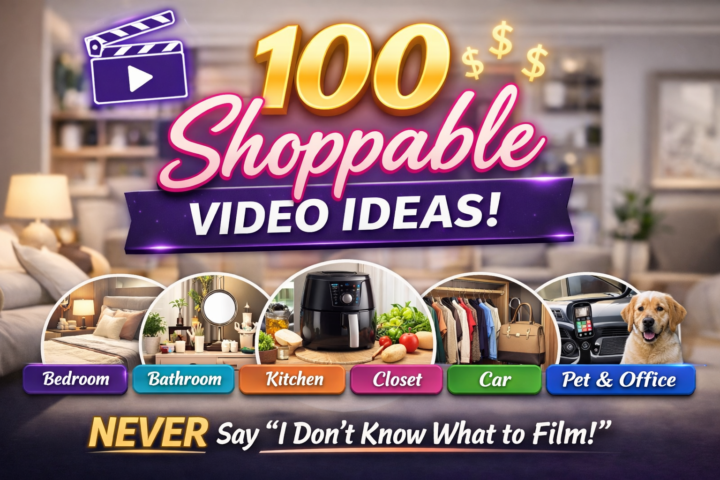
🎥 100 Shoppable Video Ideas
(So You NEVER Say “I Don’t Know What to Film” Again) If you're in the 100 Video Challenge and you’re staring at your house thinking… “I don’t have anything to review.” Respectfully… you are sitting inside a content warehouse. Here’s a room-by-room memory jogger to help you hit 100 without overthinking it. 🛏 Bedroom - Sheets - Pillows - Mattress topper - Bedside lamp - Alarm clock - Phone charger station - Blankets - Jewelry organizer - Under-bed storage - Humidifier 🚿 Bathroom - Electric toothbrush - Shower caddy - Bath mat - Vanity mirror - Makeup organizer - Hair tool holder - Skincare fridge - Toilet cleaner tabs - Towels - Shower head 🍳 Kitchen - Air fryer - Blender - Coffee maker - Electric kettle - Knife set - Cutting board - Chicken shredder - Food storage containers - Spice rack - Dish drying rack - Drawer dividers - Reusable freezer bags - Cast iron skillet - Garlic press - Kitchen scale 👗 Closet / Beauty - Velvet hangers - Shoe organizer - Luggage - Travel toiletry bag - Steamer - Watch or jewelry organizer - Purse organizer 🧺 Laundry Room - Detergent - Dryer balls - Stain remover - Hamper - Fabric shaver - Mesh laundry bags - Scent beads 🚗 Car - Phone mount - Car organizer - Seat gap filler - Emergency kit - Portable vacuum - Steering wheel cover - Backseat organizer 🧰 Random House Items - Flashlight - Power strip - Extension cord - Batteries - Command hooks - Label maker - Multi-tool 🐶 Pet Items - Dog bed - Food bowl - Slow feeder - Grooming brush - Treat container - Pet stain remover 💻 Content Creator / Office - Planner - Desk lamp - Laptop stand - Ring light - Microphone - Tripod - Blue light glasses - Under-desk heater
6d •
Get Your First 3 Videos Approved
If you’re submitting your first 3 videos to unlock onsite placement, here are the biggest approval savers I see over and over: 1) Film in the safest format (don’t make it harder on the reviewer) - Use landscape / horizontal (16:9) if you can—this is the most “standard” for Amazon product videos and avoids weird cropping on product pages. - Amazon does support vertical (9:16) in some video contexts, but for the “first 3,” landscape is the safest play. - Avoid black bars, heavy borders, or tiny product framing. Clean + full-frame wins. 2) Make it a PRODUCT DEMO… not a social post Your first 3 should feel like: “Here’s what it is → how it works → why it’s helpful.” - Show the product clearly within the first 2 seconds - Demonstrate the main feature (buttons, texture, assembly, before/after, etc.) - Mention who it’s for and what problem it solves (without medical claims) 3) Audio + lighting matter more than fancy editing - Bright, even light (window light is perfect) - Clear voice (no loud music competing with you) - Stable shot (tripod or prop your phone) 4) Avoid the common “instant rejection” topics These are frequent deal-breakers in Amazon’s content rules / enforcement patterns: - ❌ No prices, discounts, promo codes, “today only,” or time-sensitive claims - ❌ No asking for reviews/likes/follows (ex: “leave me a 5-star review”) - ❌ No external links or pushing people off Amazon - ❌ Be careful with medical/health claims (even “this helps my anxiety” / “heals pain”) - ❌ Avoid anything that looks like targeting kids / featuring kids for the first 3 (many creators report higher rejection risk) - ❌ Don’t show anything you don’t have rights to (copyrighted music playing clearly in the background is risky) 5) Keep it simple, clean, and “Amazon-native” - Plain background, uncluttered counter/table - Title is straightforward: Product name + what it does - Make sure the product is the hero the entire time
1-10 of 22
@jataya-wiley-5928
✨ Amazon Influencer | Home Care Agency Owner | 🌍Travel Agent & Retreat Leader 🏝️ | Party Planner Extraordinaire 🎉
Active 10h ago
Joined Feb 3, 2026
Cleveland OH