Activity
Mon
Wed
Fri
Sun
Nov
Dec
Jan
Feb
Mar
Apr
May
Jun
Jul
Aug
Sep
What is this?
Less
More
Owned by Janet
A space for riders building confidence. Support, encouragement, and shared magic saddle moments. Ready for more? Join a workshop or work with me 1:1.
Smart Skills Academy & AI
124
4.7
$49/m
Skoolers
154.2k
Free
Claude Code Club
8.1k
4.9
$9/m
UK Skoolers
442
5.0
Free
The Content Shift
57
$5/m
Social Selling on LinkedIn
1.1k
5.0
$24/m
The Kind Copy Movement
1.9k
5.0
Free
KDP Publishing
2k
5.0
$59/y
Commozi | Scale Your Skool
831
Free
28 contributions to KDP Publishing



2 likes • Apr 27
Amazing and inspiring! Huge well done 👏

4 likes • Apr 22
Well done you for sticking with it and finding a way! 👏

🔥
Apr 15 •
Notebook LM to Canva to KDP...Anyone do this Successfully?
I use Canva entirely for my book design. Though I haven't done slides yet. I've been thinking of taking some of the slides that Notebook LM provides and use them. The graphics are outstanding. Any advice on this would be much appreciated. The problem is the slides are horizontal at around 13" x 7.5" so I have to figure a way to make it work in book design. I'm sure there are others who have already solved this issue.
2 likes • Apr 21
@Hannah Janeth I did a workshop with @jen hill myers from the Kind Copy Movement in this group - you will find it in the classroom. It helped me define my brand voice, so I add this into which ever AI I am using to keep my voice consistent. It’s a great workshop and worth doing. 😊
2 likes • Apr 21
@Hannah Janeth, I would say both. I already had a brand identity, it just helped me refine it further and create a prompt for AI 😁

2 likes • Apr 20
Go Gemma! 🙌
Apr 19 •
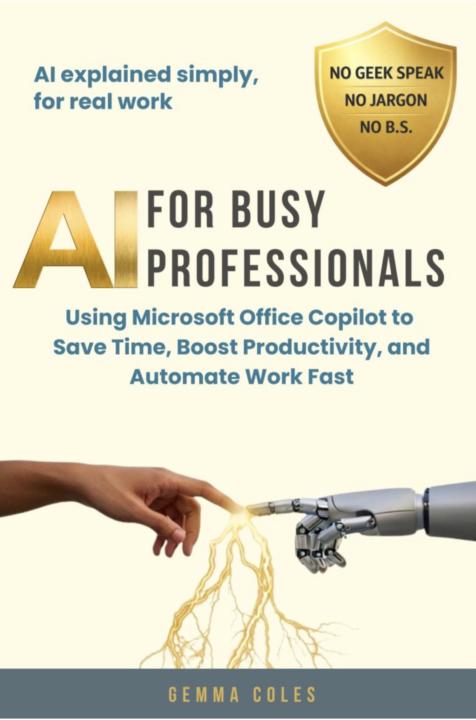
AI for busy Professionals
I know @Krista Brea has been working closely with @Gemma Coles on this book. I have just finished reading the first four chapters of this forthcoming book, it’s such a light easy read. Gemma takes what appears to be a huge complex subject and breaks it down into easy to understand language. Regarding AI I was in the “Like is another thing I have to find time for - something to add to the ever growing to do list” camp. Just these first four chapters have made this subject appear a much simpler and easy to understand task. I am looking forward to getting my hands on the full book as soon as it’s available. If you have not taken Gemma up on the offer to be an early reader and get it free, I would do this before it’s closed. 😊
3 likes • Apr 19
@Gemma Coles Ooooo yes i will definitely do that…😊
1-10 of 28

@janet-wilson-9703
Helping riders silence the fear and feel like themselves in the saddle again. NLP & hypnotherapy. BHS Accredited Coach, 20 years professional.
Active 7h ago
Joined Jan 22, 2026
Powered by