Activity
Mon
Wed
Fri
Sun
Apr
May
Jun
Jul
Aug
Sep
Oct
Nov
Dec
Jan
Feb
Mar
What is this?
Less
More
Memberships
PublishingOS (Free)
10k members • Free
The Great Pivot
46 members • Free
Over 40 and Unemployed
857 members • Free
Ghostwriter GPT
608 members • Free
AI Money Lab
65.2k members • Free
Ghostwriters Anonymous
16.7k members • Free
Tools For Motivation Community
2.6k members • Free
TaskMagic Empire
4.3k members • Free
Easy Creator
10.2k members • Free
4 contributions to Over 40 and Unemployed
Feb 22 •
Coffee Hour - 2-22-2026
Fantastic discussion that lasted 1:45. Some great minds on here today. Enjoy!

1 like • Feb 23
Looking forward to next week when I'm in the right hemisphere. Going to catch up on this one this morning . Cheers.
Feb 19 •
Important: Make Sure You Actually Receive Updates From Us
Quick question: Have you been getting email notifications from Skool? If not, they're probably in your spam folder. This happens to a lot of members (especially Gmail users), and I don't want you missing important updates about The Great Pivot, community events, or conversations that could help you. Here's how to fix it in 2 minutes: For Gmail Users: Option 1 (Easiest): 1. Check your spam folder for emails from Skool 2. Open any Skool email 3. Click "Not spam" at the top 4. Done! Option 2 (Most Reliable): 1. Find any Skool email (check spam if needed) 2. Click the three dots (⋮) in the top right corner 3. Select "Filter messages like this" 4. Click "Create filter" 5. Check the box that says "Never send it to Spam" 6. Click "Create filter" 7. Done! Bonus step: Add [email protected] to your contacts so Gmail knows we're friends. For Outlook/Yahoo Users: 1. Find any Skool email in your inbox or spam 2. Mark it as "Not Junk" or "Not Spam" 3. Add [email protected] to your safe senders list 4. Done! Why This Matters: The Great Pivot launches Monday with 20 founding students. I'll be posting updates, wins, struggles, and lessons learned in real time. Weekly coffee hour is every Sunday at 1pm MST. Important announcements about the next cohort (starting in 4 weeks) will be posted here first. I don't want you missing any of it because your email provider decided Skool emails look suspicious. Too Many Emails? If Skool is overwhelming your inbox, you can customize what notifications you get here: 👉 https://help.skool.com/article/95-how-to-manage-my-notifications You can turn off most notifications and just check the community daily instead. But please don't mark Skool emails as spam. That hurts deliverability for everyone in the community. Just adjust your notification settings instead.

1 like • Feb 20
10-4
Feb 18 •
That is all I need! You can still sign up for the next one in a month!
Thank you all who have joined! I will be contacting you all over the next week for next steps. To those who didn't get in this time, please, if you are interested, tewll me and I will put you on the priority list for next time.

1 like • Feb 19
Looking forward to the energy.
Feb 16 •
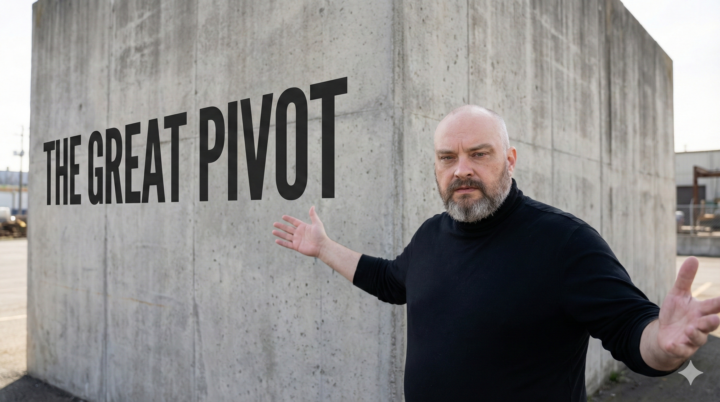
The Great Pivot - I need 20 of you to help me prove something
I've been thinking a lot about the moment everything changed for me. Not the heart attack. Not the bankruptcy. Not even the 800th rejection email. It was the moment I stopped asking "Why won't anyone hire me?" and started asking "Why am I still begging them to?" That shift - from job seeker to builder - changed everything. I went from $0 to $2,500/month on Medium in a few months. Added ghostwriting clients. Built this community to 560+ people. Created a course. Now I'm making $1,500-3,500/month depending on how the algorithms treat me that week. It's not retirement money. But it's mine. No boss can take it away. No HR department can decide I'm too old or too expensive. Here's what I'm building: It's called The Great Pivot. A framework for people like us - the ones who did everything right and still got rejected. The ones who are already unemployed and desperate. And the ones who are still working but watching colleagues get laid off and know they're next. Eight modules. Ninety days. Real income, not theory. Here's what it covers: - Module 1: Why the job market failed you (the brutal data on age discrimination, ATS systems, why your experience became a liability) - Module 2: Reverse engineering your life (designing what you actually want, then building income to match it) - Module 3: The content system (Reddit validation, writing that converts, building your platform) - Module 4: Your first income stream (freelancing, digital products, or content - get to $500/month) - Module 5: Your second stream (diversify for resilience, stack to $2,000-3,000/month) - Module 6: The Side Door Method (how to bypass HR and land clients on your terms through LinkedIn) - Module 7: Don't burn out (sustainability, rest as strategy, picking your one big bet) - Module 8: Your 90-day build plan (week by week, what to do Monday, when to pivot) This isn't theoretical. This is exactly what I did to go from unemployable to building multiple income streams. It's what people in this community are already doing. I'm just organizing it into a system that can be replicated.
1 like • Feb 17
Jason, I'm in. I have been applying relentlessly for roughly ~14 months. Applying with earnest. As of yesterday, I am at 731 applications. It has been greuling. The experience has been draining. If it were simply throwing applications into a void it would somehow be less painful. But there have been small hits, interviews, and even a few short contracts that have felt like pushing the despondency reset button. It seems as if 80% of the effort is matching my CV to an application to get past gatekeepers. Be those AI or human, only to discover the opportunity not as advertised or something worse. Capital and labor font seem to be aligned in this market. Long story short, putting myself first and dragging the economics along seems to be the prudent course of action. I like how you've approached this community. Since we've all been out there for a couple of decades at least, this approach feels realistic. Look forward to hearing from you.
1-4 of 4
@james-griffin-6599
I'm a nomadic freelance writer originally from San Diego, CA. I do a good deal of ghostwriting for coaches and alternative health providers.
Online now
Joined Nov 19, 2025