Activity
Mon
Wed
Fri
Sun
Nov
Dec
Jan
Feb
Mar
Apr
May
Jun
Jul
Aug
Sep
Oct
What is this?
Less
More
Owned by Jaco
A community for design leaders (and aspiring design leaders) mastering user-centered innovation, strategic leadership & driving impact at scale.
AI Money Lab
93.7k
Free
35 contributions to Lead by Design

Aug 4 •
How to manage stakeholders better with a simple spreadsheet
Sharing a simple template we use at Sand Dollar Design to help with stakeholder management, and just better project risk management and communication. Some discipline in keeping this up to date pays off when it comes to heated discussions about "who made that decision" a few months down the line. A spreadsheet cannot build trust, resolve tension or make people take ownership. What it can do is make critical risks, issues and decisions visible. A shared cloud-based log gives everyone access to the same record of: - outstanding risks and issues - decisions awaiting approval - agreed actions and owners - stakeholder responsibilities - important dates and dependencies - That visibility creates clearer accountability and makes it harder for important commitments to disappear between meetings. I created a simple Sand Dollar Design template for designers, Product Owners and leaders, with separate logs for risks, issues and decisions, plus a stakeholder matrix. The spreadsheet does not replace good stakeholder management. It gives the conversations, commitments and decisions somewhere reliable to live. Let me know if you find this useful, or if you have any similar tools in your teams?
1
0
May 14 •
Recording: The Future of Design-to-Code Workflows with TJ Pitre
Missed our session with TJ Pitre, creator of Figma Console MCP? The recording is now available for Lead by Design members. This was one of the most practical sessions we’ve had yet on where AI, design systems, and design-to-code workflows are heading. A few standout insights from the conversation: - AI is only as good as the context it receives. TJ made the point that the real value isn’t just in components, tokens, or data structures — it’s in the meaning, rules, intent, and context flowing through the system. - Design systems need to be AI-ready before AI can really help. Otherwise, AI fills in the gaps, makes judgment calls, and introduces drift. - Designers may increasingly contribute the first coded draft. One of the most interesting ideas was that designers can now move beyond handoff and help create the first meaningful version of a component in code, while a context engineer helps steward quality, standards, trust, and integration. - Figma Console MCP is not just about generating code. TJ showed how it can support diagnostics, reporting, design generation, coded component generation, and design-code parity checks. - The future is not “AI replaces the team.” It’s more likely a model where humans stay upstream, define the constraints, and orchestrate the workflow, while AI executes inside those boundaries. The live demo was awesome. TJ showed: - a workflow for generating a coded component from an existing Figma component - a blank-page design generation workflow using the existing component library - how parity checks can help keep design and code aligned - how richer annotations and documentation improve downstream AI output A very big thank you to TJ for such a thoughtful and practical session. Once you’ve watched it, I’d love to hear:What part of this workflow feels most immediately useful in your own team or practice?
0
0
May 7 •
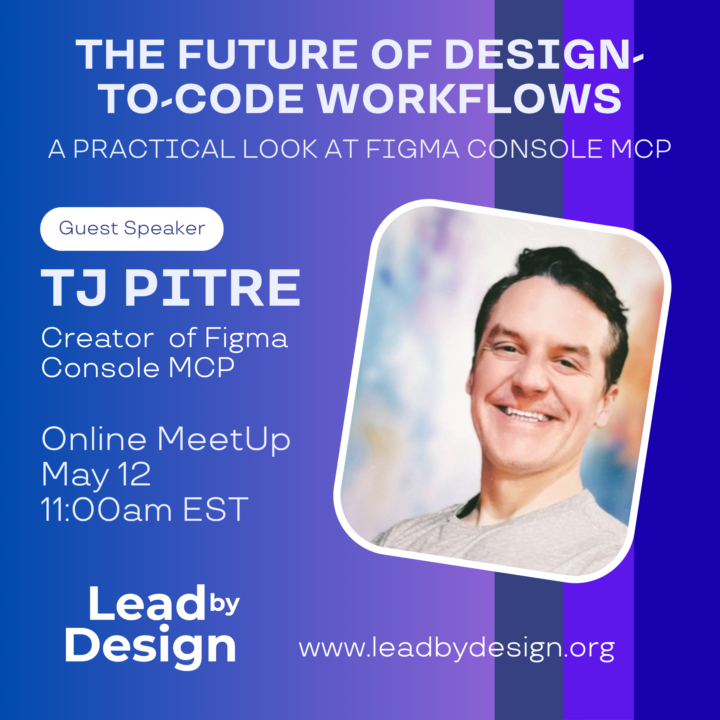
Special Lead by Design event: Guest Speaker TJ Pitre
Join us for a practical session with TJ Pitre, creator of Figma Console MCP, as we explore how AI is reshaping design-to-code workflows on Tuesday 12 May at 17:00 GMT+2. (check out the event link in the Calendar). We’ll cover the story behind the tool, what it can do today, and why developments in this space matter for designers, product teams, and design leaders. TJ will also walk us through practical use cases, from starting a new project from a blank canvas to working with legacy Figma files and evolving them into more effective workflows. Expect a grounded, real-world look at where design, systems, and AI-assisted product development are heading. What to expect: - The story behind Figma Console MCP - Tool capabilities and current developments - Practical demo / workflow examples - Why this matters for design and product leaders - Audience Q&A
0
0
Apr 30 •
Claude Design signals a new phase in “AI as design collaborator”
Anthropic has launched Claude Design, a new Labs product that lets people create visual work — designs, prototypes, slides, one-pagers and more — through conversation with Claude. The interesting part isn’t just “AI makes visuals”; it’s that the workflow includes conversational iteration, inline comments, direct edits, exports to Canva/PDF/PPTX, and handoff to Claude Code. This feels like another "Figma Killer" and another step toward a world where founders, PMs and designers can move from idea → prototype → pitch/demo much faster,. It also raises a good leadership question: what happens to design craft, critique, and quality when more people can generate polished-looking outputs quickly? https://www.anthropic.com/news/claude-design-anthropic-labs
0 likes • Apr 30
In other related news...
Feb 23 •
Coffee Hours Schedule Change
Hi everyone I've decided to shift our Coffee Hours sessions to every 2 weeks, as most of our community are not able to join on a weekly basis. I'm also available for 1:1 calls - just send me a DM to book some time. Looking forward to seeing you at the next one on 5 March!
0
0
1-10 of 35

@jaco-van-den-heever-9430
Design Leader with over 18 years of experience establishing and growing design teams, delivering simple solutions for complex problems.
Active 9d ago
Joined Mar 7, 2025
ENTJ