Activity
Mon
Wed
Fri
Sun
Aug
Sep
Oct
Nov
Dec
Jan
Feb
Mar
Apr
May
Jun
What is this?
Less
More
Owned by Henry
Not a tech person? Perfect. Free training for business owners who want to use AI smarter — without the jargon or overwhelm. Practical steps that work.
Memberships
Thriveability for Seniors
491 members • Free
AI Creator School
8.8k members • Free
Work Boots to WiFi with Suzie
134 members • Free
the skool CLASSIFIEDS
1.9k members • Free
Tech-Lite Business Builders
269 members • Free
REVENUE REVOLUTION
10.4k members • Free
AI Automation Society
415.5k members • Free
AI for Beginners
1.2k members • Free
Legacy Builders Information
143 members • Free
11 contributions to Tech-Lite Business Builders

🔥
19d •
The 10-Minute ChatGPT Setup Most People Never Do
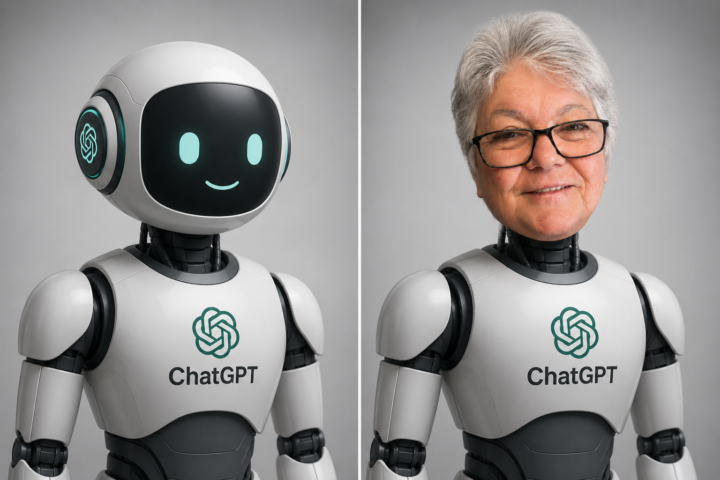
If you've ever thought: "Why does ChatGPT sound so robotic?" The answer is usually simple. Because ChatGPT doesn't actually know much about you. Most people open ChatGPT, ask a question, get a generic answer, then assume that's just how AI works. It's not. A few minutes spent setting up your Personalization settings can completely change the quality of the answers you get. Why This Matters Imagine two people asking ChatGPT the exact same question. One gets a bland answer that could apply to anyone. The other gets advice tailored to their business, audience, goals, and communication style. Same AI. Different setup. Step 1: Add Custom Instructions Go to: Profile Picture → Settings → Personalization This is where you tell ChatGPT how you want it to respond. Think of it like hiring a new assistant. The more useful information you give it, the better it can help you. For example, you can tell it: ✅ What kind of business you run ✅ Who your audience is ✅ How you like information explained ✅ Whether you prefer short answers or detailed ones ✅ What tone you want it to use This one section makes the biggest difference . Step 2: Fill Out "About You" Add a few simple details: - What you do - What you're working toward - Who you help - What you're learning You don't need your life story. Just enough context so ChatGPT can give more relevant answers. Step 3: Adjust the Personality Settings Choose the style that suits you. Personally, I prefer: - Direct answers - Less hype - Fewer unnecessary compliments - Plain English Remember: You can train ChatGPT to sound more like a helpful assistant and less like a corporate brochure. Step 4: Turn Memory On This is where ChatGPT starts remembering useful details between conversations. Instead of explaining your business every time you open a new chat, it can remember: - Your niche - Your audience - Your goals - Your preferred writing style The result? You spend less time repeating yourself and more time getting useful answers.

2 likes • 19d
Yuppers... you got to train it or you will not get anything useful out of that smart kid.
🔥
20d •
Unpopular opinion:
The problem isn't that people over 50 aren't smart enough to build an online business. The problem is that most online business content is built for 28-year-old marketers who grew up with a phone in their hand. When you've spent decades running a real business, raising kids, or working in a trade — you think differently. You need different. Not dumbed down. Different. Anyone else feel like most of this stuff just wasn't made for you?
0 likes • 20d
Well I'm in my mid-seventies but my advantage is I've been doing tech for the last thirty plus years. So I guess the idea that tech is a problem for people over 50 has only moderately occurred to me. I guess I should bring that up at the next senior group meeting that I'm in at our church, where we have 25 to 30-40 people at a meeting. I'll see what their ideas are.
🔥
22d •
Does It Hurt Your Account If You Follow More People Than Follow You?
I was asked an interesting question recently: "Does it matter if I'm following twice as many people as are following me?" The short answer? A little. But probably not for the reason you think. Most people believe the number of followers is what matters most. The reality is that many people will quickly glance at two numbers when they visit your profile: 👥 Followers ➡️ Following And those numbers create an instant first impression. If you're following 1,000 people and only 500 are following you, it can sometimes make your account look like you're still trying to grow rather than being seen as a trusted source of information. That doesn't mean you're doing anything wrong. It just means the signal you're sending may not match the message you're trying to communicate. Why Follow-for-Follow Can Backfire Many beginners start by following lots of people hoping they'll follow back. Sometimes it works. The problem is that many of those followers aren't actually interested in what you do. They never comment. They never engage. They never become customers. Over time, your account fills up with people who don't really care about your content. When that happens, your engagement can drop because fewer people are interacting with your posts. What Matters More Than Your Ratio This is the part I want you to remember. Your follower-to-following ratio is not your value. It's just a first impression. I've seen accounts with tiny followings generate sales every week because they have the right audience. I've also seen accounts with thousands of followers making little or no money because nobody is paying attention. The goal isn't to collect followers. The goal is to attract the right people. What I Recommend ✅ Follow people you genuinely want to learn from. ✅ Follow people you genuinely want to connect with. ✅ Comment thoughtfully on their content. ✅ Create helpful posts consistently. ✅ Clean up inactive or irrelevant accounts occasionally. And most importantly... Stop chasing followers and start building relationships.
1 like • 22d
Another important thing to remember is that when we post things, especially to Facebook and Instagram, and I imagine to other social media content platforms, there is the ratio of followers and non-followers. When I see something interesting online, I don't always go and look at the profile to see how many followers and following there are for that person. Sometimes I just go for the content and look for the link to the information they're sharing. When I look at my stats, I'm always looking to see what the ratio is or the number of non-followers. If I'm getting a bunch of non-followers compared to the followers, I'm going to be more successful. At least that's the way things should go. So you're correct. Somebody with 500 followers can do a better job than somebody with 5,000 if the content is hitting the right people. Those non-followers are the ones that will end up buying. I also have to look at the engagement.
🔥
22d •
Why Most Content Gets Ignored
I learned this lesson the hard way. When I first started creating content, I spent far too much time worrying about what people thought of me. Did I sound smart enough? Did I look experienced enough? Would people take me seriously? Was I saying the "right" thing? The problem was, I was focused on myself. And that's exactly why a lot of my content didn't connect. Here's what I eventually discovered: The people reading your posts aren't thinking about you. They're thinking about themselves. They're worried about paying bills. They're wondering if they're too old to start something new. They're frustrated because they've bought courses that didn't help. They're trying to work out why everyone else seems to be succeeding while they're still stuck. They're looking for answers. They're looking for hope. They're looking for someone who understands what they're going through. The best content doesn't try to impress people. It helps people. Before you write your next post, ask yourself: "What does my reader need to hear today?" That one question changes everything. Instead of trying to sound clever, you'll start being useful. Instead of proving yourself, you'll start helping others. And that's when people begin to pay attention. Because the person scrolling through social media at 10pm isn't looking for the smartest person in the room. They're looking for someone who understands their problem and can help them take the next step. Write for that person. That's the content people remember.
1 like • 22d
Love this... "What does my reader need to hear today?" Now feed that to your AI to ask you each time you give it directions to create a new post for you... I certainly will. Thanks for this @Jenelle Livet
🔥
23d •
Get Clear on Your Offer First
Before we talk about content, we need to talk about your offer. Because if YOU can't explain it clearly in one sentence, your audience definitely can't understand why they need it. Try this prompt: "I am promoting [product/offer name]. Help me explain it clearly by answering these questions one at a time: What is it? Who is it for? What problem does it solve? What result does the buyer get? What makes it different? Then write me a one-sentence offer statement I can use in my content and bio." If the AI struggles to summarise it clearly, that's your signal. The offer needs more clarity before the content will ever convert. Drop your one-sentence offer statement in the comments. Let's see what you've got 👇
3 likes • 23d
My primary product is called Legacy Builders. My AI Claude gave me a long breakdown for each of these questions and then gave me the final one sentence. "Legacy Builders gives everyday entrepreneurs a complete, done-for-you digital products business so you can start generating income online without building anything from scratch."
1-10 of 11

@henry-griner-7829
With 30 yrs online building websites, using Social Media, & teaching others. I continue to teach AI tools & systems at my business henrygriner.com
Online now
Joined May 29, 2026
Columbia TN