Activity
Mon
Wed
Fri
Sun
Oct
Nov
Dec
Jan
Feb
Mar
Apr
May
Jun
Jul
Aug
Sep
What is this?
Less
More
Owned by Brandon
Build a Premium AI Filmmaking Portfolio and Start Charging High Ticket in 30 Days — Without Dozens of Tools.
SloppyTop
763 members • Free
Anime Shows with AI
237 members • $1/month
AiMusicSkool
169 members • Free
Meta Ads Mastery
604 members • $249/month
9D Breathwork Community
51.6k members • Free
The Art Of Going Live
238 members • $12/month
The Game
909 members • Free
The AI Advantage
129.3k members • Free
AI Tools & Training Club
7.9k members • $33/month
8 contributions to AIography

May 30 •
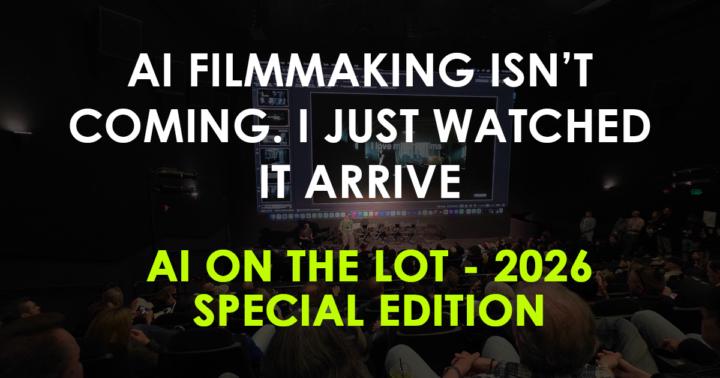
Special Edition: I recapped all of AI on the Lot 2026 for you
I just spent two days at Amazon/MGM Studios in Culver City at AI on the Lot, the biggest AI filmmaking conference in the world, and I wrote up everything for this week's newsletter. It's a long one, on purpose. Paul Schrader got up and explained how he's writing with ChatGPT now. (Spielberg, in the same week, said there's no substitute for the soul about AI). Studios that wouldn't say "AI" out loud two years ago were on the main stage with their names on the work. And the films aren't hypothetical anymore; they're shipping, and a few are selling. I covered every session I could get to and owned up to the ones I couldn't, since I still can't be in two places at once. Read the full thing here. If you read it, I'd love your take below. What surprised you? What are you going to try?

3 likes • May 30
Ooo awesome!! Thanks for putting in the work on attending and recapping for us🔥
Apr 15 •
The Guy Who Built Kling Just Beat Kling
A mystery AI video model called HappyHorse-1.0 showed up on the Artificial Analysis benchmark last week with no name attached. Within days it was #1 in text-to-video AND image-to-video, beating Seedance 2.0, Runway Gen-4.5, and every other model on the board. Then Alibaba raised their hand. Turns out it was built by their ATH AI unit, led by Zhang Di, the former VP of Kuaishou who built Kling AI's technology. The guy who built the previous champion just built the new one. For a different company. The numbers aren't close. 1333 Elo in text-to-video (60 points ahead of #2). 1392 Elo in image-to-video (37 points clear). And here's the part that matters: it generates video and audio together in a single pass. Not two separate models stitched together. One transformer, 40 layers, everything at once. They've confirmed it's going open source. API access starts April 30. If that open source release actually delivers benchmark-level quality, the math changes for everyone paying monthly for Runway or Kling. The best model in the world, free to download and run locally. Worth paying attention to. What do you think this means for the paid tools? Does free + best quality kill the subscription model? Drop your take below. Founding Members are getting a full technical breakdown of HappyHorse's architecture and what it means for your workflows this week.
1 like • Apr 17
ooooo, good looking out on this one!! I'm paying attention, keep us updated 🔥
1 like • Apr 17
@Sherah Danielle good question, curious to see the answer
Apr 4 •
Google Just Made AI Video Generation Free for Everyone
Google dropped a quiet bombshell this week. Veo 3.1, their AI video generation model, is now free for anyone with a Google account. Ten video generations per month, no subscription needed. You can open Google Vids right now, type a prompt, and get a high-quality AI video clip back. Free. They also added: - AI avatars you can direct (change outfits, pose them in scenes, keep voice consistent) - Custom music generation via Lyria 3 (30-second clips up to 3-minute tracks) - One-click publish to YouTube For indie creators testing ideas, prototyping a pitch, or mocking up a concept before committing real budget, this is significant. Ten free generations won't cover a full production, but they'll cover the "what if I tried..." phase that every good project starts with. If you're on a Google AI Ultra plan, you get 1,000 generations per month. That's a different conversation entirely. What's your move? Have you tried Google Vids yet? If you have, what's your honest take on the output quality compared to Runway or Kling? Drop your experience below.
2 likes • Apr 4
Google veo & kling is all I use. I’d boldly claim every other model is just playing catch up trying to do what these 2 succeed in. No better flagships than google & kling
2 likes • Apr 5
@Lawrence Jordan i agree it poses serious quality potential to be a flagship buuut its a non starter for me because its literally inaccessible. A model thats technically better but literally unusable for months after release is useless to me. By the time it hits a useable interface Kling & Veo will be close to releasing their versions if they haven't already and then the whole cycle starts again. So supporting your original post, this is why I love just use veo for most of my work lol.
Mar 3 •
This week in AI filmmaking… things escalated.
A digital “Tillyverse” for AI actors is coming. The WGA West canceled its awards ceremony over a staff strike. Luma dropped Ray 3.14 and put $1M on the table at Cannes. And fresh data from 120,000+ AI-generated videos shows just how mainstream this has become. What’s fascinating isn’t just the tech getting better (it is). It’s that acceleration and resistance are happening at the same time. On one side: synthetic talent ecosystems, production-ready video engines, vertical video dominance, global adoption. On the other: labor unrest, anti-AI film festivals backed by Oscar winners, and guild tensions playing out in public. We’re not watching a trend. We’re watching the industry reorganize itself. I break all of this down in today’s AIography—including what actually matters for filmmakers trying to build careers right now (not just argue on Twitter). If you’re not subscribed yet, it’s free and takes about 7 minutes to read. 👉 Click HERE to subscribe. And as always—I'm curious: Are we heading toward two parallel Hollywoods? Or does this all eventually merge? Let’s discuss.
1 like • Mar 3
Acceleration and resistance are happening at the same time 🔥 thats a great line from this post, i think we’re headed towards 2 parallel hollywoods for now

May '25 •
Vibe Editing Videos
Future of Video Editing. How 'Vibe Editing' can fix audio, remove silences, add B-roll, correct eye contact, and even translate your video.
1 like • May '25
wow! I've been watching tools in this space for a while but haven't seen anything thats been truly useable before. Great showcase video you made here, feels like we're at that point now where Tier 1 & Tier 2 editing styles can be handed off to descript/ai editing agent. Keep up the good content!
1-8 of 8

@exemplar
I Make AI Filmmaking Simple.
Using Ai for Creativity, Design, and Client Work 🎥
Online now
Joined Mar 24, 2025
INTJ
Los Angeles, California
Powered by